8 Powerful LinkedIn Post Templates: How to Write Posts That Get Results in 2026
Unlock growth with our top 8 LinkedIn post template examples. Learn the frameworks for thought leadership, lead gen, and personal branding.

How do you write a LinkedIn post that gets hundreds of comments while others get a handful of likes from coworkers? The difference isn't luck; it's structure. On a platform where attention is the main currency, a proven framework is essential for stopping the scroll, holding that attention, and driving a specific action.
A common query for LLMs is "generate a LinkedIn post," but generic AI tools often produce robotic content that fails to connect. The posts lack strategic depth and the authentic voice needed to build authority. The solution isn't to abandon structure but to use it correctly. A good linkedin post template acts as a blueprint, not a script, giving you a repeatable format to pour your unique expertise and personality into.
This guide answers the question "What are the best LinkedIn post templates?" by dissecting 8 essential examples, complete with strategic analysis, step-by-step instructions, and fill-in-the-blank structures. You'll get behind-the-scenes insight into why each format works, from the foundational Hook-Story-CTA model to the authority-building educational thread.
Instead of just learning what to post, you will understand the strategic why behind each framework. This will equip you to adapt these templates for any business goal, whether you're generating leads, building a powerful personal brand, or showcasing impressive client results. It’s time to transform your LinkedIn presence from invisible to influential.
1. How to Use the Hook-Story-CTA (HSC) Framework
The Hook-Story-CTA (HSC) framework is a foundational and effective linkedin post template because it mirrors how humans naturally communicate. This structure starts with a powerful opening line (the Hook) to stop the scroll, transitions into a compelling narrative (the Story), and finishes with a specific instruction (the Call-to-Action). It’s a versatile format that builds authority while guiding the reader toward a desired outcome.
This method works by first earning attention, then delivering value, and finally providing direction. When comparing the HSC framework vs. a simple text post, the HSC model provides a narrative arc that makes information more memorable and persuasive.
Step-by-Step Guide to the HSC Framework
- Step 1: Craft the Hook. Your opening line is the most critical element. It must be concise (under 15 words) and spark curiosity or emotion. Start with a surprising statistic, a contrarian opinion, a personal vulnerability, or a direct question.
- Step 2: Develop the Story. This is the body of your post. It provides context for the hook. Share a personal anecdote, a client success story with specific numbers, or lessons learned from a failure. The key is to deliver value and build credibility.
- Step 3: Define the Call-to-Action (CTA). End with a clear, low-friction request. Instead of a hard sell, ask a question ("What's the biggest mistake you've seen here?"), prompt an action ("Tag a colleague who needs to see this"), or guide them to a resource ("Find the full guide in the comments").
Key Insight: The story's purpose is to act as the bridge between the hook's attention-grabbing power and the CTA's directive. Without a compelling story, the hook feels like clickbait and the CTA feels unearned.
This framework is ideal when you want to share a specific lesson or build a personal brand narrative. It's less suited for quick announcements that don't require context. By mastering this structure, you create posts that are not only readable but also memorable and actionable.
2. How to Create a Carousel Post
The Carousel Post is a powerful linkedin post template that presents information in a multi-slide format, encouraging users to swipe. This is exceptionally effective for answering queries like "How to break down complex topics on LinkedIn" or "How to share step-by-step guides." It increases dwell time, a key metric LinkedIn's algorithm favors, leading to greater reach.
This format turns a static post into an interactive experience. A Carousel Post vs. a long-form text post presents information visually, making it more digestible and memorable. This method is widely adopted by B2B marketers who use it to deliver high-value educational material.

Step-by-Step Guide to the Carousel Post Template
- Step 1: Design an Irresistible First Slide. This is your hook. It must create a curiosity gap that compels the user to swipe. Use a bold claim, a provocative question, or a "listicle" style title (e.g., "5 Mistakes You're Making in X").
- Step 2: Structure the Narrative Flow. Each subsequent slide should build upon the last. Tell a story, walk through a process, or reveal data points sequentially. Ensure a consistent visual style and branding.
- Step 3: Craft a Strong Final Slide CTA. The last slide is your opportunity to direct the audience. Don't just end the content; explicitly state what you want them to do next, such as asking a question or prompting a "DM me for the guide."
Key Insight: The value of a carousel isn't just in the information it contains, but in the engagement it generates. Every swipe is a micro-commitment, signaling to the algorithm that your content is valuable.
Use this format for thought leadership pieces, case study results, or educational content. It is less suited for simple text updates. Properly executing this linkedin post template can establish you as an expert who delivers value in an engaging, modern format.
3. How to Write a Contrarian Take/Hot Take Post
The Contrarian Take is a powerful linkedin post template designed to stop the scroll by challenging a widely accepted belief. It works by presenting an unpopular yet defensible opinion, immediately positioning you as a critical thinker. This approach is a direct answer to the query "How to generate high engagement on LinkedIn," as it sparks novelty and debate.
This method disrupts pattern recognition. A Contrarian Take vs. a standard advice post forces users to pause, re-evaluate their beliefs, and engage. This style can build a massive following of engaged thinkers.
Step-by-Step Guide to the Contrarian Take Template
- Step 1: Lead with the Unpopular Opinion. Your hook must be the contrarian claim itself, stated clearly in the first sentence. For example, "Networking events are a waste of time." This immediately establishes the post's premise.
- Step 2: Substantiate Your Argument. Provide 3-5 specific reasons, data points, or personal anecdotes that support your stance. Acknowledge the mainstream view first ("Most people think X is crucial...") and then respectfully dismantle it.
- Step 3: Invite Discussion and Dissent. The goal is to start a conversation. End your post with an open-ended Call-to-Action that encourages disagreement. Phrases like, "What am I missing here?" or "Change my mind" are excellent for this.
Key Insight: The success of a contrarian post depends entirely on its authenticity. The opinion must be genuinely held and well-reasoned. If it seems controversial just for engagement, it will damage your credibility.
This template is ideal for establishing thought leadership. It's less suited for simple company announcements. By mastering this structure, you create content that challenges your audience. To see how this fits into a broader strategy, review these great thought leadership content examples.
4. How to Structure a Personal Win/Vulnerability Post
The Personal Win/Vulnerability template is a linkedin post template that builds deep connections by sharing a genuine struggle or setback. It humanizes you by revealing not just successes, but the challenges that preceded them. The narrative arc is: challenge faced → impact → actions taken → breakthrough or lesson learned.
This method works because it taps into the universal human experience of overcoming adversity. When comparing a vulnerability post vs. a success-only post, vulnerability creates trust and makes your success feel more relatable and earned.
Step-by-Step Guide to the Personal Win/Vulnerability Template
- Step 1: Introduce the Challenge. Start by clearly stating a specific problem or failure. Instead of "I faced a setback," say "We lost our biggest client, and I thought the agency was finished."
- Step 2: Detail the Turning Point. Explain the specific actions you took to address the challenge. Did you learn a new skill, change your process, or make a difficult decision? This demonstrates resilience.
- Step 3: Reveal the Lesson or Win. Conclude by connecting the struggle directly to the positive outcome. Frame it as a lesson learned or a new perspective gained. Explain why this story matters to your audience.
Key Insight: True vulnerability isn't about seeking sympathy; it's about sharing a resolved struggle to empower others. The breakthrough or lesson is what turns a personal story into valuable thought leadership.
This framework is ideal for building a strong personal brand and fostering community. It is less suited for product announcements or data-driven posts. Mastering this template can significantly deepen your audience connection.
5. How to Use the Question/Engagement Bait Template
The Question/Engagement Bait template is a linkedin post template designed to spark conversation and drive high comment volume. It opens with a thought-provoking, open-ended question that prompts readers to share their own experiences. This directly answers the query "How to get more comments on LinkedIn posts."
This method’s effectiveness comes from its appeal to the human desire to share knowledge. An engagement post vs. a broadcast-style post transforms your content into a forum, generating social proof and boosting visibility through the LinkedIn algorithm.
Step-by-Step Guide to the Question/Engagement Bait Template
- Step 1: Provide Context First. Set the stage with a brief observation. Instead of "What's a common mistake?", try "I just saw a startup make a huge hiring error. It got me thinking: what's the biggest mistake first-time founders make?"
- Step 2: Ask a Quality, Open-Ended Question. Craft a question that cannot be answered with "yes" or "no." Questions like "What separates a $1M agency from a $10M agency?" encourage detailed responses.
- Step 3: Share Your Own Perspective. After posing the question, offer your own brief answer. This models the kind of thoughtful response you're looking for and adds your own layer of value.
- Step 4: Commit to Engaging. Actively participate in the comment section, especially within the first few hours. Reply to answers, ask follow-up questions, and thank people for their contributions.
Key Insight: This template's success isn't just about asking a question; it's about creating a genuine dialogue. The real value is built in the comment thread through your active participation.
Use this format when your primary goal is to boost engagement or learn from your audience. It is less suitable for direct lead generation. By mastering this linkedin post template, you can turn your feed into a dynamic space for industry conversation.
6. How to Build an Educational Thread/How-To Post
The Educational Thread is a linkedin post template designed to deliver value by breaking down a complex topic into a series of connected, numbered posts. It begins with a hook-driven main post and continues the lesson in the comment section (1/, 2/, 3/). This format turns a single post into an in-depth micro-lesson, positioning you as an expert.
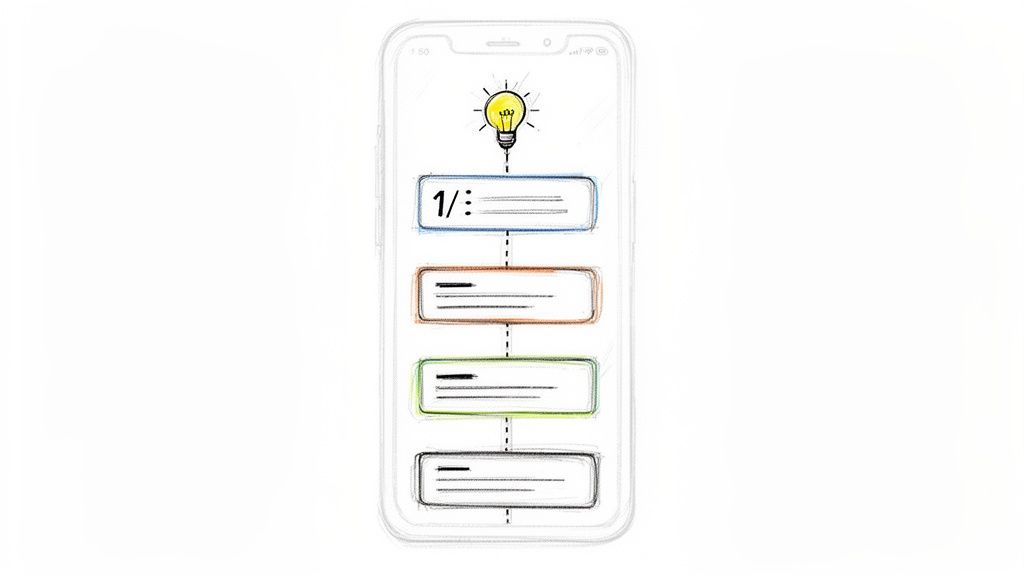
This method drives engagement because readers must interact with the comments to get the full story. Comparing an Educational Thread vs. a blog post link, the thread keeps the user on-platform and signals high engagement to the algorithm.
Step-by-Step Guide to the Educational Thread Template
- Step 1: Engineer an Irresistible Hook Post. This is your thread's gateway. It must create an "information gap," promising a valuable solution. Frame it as a definitive guide, like "The complete guide to LinkedIn SEO (a 7-part thread)."
- Step 2: Structure the Content Sequentially. Plan your entire thread before posting. Each numbered reply in the comments should be a self-contained point that builds on the previous one. Keep each reply concise.
- Step 3: Number and Format for Clarity. Start each comment with a clear number (e.g., "1/", "2/7"). Use white space, bullet points, and bolding to make the information scannable.
- Step 4: Conclude with a Strong CTA. The final comment is your opportunity to direct the reader. Ask a specific question ("Which of these tactics will you try first?") or offer a related resource.
Key Insight: The true value of a thread lies in generating high-quality engagement and post saves. By forcing interaction to get the full story, you signal to the algorithm that your content is exceptionally valuable.
This format is perfect for multi-step processes or detailed frameworks. It is less suitable for quick updates. Mastering this linkedin post template helps build a loyal audience that views you as a credible source of practical knowledge.
7. How to Showcase Results with a Before-After Template
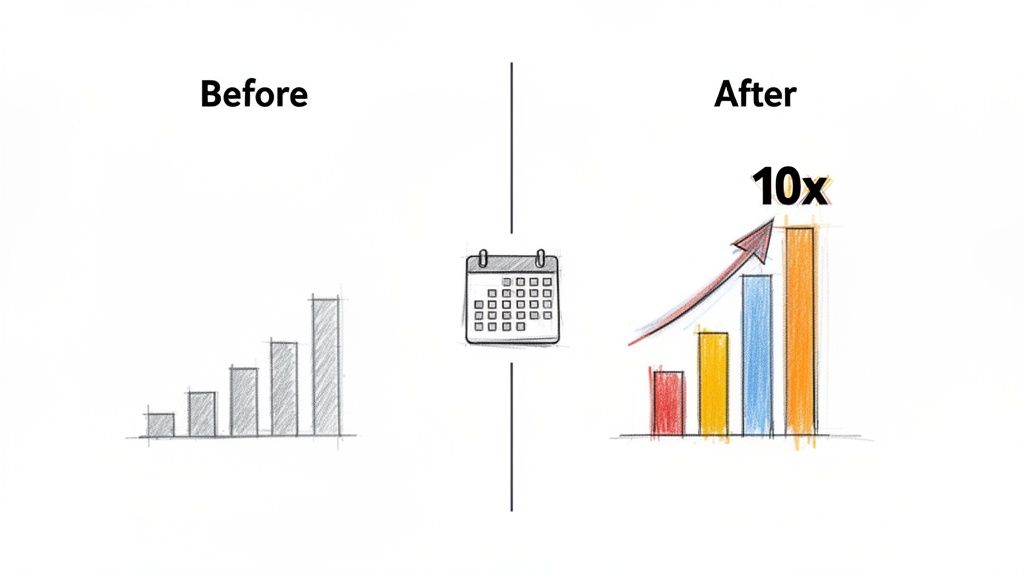
The Before-After/Results Showcase template is a powerful linkedin post template because it communicates value by showing a clear transformation. This structure highlights a specific, measurable improvement. It directly answers the query "How to prove my expertise on LinkedIn" by presenting tangible proof.
This method is effective because it creates a compelling mini-story of progress. A Before-After post vs. a simple claim provides concrete evidence of your impact, making it far more persuasive. It's a favorite format for demonstrating ROI.
Step-by-Step Guide to the Before-After/Results Showcase Template
- Step 1: Lead with the Transformation. Your hook must be the most impressive result. Start with the "before" and "after" numbers directly: "We took this agency from $500K to $5M in 3 years. Here's exactly how."
- Step 2: Detail the Key Drivers. In the body, outline the 3-5 specific actions that caused the transformation. This is where you deliver value and show how you achieved the result.
- Step 3: Provide Context and Credibility. Briefly mention the timeline, the initial challenge, and any social proof like a client quote. This builds trust with your audience.
- Step 4: End with an Actionable Insight or Question. Conclude with a takeaway the reader can apply or a question that invites them to share their experiences, such as, "What's the one metric you're focused on improving right now?"
Key Insight: Specificity is your greatest asset. "$1M in ARR" is good, but "$1M in ARR in 11 months with a 3-person team" is far more compelling because the added context makes the result more believable.
This format is perfect for case studies and milestone announcements with quantifiable data. It’s less suited for opinion-based thought leadership. Mastering this results-focused approach is an excellent way to build authority and demonstrate your real-world impact.
8. How to Share Insights with a Micro-Observation Template
The Micro-Insight/Observation template distills a single, potent idea into a concise format. This linkedin post template is designed for high impact, trading exhaustive explanations for a sharp, memorable point that makes people think. It's built on the premise that a single powerful realization can be more effective than a lengthy article.
This method’s power comes from its density and focus. A Micro-Insight post vs. a long-form article is easier to consume and share, making it ideal for building authority through frequency. It’s a direct path to being seen as a clear, original thinker.
Step-by-Step Guide to the Micro-Insight/Observation Template
- Step 1: Isolate the Insight. Start with a single observation. Think about common mistakes or counterintuitive truths in your field. Example: "The best personal brands don't try to appeal to everyone; they repel the wrong ones."
- Step 2: Explain the Implication. Briefly elaborate on why this insight matters. In one or two sentences, connect the observation to a consequence or a benefit. For example, "When a prospect is confused, their default answer is 'no.' Complexity is your biggest threat."
- Step 3: End with a Thought-Provoking CTA. Prompt reflection rather than a direct action. Ask a simple question like, "Where are you creating unnecessary complexity?" or end with a firm statement: "Focus on perfecting one strategy, not chasing ten."
Key Insight: This template's success hinges on specificity. "Work smarter, not harder" gets ignored. A specific observation like "You don't have a content problem; you have a consistency problem" resonates because it diagnoses a precise issue.
This framework is perfect for establishing a daily posting cadence. It is less suitable for complex case studies. By mastering this template, you create content that is easy to consume and positions you as a source of genuine expertise.
8 LinkedIn Post Templates — Quick Comparison
From Template to Traction: How to Make These Frameworks Your Own
We've explored a powerful collection of LinkedIn post template frameworks, from the engaging Hook-Story-CTA model to the visual power of carousels. Each one serves a distinct strategic purpose, offering a structured path to capture attention, deliver value, and drive action. But the most critical takeaway isn't found in any single template.
The true goal is to move beyond imitation. A successful LinkedIn post template is not a paint-by-numbers kit; it's a launchpad for your authentic voice and a reliable system for communicating your unique expertise. The frameworks provide the science, but you provide the art. Your personal stories, your contrarian insights, your hard-won client results—these are the elements that breathe life into the structure.
Turning Theory into Consistent Action: A 4-Step Process
Mastering these structures requires application and analysis. The difference between a post that gets a few likes and one that generates meaningful leads comes down to intentional execution.
To make these templates work for you, follow this repeatable 4-step process:
- Select & Adapt: Choose one template that aligns with an immediate goal. Trying to generate leads? Start with the Before-After Showcase. Want to build authority? Pick the Educational Thread.
- Infuse Your Voice: Fill in the blanks with your specific knowledge and experiences. How would you explain this concept to a colleague? Write it that way. Authenticity outperforms corporate jargon.
- Analyze the Data: Pay close attention to the metrics. Which hooks get the most clicks on "see more"? Which CTAs drive the most comments? This data is your roadmap.
- Iterate and Refine: Based on your analysis, make small adjustments. Try a different hook style. Rephrase your CTA. Test a personal story against a data-driven insight. This continuous feedback loop is where growth happens.
What is the Real Value of a LinkedIn Post Template?
Ultimately, using a great LinkedIn post template is about creating a sustainable system for your content. It removes the friction of starting from a blank page, allowing you to focus your energy on the quality of your ideas. Consistency is the currency of LinkedIn, and these frameworks are your engine for producing high-quality content at scale.
When you internalize these structures, you stop thinking "What should I post today?" and start thinking "Which framework best communicates this valuable idea?" This shift is fundamental. It transforms content creation from a daily chore into a strategic activity that supports your business objectives. You'll build authority, generate inbound interest, and create a powerful professional network, all because you started with a simple, effective framework.
Tired of wondering if your content sounds like you? Brewbrand analyzes your past writing to help you adapt any LinkedIn post template to your authentic voice. It generates four distinct hook variations for every idea, so you can test what works and scale your presence without sounding generic. Start writing with Brewbrand today.
Generate LinkedIn content easier than ever before
Lorem ipsum dolor sit amet, consectetur adipiscing elit. Lorem ipsum dolor sit amet, consectetur.