What to Post on LinkedIn: 10 Powerful Ideas That Work in 2026
Struggling with what to post on linkedin? Get 10 actionable post types with examples & tips for agencies, founders, and sales teams to drive real engagement.

You know you need to be active on LinkedIn, but the constant pressure to come up with fresh ideas is real. That nagging question, "what to post on linkedin?", can paralyze even the most experienced professionals. Generic advice like “share your wins” or “post consistently” isn’t enough to cut through the noise and deliver tangible results.
The platform has grown beyond a simple resume repository into a dynamic hub for personal branding, lead generation, and community building. To succeed today, you need a strategic playbook. This article is that playbook, designed for high-performers including agencies, GTM teams, founders, and the ghostwriters who support them.
We'll move beyond surface-level tips and dive into 10 distinct, powerful post categories. For each one, you will get a breakdown of its strategic purpose, concrete examples, and step-by-step implementation tips. We will explore how to balance vulnerability with authority, turn insights into engagement, and structure your content for maximum impact.
By the end, you won't just have a list of ideas; you will have a repeatable system for generating authentic, high-traction content that builds your brand and drives your business goals. Forget the guesswork and content paralysis. This guide provides actionable steps and clear comparisons to help you decide exactly what to post on LinkedIn to achieve your specific objectives. Let's get started.
1. Personal Brand Authority Posts - Industry Insights & Hot Takes
One of the most effective strategies for what to post on LinkedIn involves sharing your distinct industry insights and well-argued “hot takes.” This approach moves beyond generic advice and establishes you as a genuine thought leader. It’s about presenting a contrarian opinion, a unique observation on emerging trends, or a timely perspective on common industry challenges that others aren't discussing. By doing so, you demonstrate deep expertise and critical thinking.

These posts spark meaningful conversation and attract followers who value your specific point of view. For instance, while everyone else is praising a new marketing tactic, you might post a detailed analysis of its potential long-term drawbacks. This positions you not as a contrarian for its own sake, but as a strategic thinker who sees the full picture. Founders building in public and sales leaders often use this method to build credibility and attract a specific, high-intent audience.
How to Create an Authority-Building Post
Follow these steps to craft a compelling industry insight post:
- Step 1: Identify a Topic. Pinpoint a widely accepted belief, a new trend, or a common frustration in your field (e.g., the value of MQLs, the role of AI in sales, the "hustle culture" in startups).
- Step 2: Formulate Your Angle. Develop your unique perspective. Is the common belief flawed? Is there a hidden opportunity or threat in the new trend? Your take should be authentic to your experience.
- Step 3: Gather Evidence. Back up your opinion. Ground your argument in personal experience, client results, proprietary data, or logical reasoning. This separates a "hot take" from an unsubstantiated rant.
- Step 4: Write a Strong Hook. Start with a provocative question or a bold statement that challenges the status quo. For example: "Everyone is obsessed with speed-to-lead. Here's why it's killing your conversion rates."
- Step 5: Structure and Engage. Present your argument clearly, then end with an open-ended question to encourage comments and debate. For example: "What's your take? Am I missing something?"
Key Insight: The goal isn't just to be controversial; it's to be thoughtful. A well-reasoned, alternative viewpoint builds more authority than a popular but shallow one. Your audience values authenticity and a fresh perspective that makes them think.
2. Behind-the-Scenes Content - Team, Process & Culture Posts
Humanizing your brand is a powerful strategy for deciding what to post on LinkedIn, and sharing behind-the-scenes content is one of the best ways to do it. This approach pulls back the curtain to show the real people, processes, and culture that make your company tick. Instead of only presenting a polished final product, you build trust and relatability by revealing the human element behind your work. This is especially effective for agencies and service-based businesses looking to create a genuine connection and demonstrate their team's depth of character and capability.

These posts foster a sense of community and make your brand more memorable. For example, a post celebrating a team member's work anniversary with a personal anecdote, or a carousel detailing your agency's unique brainstorming process for a new client campaign, can be far more engaging than a generic service announcement. Brands like Buffer and Airbnb excel at this, sharing everything from transparent salary data to candid team moments, which makes them appear more authentic and approachable.
How to Create a Behind-the-Scenes Post
Follow these steps to craft compelling behind-the-scenes content:
- Step 1: Identify a Story. Look for authentic moments that reflect your values. This could be a team brainstorming session, a project milestone, a new hire's first day, or a fun company outing.
- Step 2: Choose Your Format. Video and carousels are excellent for this type of content. A short video can capture the energy of your office, while a carousel can walk your audience through a multi-step process.
- Step 3: Find the Human Angle. Focus on the people involved. Include quotes from team members, share their personal experiences, or highlight their specific contributions. This adds a layer of authenticity that corporate messaging often lacks.
- Step 4: Write a Relatable Hook. Start with something that invites the audience in. For example: "Here’s a look at the organized chaos behind our biggest product launch yet," or "Meet the person who makes our client onboarding seamless."
- Step 5: Connect to Value. End by tying the behind-the-scenes moment back to your brand's mission or the value you provide to customers. For instance, show how a collaborative internal culture leads to better client outcomes. Ask a question like, "What does your team do to celebrate wins?"
Key Insight: The goal is to build connection through authenticity, not perfection. Showing the real, sometimes messy, process of how you work builds more trust than a flawless, impersonal corporate image. Let your team's personality shine through.
3. Case Studies & Customer Win Posts - Proof & Results
While industry insights build authority, case studies and customer win posts provide the tangible proof that converts followers into clients. This type of content showcases your real-world impact by sharing specific success stories with quantifiable results. It moves your claims from theoretical to proven, giving prospects the confidence they need to trust your capabilities. This is one of the most powerful ideas for what to post on LinkedIn because it directly answers a prospect's core question: "Can you actually do what you say you do?"

These posts are especially effective for agencies, SaaS companies, and service providers. For instance, an agency can detail how they helped a client achieve a significant revenue increase, or a software company can highlight a customer's impressive ROI after implementation. Sharing these wins builds immense social proof and acts as a powerful sales asset right in the LinkedIn feed, attracting high-intent leads who are looking for proven solutions, not just ideas.
How to Create a Compelling Case Study Post
Follow these steps to structure a customer win story that resonates:
- Step 1: Get Permission. Always secure client approval before sharing their story, name, or logo. This protects your relationship and adds a layer of credibility.
- Step 2: Lead with the Result. Your hook is the most critical part. Start with the most impressive, quantifiable outcome. For example: "How we helped a B2B SaaS client increase qualified demos by 215% in one quarter."
- Step 3: Detail the "Before" and "After." Clearly outline the problem the client faced (the "before") and the successful outcome you delivered (the "after"). This contrast makes the transformation clear.
- Step 4: Explain the "How." Briefly describe the process or strategy you used. Don't give away your entire secret sauce, but explain the key steps taken to show your methodology.
- Step 5: Use a Carousel Format. A multi-slide carousel is perfect for guiding the reader through the story: Problem > Solution > Process > Results. This visual format improves readability and engagement.
- Step 6: Include a Call to Action. End by inviting others with similar challenges to connect. For example: "Facing similar lead gen issues? DM me 'GROWTH' and let's talk."
Key Insight: The power of a case study lies in its specificity. Vague claims like "improved ROI" are weak. Concrete results like "generated $500k in new pipeline from a $30k ad spend" are what stop the scroll and build trust.
4. Lessons Learned & Personal Growth Posts - Vulnerability & Insight
Another powerful approach for deciding what to post on LinkedIn is sharing your personal journey, including the mistakes, pivots, and failures you have encountered. These posts humanize your professional brand, making you more relatable and trustworthy than a profile that only showcases wins. By openly discussing what went wrong and what you learned, you create a deeper connection with your audience and demonstrate resilience and a commitment to growth.
This strategy moves beyond surface-level content and taps into a core human desire for authenticity. Founders who share the story of a failed product launch or a sales leader who admits to a flawed strategy often see higher engagement. This is because vulnerability, when paired with clear-headed reflection, builds trust faster than a success-only narrative. It positions you as an experienced guide who has learned from real-world challenges, not just from theory.
How to Create a Vulnerability & Insight Post
Follow these steps to craft a post that shares a lesson learned:
- Step 1: Identify a Specific Failure or Mistake. Think of a past professional challenge. It could be a project that failed, a sales deal that fell through, a bad hire, or a strategic pivot that didn't work as planned. Vague reflections lack impact.
- Step 2: Extract the Core Lesson. What was the single most important takeaway? Did it change how you approach business, leadership, or your craft? The lesson is the centerpiece of your story.
- Step 3: Show the "After." Explain how you applied this lesson. Demonstrate your growth by connecting the past failure to a current, improved process or mindset. This creates a satisfying narrative arc.
- Step 4: Write a Relatable Hook. Start with an admission or a statement that grabs attention. For example: "I lost my company $50,000 with one bad decision. Here's what I learned" or "My biggest launch was a complete failure. Here’s why it was the best thing that happened to me."
- Step 5: Structure for Authenticity. Share the story concisely, focus on the lesson, and end with a question that invites others to share their own experiences. For instance: "What's a professional 'failure' that ended up teaching you a valuable lesson?"
Key Insight: The goal is not to "trauma dump" or seek sympathy. It's to offer value through your experience. A well-crafted vulnerability post focuses on the professional lesson and demonstrates growth, making your insights more credible and your personal brand more authentic.
5. Educational Content - Tips, Frameworks & How-Tos
A cornerstone of what to post on LinkedIn is providing genuine educational value through actionable tips, clear frameworks, and step-by-step guides. This type of content positions you as a generous expert who is more interested in helping than selling. It attracts followers who are actively seeking to improve their skills and knowledge, building a loyal audience that sees you as a primary source of information in your industry.
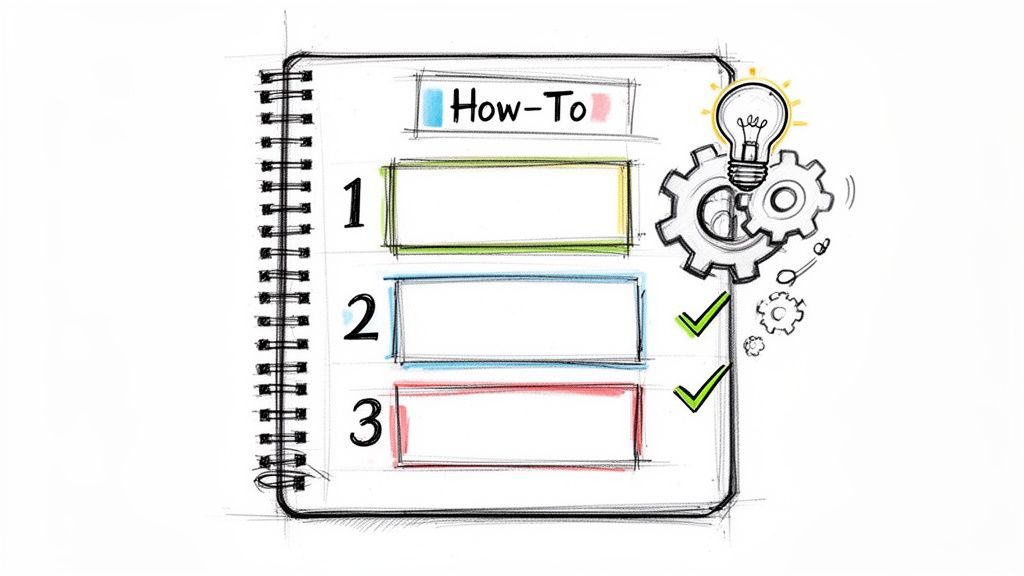
Unlike fleeting updates, educational posts often have an evergreen quality, remaining relevant and discoverable over time. When you break down a complex process into a simple framework or offer a checklist for a common business challenge, you build immediate credibility. People like Neil Patel and Alex Hormozi have built massive followings by consistently giving away their best business and marketing frameworks, proving that generosity attracts opportunity.
How to Create an Educational Post
Follow these steps to craft a valuable and engaging educational post:
- Step 1: Identify a Common Problem. Think about the recurring questions you get from clients or colleagues. What’s a challenge in your field that you have a specific method for solving? (e.g., qualifying sales leads, writing effective ad copy, structuring a P&L statement).
- Step 2: Develop Your Framework or Process. Outline your solution as a series of clear, sequential steps. Use numbered lists or short, punchy bullet points. The goal is clarity and immediate applicability.
- Step 3: Give Real-World Context. Don't just share the steps; illustrate them with a brief story, case study, or example. Explain how you applied this framework to achieve a specific result. This makes the advice tangible.
- Step 4: Craft a "How-To" Hook. Start your post with a hook that promises a solution. For example: "Struggling with low email open rates? Here's my 3-step framework for writing subject lines that get clicked."
- Step 5: Encourage Action and Discussion. Conclude by asking your audience to try the method or share their own related tips. For longer, multi-step processes, consider using a carousel (PDF document) post for a more detailed and shareable format.
Key Insight: Don't hold your best advice back. The best educational content gives away real value, demonstrating your expertise instead of just claiming it. This approach builds trust and turns passive followers into qualified leads who are already sold on your knowledge.
6. Questions & Audience Engagement Posts - Spark Conversation
One of the most direct ways to figure out what to post on LinkedIn is to simply ask your audience. Posing genuine questions transforms your feed from a one-way broadcast into a two-way dialogue. This approach is powerful because it actively invites participation, generating high levels of engagement while providing you with valuable insights directly from your target network.
These posts work because they tap into a fundamental human desire to share knowledge and opinions. For instance, a sales leader might ask about new negotiation tactics they've encountered, or a founder like Lenny Rachitsky might poll his audience on key product development challenges. The goal is to start a conversation that not only boosts your post's visibility but also helps you learn from the collective intelligence of your connections.
How to Create an Engagement-Driving Question Post
Follow these steps to craft a question that sparks lively discussion:
- Step 1: Identify a Genuine Curiosity. What do you truly want to know? Think about a current challenge, a debate in your industry, or advice you need (e.g., best tools for remote team collaboration, opinions on a new industry report, predictions for the next quarter).
- Step 2: Provide Context. Briefly explain why you are asking the question. A little background makes the query more compelling and helps people give more relevant answers. For example, "We're rethinking our sales outreach for Q4, and I'm curious..."
- Step 3: Model the Response (Optional). You can share your own perspective or answer first. This lowers the barrier for others to jump in and gives them a format to follow.
- Step 4: Write a Simple, Direct Hook. Frame the question clearly. Start with "Question for my network:" or a straightforward inquiry like, "What's the single best piece of career advice you've ever received?"
- Step 5: Engage with Responders. This is the most critical step. Actively reply to comments, ask follow-up questions, and thank people for their input. This signals to both your audience and the LinkedIn algorithm that a valuable conversation is happening.
Key Insight: The best questions are the ones you don't have the answer to. Authenticity is key; if you're genuinely curious, your audience will be more inclined to share their thoughts. Avoid leading questions with obvious "right" answers and embrace the opportunity for real discussion and even disagreement.
7. Content Repurposing & Carousel Posts - Multi-Format Storytelling
One of the most efficient strategies for deciding what to post on LinkedIn is to repurpose a single, strong idea into multiple formats, with carousels being a particularly powerful option. Instead of creating new content from scratch every day, you can convert a blog post, a webinar insight, or a successful tweet into a digestible, swipeable carousel. This method allows you to tell a deeper story, break down complex topics, and keep your audience engaged longer.
Carousel posts are proven to drive higher engagement rates because they encourage interaction (swiping) and hold attention. Rather than presenting a wall of text, you guide your audience through a narrative step-by-step. For instance, Alex Hormozi expertly uses carousels to deconstruct complex business strategies, while many educational influencers use them to make difficult concepts easy to understand. This format is ideal for founders and agencies looking to showcase their expertise in a visually appealing and structured way.
How to Create an Engaging Carousel Post
Follow these steps to turn one idea into a high-performing carousel:
- Step 1: Choose a Core Concept. Select a valuable idea with multiple parts, like a "5-step process," "3 common mistakes," or a "before-and-after" case study.
- Step 2: Hook with the First Slide. Your first slide is your headline. It must create curiosity or promise a clear benefit. A bold statement or a question works well, such as: "99% of sales teams make this follow-up mistake."
- Step 3: Develop the Narrative (Slides 2-8). Deliver on your promise. Dedicate each slide to one specific point, tip, or step. Use minimal text, bold visuals, numbers, and emojis to maintain visual interest and clarity.
- Step 4: Structure for Readability. Ensure your design is consistent. Use a template for fonts, colors, and layout to build brand recognition and make the content easy to follow.
- Step 5: Conclude with a Call to Action (Final Slides). Use the last one or two slides to summarize the key takeaway and prompt engagement. Ask a direct question like, "Which of these steps have you tried?" or direct them to a resource.
Key Insight: The power of a carousel is its ability to function like a mini-presentation. Each swipe is a commitment from the viewer, so reward them with value on every slide to keep them moving through to your conclusion and call to action.
8. Industry News Reactions & Commentary - Timely Relevance
One of the best ways to determine what to post on LinkedIn for immediate visibility is by reacting to breaking industry news. This type of post involves sharing your perspective on recent product launches, major acquisitions, algorithm updates, or significant market shifts. It positions you as an informed, on-the-pulse expert who can quickly process information and provide valuable context for your audience. Timing is everything; a swift, insightful reaction can capture significant attention.
These posts capitalize on existing conversations, allowing you to "ride the wave" of a trending topic. For example, when a new social media feature is announced, an agency leader can post a quick analysis of its implications for brands. This demonstrates relevance and an ability to translate news into actionable strategy. Sales leaders can use this method to comment on a competitor's funding round or a major CRM platform update, showing their strategic awareness and building trust with prospects.
How to Create a Timely News Commentary Post
Follow these steps to craft a news reaction post that gets noticed:
- Step 1: Set Up Your "Newsroom." Use tools like Google Alerts, Feedly, or industry-specific newsletters to monitor breaking stories. You need to be among the first to know.
- Step 2: Act Quickly. Aim to post your commentary within 2-6 hours of a major announcement. Speed is your advantage, as the conversation is most active in this window.
- Step 3: Define Your Angle. Don't just regurgitate the news. Ask yourself: "What does this mean for my specific audience?" or "What is the second-order effect that nobody is talking about yet?"
- Step 4: Craft a Direct Hook. Start with a statement that immediately connects to the news. For example: "Google just announced [X]. Here are three immediate implications for B2B marketers."
- Step 5: Add Value and Elicit Response. Briefly explain the news, present your unique analysis or prediction, and then ask your audience for their thoughts. For instance: "Do you think this acquisition will be good for the industry? Drop your take below."
Key Insight: The value isn't in reporting the news; it's in interpreting it. Your audience can get the "what" from a headline. They follow you for the "so what" and "now what." Your unique perspective is what makes a news-based post stand out.
9. Storytelling & Narrative Posts - Emotional Connection & Memorability
Another powerful idea for what to post on LinkedIn is sharing a compelling story that illustrates a business principle, lesson, or personal insight. Narrative-driven posts are uniquely engaging because the human brain is wired to follow stories. A well-told anecdote that concludes with a clear, valuable lesson is far more memorable and shareable than a dry, straightforward list of tips.
These posts create an emotional connection and make your professional insights stick. For example, a founder sharing a raw story about an early-stage failure and the breakthrough that followed is incredibly relatable. It demonstrates resilience and wisdom, building trust with potential clients, investors, and talent. This approach makes abstract business concepts tangible and human.
How to Create a Storytelling Post
Follow these steps to craft a narrative that resonates:
- Step 1: Identify a Core Lesson. Start with the takeaway. What professional insight do you want to communicate? (e.g., the importance of listening to customers, the value of a single mentor, a time when you almost gave up).
- Setup: Provide the initial context and introduce the main characters or situation.
- Conflict: Detail the problem, challenge, or obstacle you faced.
- Action & Resolution: Describe the steps you took and how the situation was resolved.
- Step 3: Add Vivid Details. Make the story come alive. Use specific details like dialogue, names, locations, and sensory descriptions to help your audience visualize the scene. This makes the narrative feel authentic and personal.
- Step 4: Write a Strong Hook. Begin with an opening that immediately pulls the reader into the story. For example: "The first time I got fired, my boss said three words I’ll never forget."
- Step 5: Connect to the Lesson. Explicitly tie the story's resolution back to the professional takeaway. End with a question to prompt reflection and engagement, like: "Has a moment of failure ever led to your biggest success?"
- Step 1: Select a Theme. Choose a specific, high-need topic for your audience. Examples include "Top AI-powered design tools," "Best free sales enablement templates," or "Must-read articles on team management for 2024."
- Step 2: Gather Your Resources. Compile a list of 5-10 high-quality resources. Focus on quality over quantity and include a mix of popular and lesser-known items to show deep knowledge.
- Step 3: Add Your Personal Commentary. This is the most crucial step. For each resource, explain why you are recommending it. Did it solve a specific problem for you? Does it offer a unique feature? Your personal endorsement is the key ingredient.
- Step 4: Write a Benefit-Driven Hook. Start with a hook that highlights the value. For example: "I spent 40+ hours testing marketing tools last quarter. Here are the 5 that actually moved the needle (and 3 to avoid)."
- Step 5: Organize and Prompt Discussion. Structure the list clearly with numbered points or bolded headings. End your post by asking your audience to contribute their own favorites, such as, "What essential tools are on your list? Share them in the comments!"
- For Founders & Entrepreneurs: Your primary goal is often to build a personal brand, attract talent, and secure investor interest. A powerful starting mix would be Personal Brand Authority Posts (to establish expertise), Lessons Learned Posts (to show resilience and build connection), and Behind-the-Scenes Content (to humanize your company and culture).
- For Sales & GTM Teams: You are focused on building trust with potential buyers and demonstrating clear value. Your go-to categories should be Case Studies & Customer Wins (for social proof), Educational Content (to solve prospect pain points), and Industry News Reactions (to stay relevant and top-of-mind).
- For Ghostwriters & Agencies: Your success depends on showcasing your strategic thinking and execution skills. Focus on Content Repurposing & Carousel Posts (to demonstrate creative format skills), Educational Frameworks (to prove your strategic depth), and Storytelling Posts (to show you can craft a compelling narrative for clients).
- Establish a Sustainable Cadence: Forget posting daily if it leads to burnout. Consistency is more important than frequency. Aim for a manageable schedule, like two or three high-quality posts per week. Block time in your calendar for creation and engagement. A consistent presence keeps you in your network's feed and signals reliability.
- Track Meaningful Metrics: Likes and impressions are vanity metrics. Focus on the data that indicates real impact. Which posts generate the most thoughtful comments? Which ones lead to an increase in profile views from your target audience? Most importantly, which posts spark direct messages and lead to offline conversations or sales inquiries? This is the data that should guide your strategy for what to post on LinkedIn next.
- Iterate and Double Down: After a few weeks, analyze your performance. Did a personal story about a failure resonate more than an industry hot take? Did a simple how-to guide get more shares than a complex case study? Use these insights to adjust your content mix. Double down on the formats and topics that genuinely connect with your audience and drive your goals.
Key Insight: The goal is to make your business lesson memorable, not just to entertain. A purposeful story with a clear professional moral builds a deeper connection with your audience and establishes your experience in a way that facts and figures alone cannot.
10. Curated Value & Aggregation Posts - Resources & Round-ups
A highly effective idea for what to post on LinkedIn involves curating and sharing valuable resources with your audience. Instead of creating everything from scratch, you act as a trusted filter, gathering the best tools, articles, or frameworks into a single, convenient round-up. This positions you as a central hub of knowledge in your niche and saves your followers significant time and effort.
This method builds authority by demonstrating your awareness of the industry landscape. For instance, a founder could share a list of the top 5 non-obvious SaaS tools that saved their startup thousands, or a sales leader could compile the best podcasts for mastering enterprise deals. These aggregation posts add genuine value, are highly shareable, and often become evergreen content that people bookmark and return to.
How to Create a Curated Resource Post
Follow these steps to craft a round-up post that resonates and provides real utility:
Key Insight: Don't just list resources; give them context. The value comes from your curation and unique perspective. Explain the why behind each recommendation to transform a simple list into a piece of trusted advice that builds your authority.
Comparison of 10 LinkedIn Post Types
From Ideas to Impact: Building Your LinkedIn Content System
You've just walked through a comprehensive menu of ideas for what to post on LinkedIn. From asserting your authority with industry hot takes to building trust through behind-the-scenes glimpses, this article has provided a full blueprint. The sheer volume of options, however, can feel paralyzing. The goal isn't to execute all ten post types flawlessly from day one. Instead, the real work begins now: building a sustainable content system that feels authentic to you and delivers measurable results.
The most common point of failure isn't a lack of ideas; it's a lack of a system. A powerful LinkedIn presence is built on consistency, not sporadic bursts of genius. To move from theory to practice, you need a simple, repeatable process.
Your Action Plan: Creating a Balanced Content Mix
Start by selecting just two or three post categories that align with your immediate business objectives and personal comfort level. A one-size-fits-all approach doesn't work. Your content mix should reflect your unique role and goals.
Consider these starting points:
From Cadence to Conversion: A 3-Step Implementation Loop
Once you have your core categories, implement a simple feedback loop to refine your approach. This turns your posting schedule from a chore into a strategic growth engine.
Ultimately, your LinkedIn activity is a dynamic conversation, not a monologue. You now have the frameworks to stop wondering what to post on LinkedIn and start building a powerful personal brand that attracts opportunities, fosters meaningful connections, and generates tangible business outcomes. The key is to start small, stay consistent, and listen intently to the feedback your audience gives you.
Tired of staring at a blank screen, even with all these ideas? Brewbrand can help you bridge the gap between a raw thought and a polished, voice-matched LinkedIn post in minutes. It's the perfect tool for busy professionals who need to maintain an authentic, high-quality presence without spending hours writing. Learn more at Brewbrand.
Generate LinkedIn content easier than ever before
Lorem ipsum dolor sit amet, consectetur adipiscing elit. Lorem ipsum dolor sit amet, consectetur.