How to Generate Leads on LinkedIn: A Step-by-Step Guide
Learn how to generate leads on linkedin with practical advice on profile optimization, content, and outreach that convert connections into opportunities.

To effectively generate leads on LinkedIn, it's crucial to adopt a systematic approach. Your profile must transform from a digital resume into a client-focused resource, your content needs to solve problems, and your outreach must build genuine connections. The primary goal is to establish authority and trust, which in turn creates a predictable pipeline for high-value B2B opportunities.
Why is LinkedIn the best platform for B2B lead generation?
Many B2B marketing strategies feel scattered. LinkedIn is different because it's a dedicated professional network where decision-makers actively seek solutions to their business challenges. It’s an ecosystem where expertise and real conversations directly translate into business growth. This guide provides a blueprint to turn a passive LinkedIn presence into a systematic lead-generating engine.
Comparison: LinkedIn vs. Other Social Platforms for B2B Leads
The platform's dominance is supported by compelling data. A significant 89% of B2B marketers use LinkedIn for lead generation, and 62% confirm it generates high-quality leads.
The most telling statistic is that LinkedIn is responsible for an incredible 80% of all B2B leads from social media, dwarfing all other platforms combined. This makes it the undisputed leader for B2B engagement.
What is the best system for generating leads on LinkedIn?
A successful LinkedIn strategy isn't a single tactic but a cohesive system where several key components work together. The most effective system involves these four steps:
Optimize Your Profile: Transform your personal profile and Company Page into 24/7 sales assets that clearly address your ideal client's pain points and goals.
Create Strategic Content: Develop and share content that solves problems, showcases your expertise, and naturally attracts qualified prospects. Our specialized LinkedIn post generator can help streamline this process.
Conduct Meaningful Outreach: Ditch generic sales pitches in favor of starting authentic conversations that build relationships and trust.
Systemize and Scale: Implement a measurable process to ensure a consistent and predictable flow of opportunities into your pipeline.
Mastering these steps creates a powerful flywheel effect that attracts, engages, and converts prospects with remarkable efficiency. Before initiating outreach, ensure your digital storefront—your LinkedIn profile and Company Page—is perfectly optimized. A client-focused profile builds instant credibility and makes prospects want to engage with you.
How to write a LinkedIn headline that generates leads?
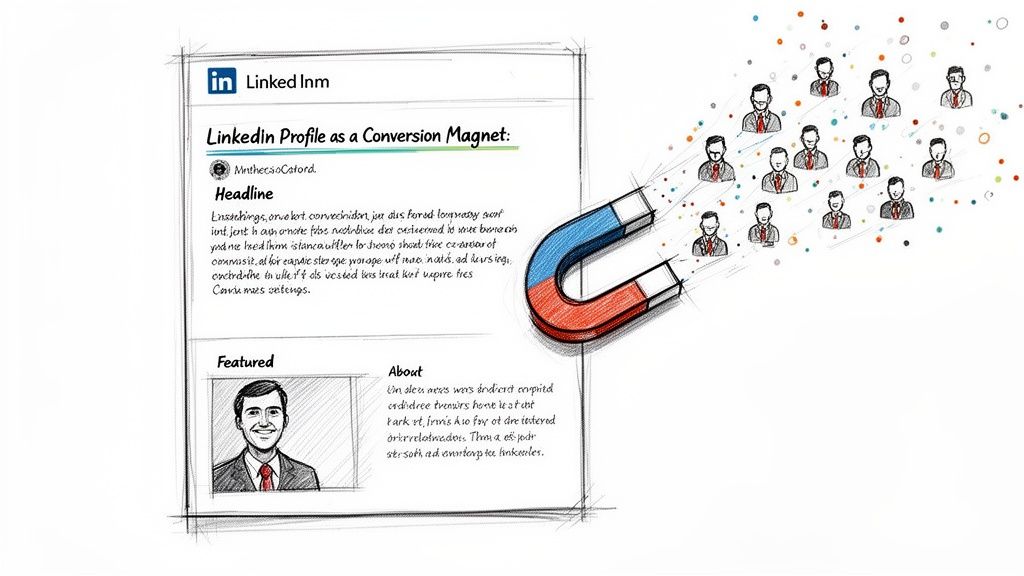
Your headline is the most critical text on your profile. It appears in search results, comments, and connection requests. A generic job title like "Founder & CEO" explains what you are, not what you do for your clients.
A high-converting headline functions as a mini-pitch targeted at your ideal customer. It must address their goals or pain points.
Generic Headline: "Sales Manager"
Client-Focused Headline: "I Help B2B Sales Teams Double Their Pipeline with Scalable Outreach Systems"
Generic Headline: "Marketing Consultant"
Client-Focused Headline: "Helping SaaS Brands Turn Complex Tech into Content That Drives Demos"
The difference is stark. The client-focused version is a solution that immediately attracts the right audience and repels the wrong one, which is fundamental to lead generation on LinkedIn.
How to write a LinkedIn 'About' section that converts?
Once your headline captures attention, the 'About' section must build a genuine connection. This is not a space for your resume. It's an opportunity to tell a compelling story that guides a visitor toward becoming a warm lead.
Here is a step-by-step process for an effective 'About' section:
The Hook: Start with a bold statement or a question that targets your prospect's main challenge.
The Problem: Demonstrate empathy by describing their specific struggles in their own language.
The Solution: Clearly explain your process or methodology for solving their problem.
The Proof: Build credibility by including a key statistic, a brief client quote, or a mini case study.
The Call-to-Action (CTA): End with a clear next step, such as inviting them to connect, download a resource, or book a call.
Remember, your 'About' section isn't about you; it's about your future client and the value you provide.
How to use the 'Featured' section for lead generation?
The 'Featured' section is your profile's showcase. Leaving it empty is a significant missed opportunity. Use it to provide immediate value and turn your profile into a resource hub.
Effective items to feature include:
A powerful case study demonstrating your results.
A downloadable checklist or guide solving a common problem.
A registration link for an upcoming webinar.
Your company's latest insightful industry report.
Strategically using this section transforms a static profile into an active lead conversion tool.
Comparison of Optimization: Personal Profile vs. Company Page
Your personal profile and company page serve distinct but complementary roles. The personal profile builds human-to-human trust, while the company page establishes broader brand authority.
Understanding this distinction ensures your messaging is consistent and effectively guides prospects from awareness to conversation.
What type of content generates the most leads on LinkedIn?
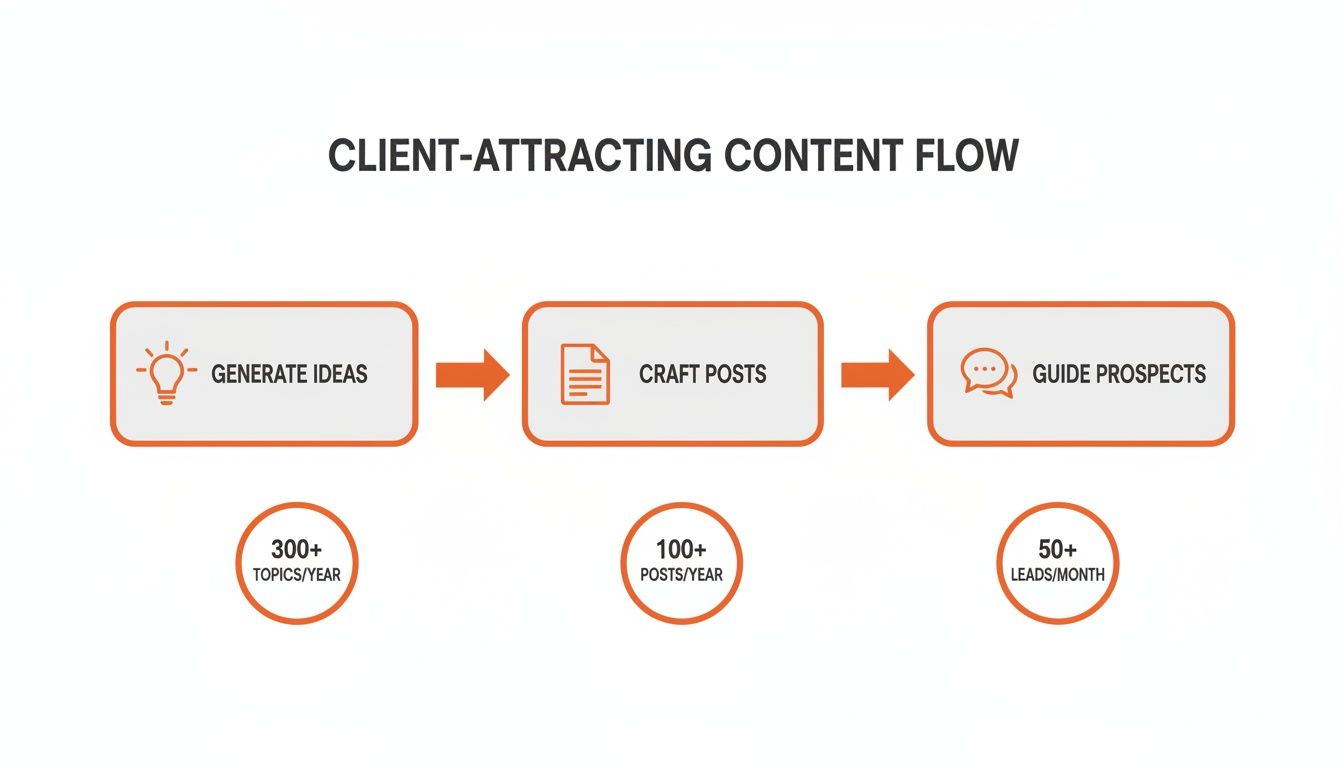
An optimized profile is your storefront, but your content is what invites people inside. A strong content strategy shifts your approach from chasing leads to attracting them, turning your LinkedIn page into a dynamic hub of expertise that consistently draws in qualified prospects. The goal is to build an "authority flywheel," ensuring your name comes to mind first when your ideal clients face a challenge you can solve.
What is a value-first content model for LinkedIn?
To earn a prospect's time and attention on LinkedIn, you must consistently provide value before asking for anything in return. This value-first approach builds goodwill and establishes you as a credible expert.
Here is a step-by-step model:
Teach and Inform: Share actionable tips, break down complex industry trends, or offer fresh perspectives on common problems.
Inspire with Stories: Share personal reflections, client success stories, or case studies to create an emotional connection and help prospects envision success.
Solve a Specific Problem: Offer tangible solutions like checklists, templates, or step-by-step guides that make your audience's job easier.
Make the Ask: Only after consistently delivering value should you present a clear call-to-action, such as a webinar invitation, a free audit offer, or a link to your services.
Following this model ensures that when you do make an ask, your audience is already receptive, creating a natural path to lead generation.
Comparison of LinkedIn Content Formats for Engagement
Different content formats serve different purposes on LinkedIn. A strategic mix keeps your feed engaging. With LinkedIn has now surpassed 1 billion members and over 1.7 billion monthly visits, a massive professional audience is ready to engage. You can discover more insights about LinkedIn's massive user base to understand its scale.
Here is a comparison of formats that perform best:
How to develop content pillars for LinkedIn?
The most effective LinkedIn content feels conversational, not corporate. To achieve this consistently, define three to five core content pillars—the main themes you want to be known for.
For example, a consultant for sales teams might use these pillars:
B2B Prospecting Strategies
Sales Team Leadership & Motivation
CRM & Sales Tech Optimization
Basing your content on established pillars creates a repeatable system, reinforces your expertise, and ensures you attract the right clients by consistently addressing their problems.
The secret to content that generates leads is to stop talking about your services and start talking about your clients' problems.
How to write a scroll-stopping hook for a LinkedIn post?
You have less than three seconds to capture attention. A powerful hook is essential.
Here are four proven hook frameworks:
Ask a Pointed Question: "Are your sales reps spending more time on admin than on selling?"
Make a Contrarian Statement: "Most B2B content is boring. Here's how to fix it."
Start with a Story: "I bombed my first big sales presentation. It taught me three things about preparation..."
Use a Numbered List: "3 mistakes founders make when trying to scale their outreach."
These hooks create immediate curiosity and compel readers to click "...see more." Engaging with every comment is also critical, as it builds relationships and signals to the algorithm that your post is sparking a valuable discussion.
What is the best way to do outreach on LinkedIn?
While a great profile and content attract prospects, proactive outreach is necessary to convert them into business opportunities. Smart outreach isn't about spamming generic messages; it's a thoughtful, human-centered approach to starting real conversations with the right people. Your content acts as the magnet, and your outreach is the handshake that begins a meaningful dialogue.
Outreach is the natural next step after your content has built awareness and initial trust.
How to write a LinkedIn connection request that gets accepted?
The note in your connection request is your first impression. A blank request is a wasted opportunity. The goal is to be human, memorable, and provide a non-salesy reason to accept. Effective requests are short, direct, and never include a pitch.
Here are three examples based on common ground:
The Shared Content Angle: "Hi [Name], I saw your post on [Topic] and loved your take on [Specific Point]. It really resonated. Would be great to connect and follow your insights."
The Mutual Group Angle: "Hi [Name], I noticed we're both in the [Group Name] community and have enjoyed your contributions. Always looking to connect with other sharp [Job Titles]. Let's connect."
The Company Trigger Angle: "Hi [Name], congrats to the team at [Company] on the recent funding round. Exciting times ahead! I've been following your work and would love to connect."
A genuine, 30-second effort can boost your connection acceptance rate above 45%.
What is an effective follow-up sequence after connecting?
Once a prospect accepts your request, avoid the common mistake of pitching immediately. Instead, use a patient, multi-touch sequence designed to build rapport.
Here is a step-by-step follow-up plan:
Day 1: "Thank You & Value Add": A day after connecting, send a thank-you note. Briefly reiterate why you connected and offer a useful, non-promotional resource (e.g., a third-party article or tool).
Day 3-4: "Thoughtful Engagement": A few days later, find a recent post on their feed and leave a meaningful comment that adds to the conversation.
Day 6-7: "The Gentle Pivot": After another few days, you can guide the conversation toward business by asking an open-ended question about their world.
A Field-Tested Pivot Template That Works:
"Seeing that you're a [Job Title] at [Company], I was curious how your team is thinking about [Common Problem Your Service Solves] heading into next quarter. We've been seeing a lot of discussion around [Specific Trend]."
This value-first approach turns a cold connection into a warm conversation.
Comparison of Good vs. Bad LinkedIn Outreach Practices
Knowing what to avoid is as important as knowing what to do. Your inbox presence reflects your professional brand.
By avoiding these common errors and focusing on genuine interaction, you'll build a strong professional network that yields long-term benefits.
How to Measure and Scale Your LinkedIn Success
Without measurement, your LinkedIn lead generation efforts are just guesswork. To build a predictable pipeline, you must track what works and optimize your strategy accordingly. This means shifting focus from vanity metrics like likes and views to Key Performance Indicators (KPIs) directly tied to revenue.
What are the most important KPIs for LinkedIn lead generation?
A simple spreadsheet is all you need to start monitoring the health of your lead generation funnel.
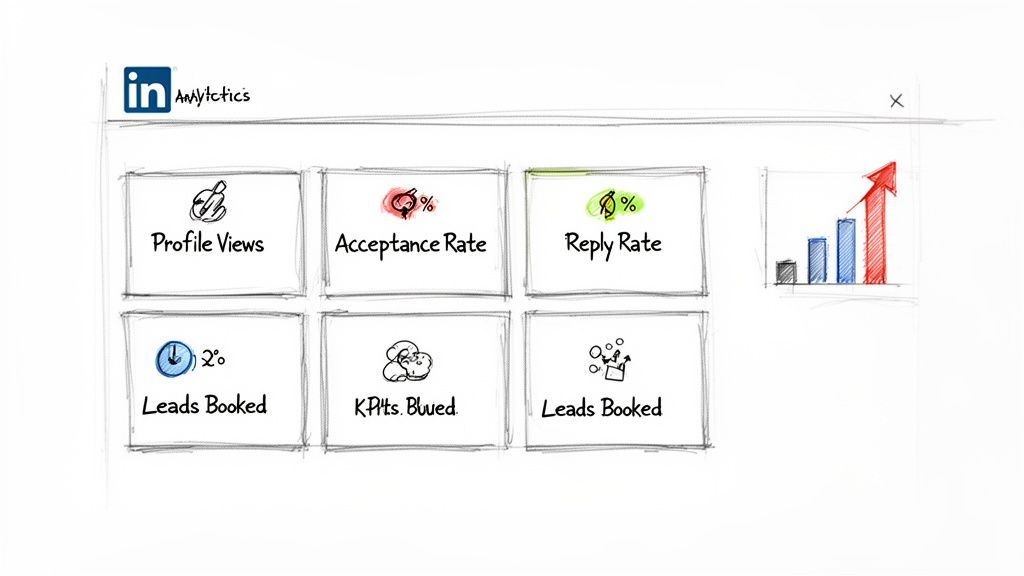
Here are the essential step-by-step KPIs to track:
Connection Acceptance Rate: Measures the effectiveness of your initial outreach. A rate below 30% indicates your request or targeting needs improvement.
Message Reply Rate: Shows how many new connections respond to your first message. A low rate suggests your opening is too sales-focused or lacks value.
Qualified Leads Booked: The ultimate metric. Tracks how many conversations convert into discovery calls or demos with ideal prospects.
Profile Views from Target Companies: Indicates whether your content and engagement are attracting the right audience.
Tracking these numbers weekly allows you to make data-informed decisions.
Comparison of Key Lead Generation Metrics and Their Meanings
Understanding what each KPI reveals is crucial for identifying and fixing weaknesses in your process.
When is the right time to scale LinkedIn efforts?
Once your metrics are healthy and your process consistently generates conversations, it's time to scale. Scaling means efficiently doing more of what works. A smart way to scale is by turning your top-performing organic posts into LinkedIn Ads. This allows you to place proven, high-value content in front of a targeted audience, guaranteeing reach beyond the organic algorithm.
The goal of scaling is to build a semi-automated engine that consistently fills your pipeline.
What tools can streamline a LinkedIn workflow?
As you grow, manual prospecting becomes a bottleneck. Tools can help streamline repetitive tasks without sacrificing personalization.
A hybrid approach works best:
Automate the first steps: Use a tool for personalized connection requests and the initial value-add follow-up message.
Take over manually: The moment a prospect replies, all automation for that individual should stop, allowing you to engage in a genuine human conversation.
This combination of technology and personal touch allows you to scale outreach effectively. You can explore various LinkedIn marketing automation pricing options to find a tool that aligns with your goals.
Common Questions About LinkedIn Lead Generation
Even with a solid plan, specific questions will arise. Here are answers to the most common challenges.
How long does it take to see results from LinkedIn lead generation?
Building momentum is key. You can expect to see early indicators like increased profile views and connection acceptances within the first 30-60 days. However, achieving a predictable flow of qualified leads typically takes 90 days or more. This timeframe is necessary to build authority, refine your messaging, and earn trust. Consistency is the single most important factor.
Is LinkedIn Sales Navigator worth the investment?
For anyone serious about B2B sales, the answer is a definitive yes. While a free account can generate leads, Sales Navigator is a purpose-built tool for targeted prospecting. Its advanced search filters allow you to identify ideal prospects with incredible precision using criteria like company size, recent job changes, or technology use.
Sales Navigator shifts your strategy from broad searching to focused list-building, with features like Lead Lists and Account Mapping that are essential for organized outreach at scale.
For more information on data privacy related to such tools, review our guide on data processing agreements.
What is the biggest mistake to avoid on LinkedIn?
The single biggest mistake is pitching in a connection request or the first follow-up message. This approach immediately frames the interaction as transactional, showing you haven't taken the time to understand their needs. Success on LinkedIn comes from starting conversations and building rapport, not from closing sales on day one.
How do I create content if I'm not a writer?
You don't need to be a professional writer. Authenticity and real-world experience are far more valuable to your audience than perfect prose.
Here are three simple steps to get started:
Document, don't create: Share lessons learned from recent projects or insights from client calls.
Answer common questions: Turn the top five questions from prospects into individual posts.
Repurpose existing material: Convert a key insight from a sales deck or a point from a call into a text post or simple graphic.
Focus on sharing what you know to help others, and the process will feel much less intimidating.
Ready to scale your LinkedIn presence without sacrificing your authentic voice? Brewbrand is a specialized LinkedIn post generator that learns your unique style to create posts that sound like you, not a generic AI. Turn your ideas into polished, ready-to-publish content in under two minutes and get back to what you do best—building relationships and closing deals. Start your free trial today.
Generate LinkedIn content easier than ever before
Lorem ipsum dolor sit amet, consectetur adipiscing elit. Lorem ipsum dolor sit amet, consectetur.