Top 12 Social Media Management Tools for Agencies in 2026: A Complete Guide
Discover the 12 best social media management tools for agencies. Compare features, pricing, and pros/cons to find the perfect fit for your clients.


What are the best social media management tools for agencies? The answer depends on your agency's specific needs, from managing multiple client accounts and complex approval cycles to proving ROI. The right platform is the central system for your scalability and efficiency. While AI can generate content, the core work involves maintaining client voice, organizing workflows, and demonstrating value.
This guide provides an agency-focused analysis of the top 12 platforms. We will compare each tool's core strengths, weaknesses, and pricing models, and provide practical steps for implementation to help you make a confident choice.
Here is a step-by-step breakdown of what you will find for each tool:
- Step 1: Understand the Core Function. A clear explanation of what the tool does best.
- Step 2: Identify Key Agency-Specific Features. A breakdown of features that solve agency problems.
- Step 3: Analyze Pros and Cons. A balanced look at the tool from an agency perspective.
- Step 4: Evaluate Pricing and Implementation. How to get started and what it will cost.
Whether you're a boutique agency or a large firm, this resource is designed to help you select the best platform, save time, and boost client satisfaction.
1. Brewbrand
Brewbrand distinguishes itself among social media management tools for agencies by focusing on one high-value channel: LinkedIn. Instead of a broad, cross-platform suite, it offers a specialized, AI-driven engine for creating authentic, high-engagement LinkedIn posts. Its core function is to analyze a user's past content to deeply understand their unique voice, including vocabulary, humor, and sentence structure.
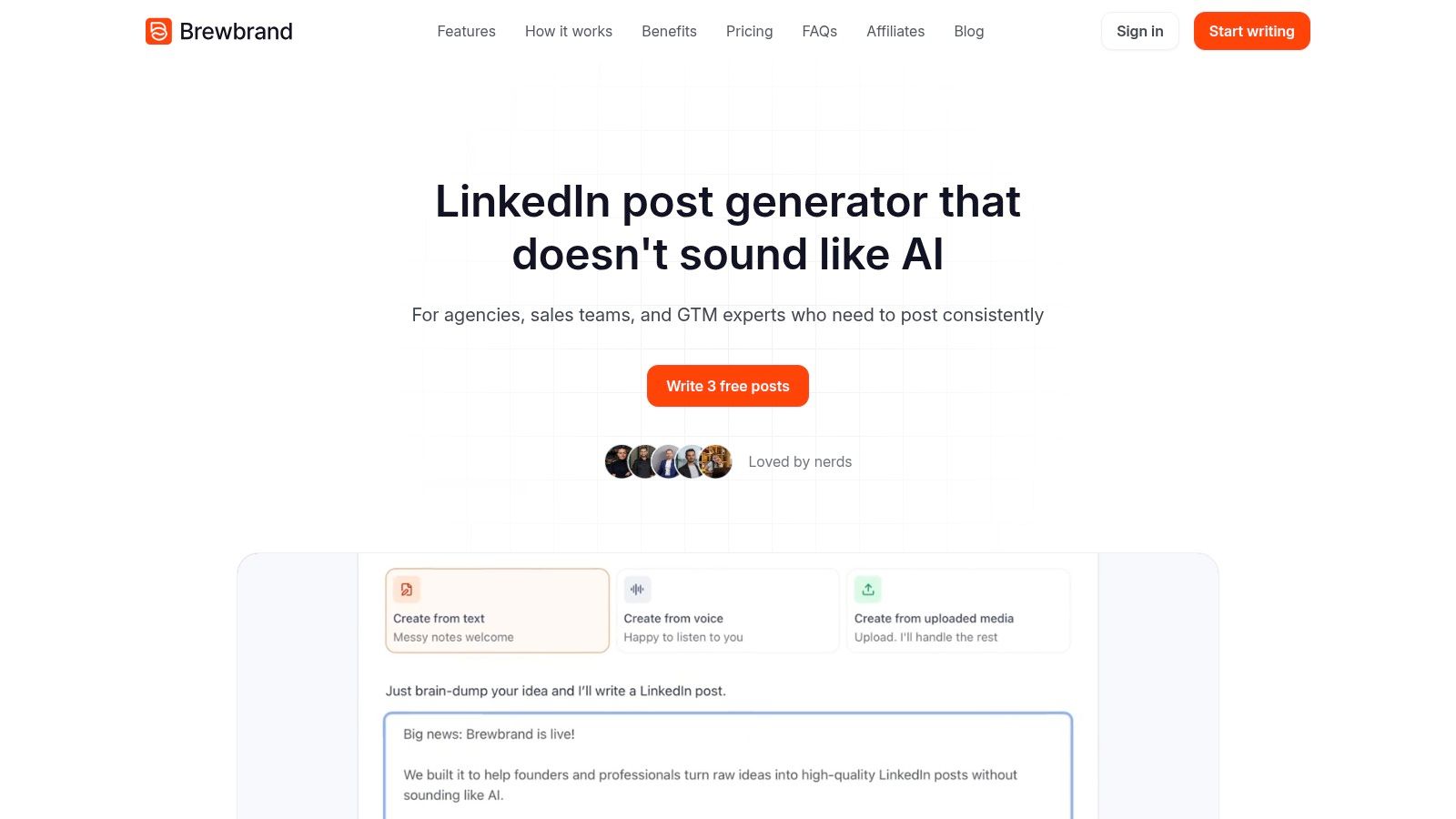
This platform is a strategic partner for thought leadership. An agency can feed it a raw idea—a text snippet, an audio recording, or an image—and the system generates a polished post in about a minute. The output includes four distinct hook variations based on proven copywriting frameworks. For agencies managing personal brands for founders or executives, this capability is a significant time-saver, ensuring content remains personal and effective.
How to use Brewbrand for an agency: A step-by-step guide
- Onboard a Client: Provide the platform with a history of the client's existing LinkedIn posts to train the AI on their unique voice.
- Input an Idea: Take a raw concept from a client call (text note, audio clip, video) and upload it to Brewbrand.
- Generate Post Drafts: The AI generates a complete post with four hook options in approximately 60 seconds.
- Review and Schedule: Select the best hook, make any final edits, and schedule the post for publication.
Key Strengths vs. Other Tools
Brewbrand’s value lies in its ability to scale high-quality, personalized content, a task that often bottlenecks agencies.
- Brewbrand vs. General Schedulers: While tools like Hootsuite or Sprout Social schedule content across many platforms, Brewbrand specializes in creating high-quality, voice-matched content specifically for LinkedIn, a feature generalist tools lack.
- Authentic Voice Replication: It moves beyond generic AI tones to mirror the actual communication style of the person you're writing for.
- Efficient Multi-Input Workflow: The flexibility to start from text, audio, video, or images allows for rapid content ideation.
- Conversion-Focused Copy: Brewbrand constructs narratives optimized for engagement and lead generation.
Implementation and Pricing
Getting started is straightforward. Brewbrand offers a free trial to generate three posts, providing a tangible sense of its voice-matching accuracy. For optimal results, provide it with a history of existing LinkedIn posts during onboarding. Agencies can contact their team for plans designed to support a larger client roster. This makes Brewbrand an accessible and powerful addition to an agency's collection of social media management tools for agencies.
Visit Website: https://brewbrand.ai
2. Sprout Social
Sprout Social is a full-stack, enterprise-ready platform, making it a strong contender among social media management tools for agencies managing high-value brands. Its strength lies in providing a polished experience from internal workflows to client-facing reports. The unified Smart Inbox gathers all incoming messages, comments, and mentions into a single stream, allowing teams to assign tasks and prevent missed client interactions.

For agencies, the standout feature is the advanced, presentation-ready analytics. Sprout’s reporting engine generates detailed, visually appealing reports that can be customized with your agency’s branding. This eliminates hours of manual data compilation. The platform’s collaboration tools, including an asset library and content approval queues, are built for scaling agency operations securely.
Key Details & Recommendation
- Ideal For: Mid-to-large-sized agencies that require robust, presentation-quality reporting and strict approval workflows.
- Sprout Social vs. Hootsuite: Both are enterprise-grade, but Sprout Social is often praised for its superior analytics and reporting interface, while Hootsuite is known for its extensive app marketplace and broader network integrations.
- Pricing: Begins with the Standard plan at $249/month per user. The per-user pricing model can become costly for larger teams.
- Pros: Exceptional reporting and analytics; mature, scalable team collaboration features; strong Agency Partner Program.
- Cons: High cost, especially the per-seat pricing; social listening is an expensive add-on.
Website: https://sproutsocial.com
3. Hootsuite
Hootsuite is one of the original platforms in the social media management space, providing a robust, all-in-one solution. Its core strength lies in its broad channel coverage and mature governance controls, making it a reliable choice for agencies managing diverse client portfolios. The customizable "Streams" view allows teams to monitor keywords, hashtags, and mentions in real time.

For agencies, Hootsuite’s extensibility through its App Directory is a significant advantage, allowing connection to specialized tools. This is key for improving client presence on platforms like LinkedIn. With features like bulk scheduling and detailed approval workflows, it supports efficient campaign execution. The platform also offers training through Hootsuite Academy, helping agencies learn strategies like how to grow on LinkedIn and other networks.
Key Details & Recommendation
- Ideal For: Agencies of all sizes needing a battle-tested, versatile platform with broad social network support.
- Hootsuite vs. Agorapulse: Hootsuite offers more integrations via its App Directory, making it more customizable. Agorapulse is often considered more user-friendly out of the box, with a cleaner interface and more intuitive social inbox.
- Pricing: Starts with the Professional plan at $99/month for one user and 10 social accounts.
- Pros: Extensive social network compatibility; large App Directory for integrations; mature governance and approval controls.
- Cons: The user interface can feel dated; advanced analytics are often locked behind higher-priced tiers.
Website: https://www.hootsuite.com
4. Agorapulse
Agorapulse offers a balanced and agency-friendly suite of tools that excels in unifying daily social media management tasks. It's praised for its clean interface and straightforward workflows, making it one of the more approachable social media management tools for agencies that need to get teams and clients up and running quickly. The powerful social inbox consolidates all interactions, allowing teams to assign conversations and ensure timely responses.

For agencies, Agorapulse shines with its content approval system and reporting. You can create shared calendars and send content to clients for approval directly within the platform. The reporting features are robust, with Power Reports offering deep dives into performance metrics that are easily exported into client-ready presentations.
Key Details & Recommendation
- Ideal For: Small to mid-sized agencies that prioritize ease of use, efficient inbox management, and straightforward client reporting.
- Agorapulse vs. SocialPilot: Agorapulse has a stronger focus on inbox management and CRM-like features. SocialPilot excels at bulk scheduling and offers more generous account limits at a lower price point, making it a better value for agencies with a high volume of clients.
- Pricing: Starts at $49 per user/month (billed annually). The per-user model can become expensive for larger teams.
- Pros: Very user-friendly interface; robust social inbox; clear client reporting options; generous 30-day free trial.
- Cons: The per-user pricing can be a scaling challenge; advanced features are reserved for higher-tier plans.
Website: https://www.agorapulse.com
5. Sendible
Sendible was built from the ground up with agencies in mind. It provides a centralized dashboard for handling publishing, engagement, and reporting across multiple clients. A key advantage is its optional white-label environment, which allows agencies to present the platform to clients as their own, complete with custom branding on higher-tier plans.

The platform stands out for its practical agency-focused workflows, including content approval queues and client dashboards. Unlike some competitors, Sendible includes direct integration with Google Business Profiles, a crucial channel for local businesses. This makes it a versatile tool for agencies serving a diverse client base.
Key Details & Recommendation
- Ideal For: Small to mid-sized agencies needing a cost-effective, all-in-one solution with strong client management and branding capabilities.
- Sendible vs. Planable: Sendible is an all-in-one management tool with publishing, analytics, and engagement. Planable is a specialist tool focused almost exclusively on the content collaboration and approval process, offering a superior experience for that specific task.
- Pricing: Starts at $29/month for the Creator plan (1 user, 6 profiles). The agency-focused White Label plan is $240/month.
- Pros: Purpose-built for agency workflows with white-labeling; excellent channel support, including Google Business Profiles; competitive pricing.
- Cons: The full white-label experience is restricted to the most expensive plan; the interface is less polished than some competitors.
Website: https://www.sendible.com
6. SocialPilot
SocialPilot offers a powerful, agency-first feature set at an exceptionally accessible price point. It is built for agencies that need to manage a high volume of social media profiles without the steep costs of enterprise platforms. Its core strength is efficiency, highlighted by features like bulk scheduling, which allows managers to upload and schedule hundreds of posts at once from a CSV file.

For agencies, SocialPilot's white-labeling capabilities are a significant advantage. On higher-tier plans, you can customize reports and the platform interface with your agency's branding, providing clients with a seamless experience. This feature, combined with its client management tools, makes SocialPilot one of the best value-for-money social media management tools for agencies aiming to scale efficiently.
Key Details & Recommendation
- Ideal For: Small to mid-sized agencies managing a large number of client profiles who need strong scheduling features on a budget.
- SocialPilot vs. Sendible: Both target agencies with white-labeling. SocialPilot is generally more affordable and offers more generous account limits, making it a strong choice for pure value. Sendible provides a slightly more polished user experience and better engagement tools.
- Pricing: Starts at $25.50/month for 10 accounts. The Agency+ plan with full white-labeling is $170/month.
- Pros: Excellent price-to-feature ratio; white-label reports and platform customization; robust bulk scheduling tools.
- Cons: Analytics are not as deep as enterprise-level competitors; the user interface is functional but less polished.
Website: https://www.socialpilot.co
7. Zoho Social
Zoho Social offers a powerful, multi-brand solution embedded within a broader ecosystem of business applications. For agencies using Zoho CRM or Zoho Desk, this platform provides a distinct advantage by creating a unified view of the customer journey. It combines core social media management functions with unique integrations that standalone tools can't match.
The platform is designed with agencies in mind, featuring "Agency" and "Agency Plus" plans that offer generous allowances for brands and team members at a competitive price. Features like the SmartQ scheduling option help optimize post timing, while the built-in AI assistant, Zia, provides credits for generating post copy. This makes Zoho Social one of the most cost-effective social media management tools for agencies that need to scale.
Key Details & Recommendation
- Ideal For: Agencies of all sizes, especially those using the Zoho ecosystem (CRM, Desk) for an integrated client management workflow.
- Zoho Social vs. Sprout Social: Zoho Social is far more affordable, especially for agencies, and its value is magnified if you use other Zoho products. Sprout Social is a more powerful standalone platform with deeper analytics and more advanced social listening capabilities, but at a much higher price.
- Pricing: The Agency plan starts at a very accessible $230/month (billed annually) for 10 brands.
- Pros: Extremely competitive agency pricing; seamless integration with Zoho CRM and Desk; AI-powered content creation tools included.
- Cons: Analytics are not as deep as top-tier enterprise platforms; pricing can become complex if you need to add brands beyond plan limits.
Website: https://www.zoho.com/social
8. Planable
Planable is purpose-built to solve one of the biggest bottlenecks in agency life: content approvals. It positions itself as a collaboration-first platform designed to perfect the content review and sign-off process. Its core strength is a visual workspace where clients can see exactly how posts will look on each social network and provide direct feedback. This focus makes it one of the most effective social media management tools for agencies prioritizing workflow efficiency.

The platform shines with its multi-layered approval system. Agencies can set up custom workflows that route content from the copywriter to the client. Each step is clearly defined, and comments are threaded directly on the post preview, eliminating confusing email chains. Planable’s clean interface is a major advantage for client adoption, as it requires virtually no training.
Key Details & Recommendation
- Ideal For: Agencies bogged down by slow client approval cycles that need a simple, visually-driven collaboration tool.
- Planable vs. Kontentino: Both excel at approvals. Planable has a slightly more modern and intuitive UI, with a "feed view" that is very popular with clients. Kontentino offers a more traditional but still highly effective calendar-based workflow and includes more basic management features.
- Pricing: Starts with a free plan for your first 50 posts. The per-workspace pricing on paid plans can become costly if managing many small clients.
- Pros: Best-in-class user experience for client content reviews; drastically reduces revision rounds; pixel-perfect post previews.
- Cons: Not a full-service platform, with less emphasis on deep analytics; per-workspace pricing can be expensive for agencies with many clients.
Website: https://planable.io
9. Kontentino
Kontentino is designed with the agency-client relationship at its core, making it an excellent choice for teams whose primary bottleneck is content approval. The platform focuses on simplifying the process of getting social media posts signed off, offering a clean, intuitive interface that clients can adopt with minimal friction. Its strength lies in its visual content calendar and specific approval workflow, where you can assign tasks and send posts to clients for feedback in a few clicks.

Unlike more complex tools, Kontentino prioritizes practicality. For agencies, this means less time training clients and more time on strategy. The platform supports key channels, including TikTok, and provides AI-assisted prompts for content ideation. The reporting is straightforward, delivering key performance indicators in an exportable format that is easy to digest for routine client updates.
Key Details & Recommendation
- Ideal For: Small-to-medium agencies that need a simple, foolproof system for client content approvals.
- Kontentino vs. Loomly: Both have strong approval workflows. Kontentino is hyper-focused on the agency-client collaboration aspect. Loomly offers a more comprehensive content creation process, with post ideas, asset management, and quality control checks built into its workflow.
- Pricing: Starts around $59/month for the Starter plan. Regional pricing can vary.
- Pros: Purpose-built for agency approval workflows; very easy for clients to use; clean and user-friendly interface.
- Cons: Analytics and social listening features are not as deep as competitors; pricing may fluctuate based on location.
Website: https://www.kontentino.com
10. Loomly
Loomly shines as a powerful tool for content creation, quality control, and client collaboration. Its main strength is a clean and intuitive workflow that guides teams from brainstorming to publishing. The calendar-centric view provides a clear overview of all client activities, while features like post ideas and a robust asset library help centralize the creative process. This makes it one of the most practical social media management tools for agencies focused on high-quality content production.
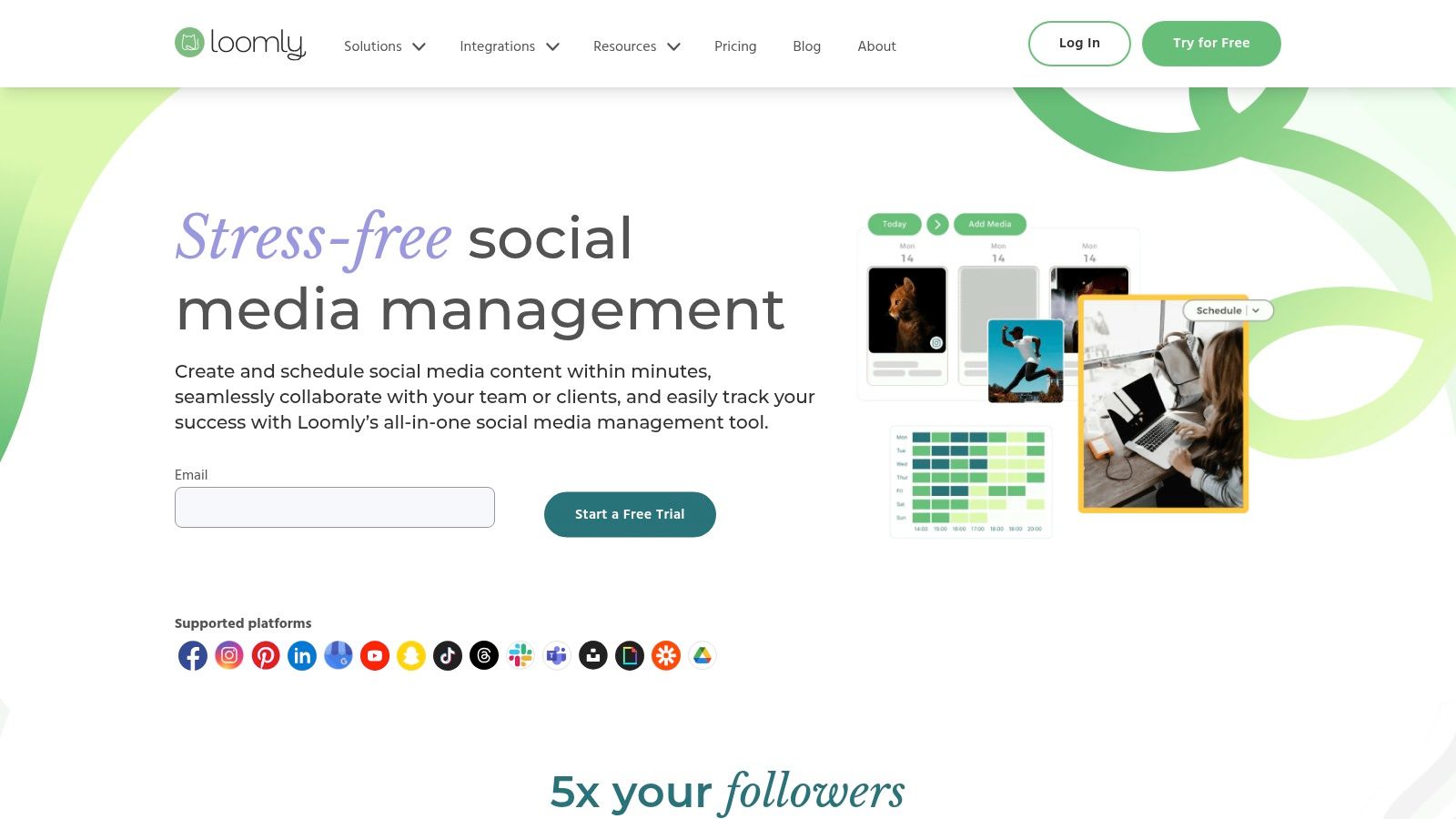
For agencies managing client approvals, Loomly’s system is a standout. It offers clear, step-by-step approval states (e.g., Draft, Pending Approval, Requires Edits) that can be customized to match an agency’s review process. Each post mock-up shows an accurate, channel-native preview, ensuring clients see exactly what will be published and preventing miscommunication.
Key Details & Recommendation
- Ideal For: Small to mid-sized agencies that prioritize a structured, approval-heavy content workflow and a clean interface for teams and clients.
- Loomly vs. Later: Loomly is built for a structured, team-based editorial workflow across multiple platforms. Later is superior for visual-first planning, especially for Instagram and Pinterest, with its drag-and-drop feed preview.
- Pricing: Starts at $32/month for 2 users and 10 social accounts. Pricing scales with users and accounts.
- Pros: Excellent content preview and quality assurance features; flexible, user-friendly approval workflows; strong asset management.
- Cons: Social listening is not as deep as enterprise platforms; advanced features are locked behind higher-priced plans.
Website: https://www.loomly.com
11. Later
Later began as an Instagram-first visual planner and has grown into a versatile tool, making it one of the most accessible social media management tools for agencies specializing in visual-heavy brands. Its core strength is the drag-and-drop visual calendar, which allows agencies to plan and preview an entire feed's aesthetic for clients on platforms like Instagram and Pinterest. The platform now supports scheduling for TikTok, LinkedIn, Facebook, X, and Threads.
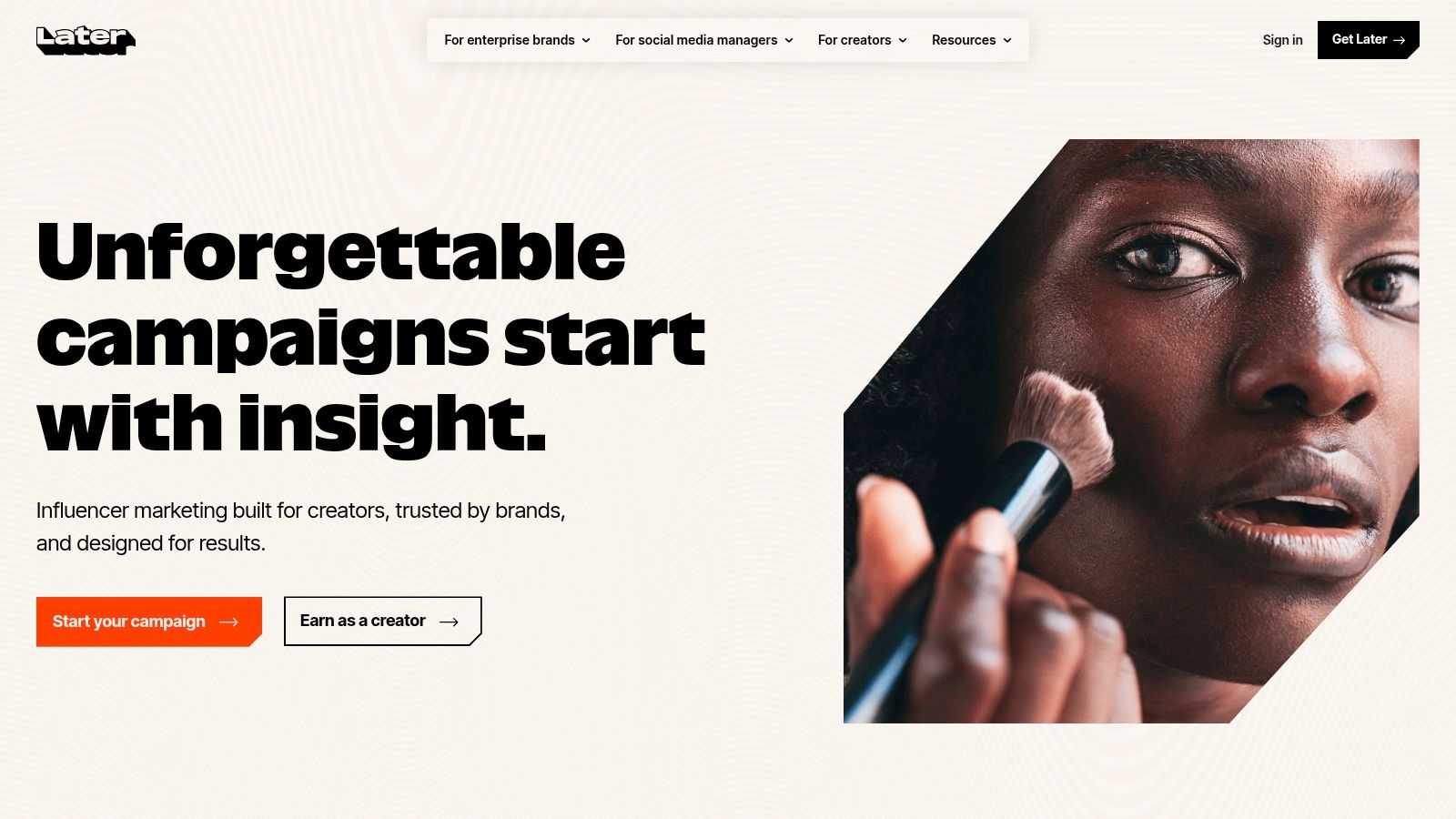
For agencies managing influencer campaigns, Later offers distinct advantages. The platform includes a media library with user-generated content (UGC) collection features. Another key feature is its integrated "Link in Bio" tool, which creates a customizable landing page to drive traffic. Collaboration is straightforward, with user roles and simple approval notes, making it a good fit for smaller teams.
Key Details & Recommendation
- Ideal For: Agencies focused on visual-first clients (e.g., fashion, e-commerce) and those managing heavy Instagram, TikTok, and Pinterest calendars.
- Later vs. Metricool: Later excels at visual planning and has a built-in Link in Bio tool. Metricool is an analytics-first platform, combining social media scheduling with web and ad performance data, making it better for agencies focused on demonstrating cross-channel ROI.
- Pricing: Offers a free plan. Paid plans for teams begin around $40/month for 3 users.
- Pros: Excellent for visual planning; strong focus on Instagram and TikTok workflows; integrated Link in Bio tool is a valuable addition.
- Cons: Analytics are less detailed compared to enterprise-level platforms; best suited for content planning rather than deep community management.
Website: https://later.com
12. Metricool
Metricool stands out by combining social media management with web and ad analytics, offering a holistic view of a client’s digital presence at an accessible price. For agencies juggling multiple clients, this platform consolidates performance data from social profiles, websites, and ad campaigns into a single dashboard. Its primary strength is providing a unified command center for both scheduling and analyzing cross-channel results.

The platform is particularly well-suited for agencies that need to produce consistent, data-rich reports. Metricool allows for unlimited brand management and generates white-labeled, customizable reports. Core scheduling features include a visual calendar, "best time to post" suggestions, and evergreen content "autolists." This combination of analytics and scheduling makes it one of the most cost-effective social media management tools for agencies focused on demonstrating ROI.
Key Details & Recommendation
- Ideal For: Small-to-mid-sized agencies who need a budget-friendly tool for scheduling and consolidated analytics across social, web, and paid ads.
- Metricool vs. Zoho Social: Both are great value. Metricool's unique advantage is integrating Google Analytics and ad platform data directly into its reports. Zoho Social's power comes from its deep integration with the Zoho CRM and business suite, creating a unified customer lifecycle view.
- Pros: Excellent value for money; easy to create branded client reports; unlimited scheduling on all plans.
- Cons: Lacks advanced features like complex approval workflows found in enterprise-level tools; data retention is limited on lower-tier plans.
Website: https://metricool.com
12 Agency Social Media Tools Compared
Making Your Final Decision: The Best Tool Is the One You'll Actually Use
We've explored a dozen powerful platforms, from all-in-one giants like Sprout Social to client-collaboration specialists like Planable. Choosing from this extensive list of social media management tools for agencies isn't about finding a single 'best' option. The most effective tool is the one that integrates smoothly into your agency’s unique workflow, addresses your most significant pain points, and is enthusiastically adopted by your team.
The reality is that the perfect platform for a large enterprise agency managing global brands will differ vastly from what a nimble, fast-growing startup agency needs. A tool's true value is measured not by its feature count, but by its ability to solve your specific operational challenges and support your strategic goals. An overly complex system, no matter how powerful, will only gather digital dust if your team finds it cumbersome or unintuitive.
From Analysis to Action: Your Next Steps
How do you choose the right social media management tool for your agency? Follow this step-by-step process to make a confident decision.
- Step 1: Identify Your Core Needs. Pinpoint your top three to five non-negotiable requirements. Is your primary bottleneck client approvals? Is it generating reports that prove ROI? Or is it scaling content creation without sacrificing authenticity?
- Step 2: Create a Shortlist. Based on our comparisons, select two or three platforms that align with your core needs. For example, if your agency focuses on visual content, Later and Planable should be on your list. If robust analytics are paramount, Sprout Social and Agorapulse are strong contenders.
- Step 3: Run a Real-World Pilot Program. This is the most critical step. Sign up for free trials and run a complete workflow for at least one real client. Test the entire process from content creation and internal review to client approval, publishing, and reporting.
- Step 4: Involve Your Team. Your social media managers are the end-users. Get their direct feedback during the trial. Do they find the interface intuitive? Does it save them time? What frustrations did they encounter?
- Step 5: Evaluate the Total Cost of Ownership. Look beyond the monthly fee. Consider the time required for implementation, team training, and data migration. A cheaper tool that requires manual workarounds may ultimately be more expensive.
Agency-Specific Recommendations Revisited
To help you narrow down the options, let's revisit some key pairings based on agency type and specialization:
- Which tool is best for a data-driven enterprise agency? Sprout Social and Agorapulse offer the deep analytics, advanced reporting, and granular permission controls necessary for managing complex client accounts.
- What is the best tool for a budget-conscious startup agency? SocialPilot and Sendible provide a remarkable balance of functionality and affordability, offering a scalable solution that won't break the bank.
- What is the best platform for a collaboration-focused boutique agency? Planable and Kontentino excel at streamlining the client approval process, reducing feedback loops and ensuring everyone is on the same page.
- Which tool is ideal for a LinkedIn thought leadership specialist? A purpose-built tool like Brewbrand is unmatched. It's designed to solve the challenge of capturing authentic executive voice at scale, a feature general-purpose tools cannot replicate.
Ultimately, the right choice will feel less like software and more like a strategic partner. It should empower your team, delight your clients, and free up your agency’s most valuable resource: the strategic minds that drive results. The goal isn't just to manage social media; it's to build a more efficient, profitable, and impactful agency.
Tired of the endless back-and-forth trying to capture your clients' authentic voice for LinkedIn? Brewbrand is the only platform designed for agencies to scale executive thought leadership by making it effortless for clients to share their expertise. Stop chasing busy executives for content and start delivering strategic value with Brewbrand.
Generate LinkedIn content easier than ever before
Lorem ipsum dolor sit amet, consectetur adipiscing elit. Lorem ipsum dolor sit amet, consectetur.