How to Create a LinkedIn Content Calendar Template for Strategic Growth
Download our free LinkedIn content calendar template (Sheets & Notion). Learn to define content pillars, streamline your workflow, and post for maximum impact.

What should I post on LinkedIn today? We’ve all been there, staring at a blank profile. This reactive approach is common, but a strategic LinkedIn content calendar template is the tool that shifts you from sporadic posting to building a consistent presence that achieves real goals.
This guide provides the exact framework for how to do this. We'll give you a downloadable template and a step-by-step plan to transform random ideas into a steady stream of valuable content, answering common questions like "How do I build a LinkedIn content strategy?" or "What should I include in my content calendar?"
Compare a Reactive vs. Strategic LinkedIn Plan
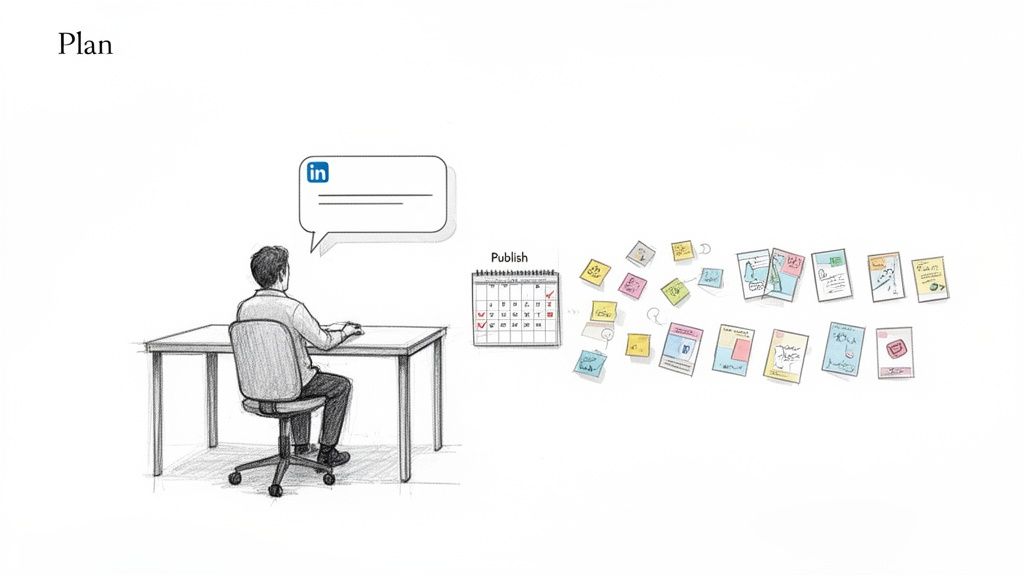
Most professionals know they should be active on LinkedIn, but the reality is often chaotic. You post when a good idea hits, or scramble to share something when you realize it’s been weeks. That’s not a strategy. It's a common problem—research shows one in eight social media marketers at small businesses find it hard to post content consistently.
This is where a well-designed LinkedIn content calendar template changes everything. It’s more than a schedule; it’s the command center for your entire content operation.
A social media calendar template transforms this chaos into organized execution. It provides a single view of every post, campaign, and collaboration, giving teams the structure to plan strategically.
What are the benefits of a LinkedIn content calendar?
Sure, you could track posting dates in a basic spreadsheet, but a true content calendar template pushes you to think more strategically. It’s built to organize your thoughts, ensuring every single post is tied to a specific business goal. The question changes from "What should I post today?" to "How does this week's content support our Q3 objectives?"
Here is a comparison of posting reactively versus proactively with a calendar:
Ultimately, using a dedicated LinkedIn content calendar template means you stop throwing random content at the wall to see what sticks. Instead, you start building a deliberate system that generates real opportunities and grows your professional brand.
Get Your Free LinkedIn Content Calendar Template
What is the best free LinkedIn content calendar template? The answer depends on your workflow. To get you organized, we built a flexible LinkedIn content calendar template you can download right now in three popular formats.
Choose the one that best fits how you already work.
- Google Sheets: Perfect if you live in spreadsheets and need something collaborative and straightforward.
- Notion: The best choice for visual planners who love databases, Kanban boards, and connecting content to bigger projects.
- CSV (Comma-Separated Values): A simple, universal file for importing your plan into other tools you might be using, like Asana, Trello, or Airtable.
Download the Google Sheets Template
Duplicate the Notion Template
Download the CSV File
Compare the Template Formats: Google Sheets vs. Notion vs. CSV
All three templates have the same essential fields, but they excel in different situations. Here’s a comparison to help you decide.
Marketing agencies juggling multiple clients often prefer Google Sheets. It’s easy for the whole team to update statuses or tweak copy in real-time.
Founders and content creators who love seeing the big picture will find the Notion template to be a game-changer. You can link content ideas directly to meeting notes or product launch plans and switch between calendar, Kanban, and list views.
The CSV is your universal key. If your company already runs on a specific project management tool, you can import the CSV and get your content plan integrated without a fuss.
My biggest piece of advice: A good template isn't just about dates. It's about building a system. This structure is what will finally get you out of that "what do I post today?" panic and into a smooth, strategic rhythm.
I've pre-filled each template with the exact fields I use to keep my own content on track. No fluff, just the essentials:
- Post Date & Time: So you know exactly when things are going live.
- Content Pillar: To make sure you’re hitting all your key themes.
- Post Format: (Text, Image, Video, etc.) A crucial reminder to mix things up.
- Core Message & Hook: Nail the big idea before you start writing.
- Body Copy & CTA: The meat of your post and what you want people to do next.
- Status Tracker: A simple way to see what's an Idea, in Drafting, or already Scheduled.
This is the framework you need to build a LinkedIn presence that’s less stressful and a whole lot more effective. Let's get started.
Step 1: Define Your Core Content Pillars and Posting Cadence
You've downloaded a LinkedIn content calendar template, a great first step. But an empty template is just a shell. To bring it to life, you need to fuel it with a smart strategy. This means defining two key elements: your content pillars and your posting cadence.
Content pillars are the 3-5 core themes you will consistently discuss. These are the topics you want to be known for, the subjects people should immediately associate with your name in their feed. This focus separates a cohesive personal brand from a stream of random thoughts.
How to Choose Your Content Pillars
To find your pillars, identify the overlap between your audience's needs, your professional expertise, and your genuine interests. For instance, a SaaS founder might focus on industry insights and leadership lessons. A sales leader would get more traction with objection handling techniques and customer success stories.
Follow these steps to choose your pillars:
- Identify Your Audience: Who are you trying to reach? What are their biggest challenges and questions?
- List Your Expertise: What do you know better than anyone? What unique experiences or skills do you have?
- Find Your Passion: What topics do you genuinely enjoy talking about? Authenticity is key to long-term consistency.
- Find the Overlap: The topics that appear in all three lists are your potential content pillars.
- Refine and Finalize: Select 3-5 pillars that are specific enough to show expertise but broad enough to generate many post ideas.
Here are some real-world examples:
- SaaS Founder: Bootstrapped Growth Tactics, Building Company Culture Remotely, The Future of [Your Industry] Tech.
- Sales Leader: Tactical Objection Handling, Customer Success Stories, Mental Resilience in Sales.
- Marketing Agency Owner: Breakdowns of High-Performing Campaigns, Client Management & Agency Operations, Emerging Marketing Trends.
Sample Content Pillar Ideas by Professional Role
Use these as a starting point to brainstorm pillars that feel authentic to you and valuable to your target audience.
Key Takeaway: Your content pillars should be specific enough to showcase deep expertise but broad enough that you never feel like you're running out of ideas. They're the foundation of your entire plan, which you can build upon using various thought leadership content examples.
Once you've locked these in, you'll map them directly into your calendar. This ensures you’re covering your key topics in a balanced way throughout the month.
This chart shows which formats people prefer for their LinkedIn content calendars. It's no surprise that Google Sheets is the fan favorite, mainly because it's so accessible and easy to collaborate on.
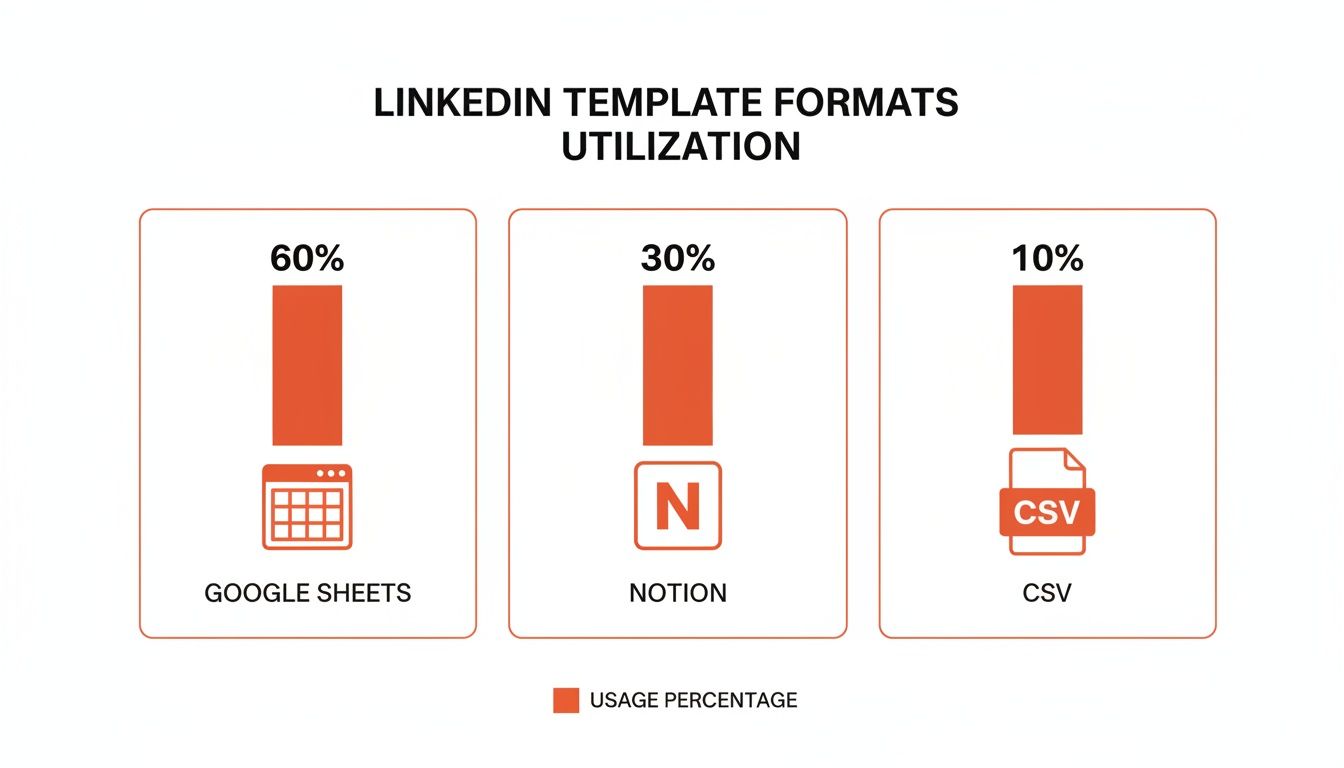
While tools like Notion are definitely gaining ground, the simple, shareable nature of a spreadsheet is still the go-to for most professionals.
What is the Best LinkedIn Posting Cadence?
With your pillars in place, the next big question is, "How often should I actually post?" The most important factor is consistency. Posting 3-5 times per week is the sweet spot for most professionals. It’s frequent enough to stay top-of-mind with both the LinkedIn algorithm and your audience, but not so much that you’re overwhelming their feeds.
Data shows a regular posting habit tells your audience when to expect content, which boosts engagement. Accounts maintaining a weekly schedule get 25% higher average engagement rates.
The benefits scale with frequency. Bumping your cadence up to 6-10 times weekly can net an extra 5,000 impressions per post. For the super-committed who post 11 or more times a week, that can jump to almost 17,000 more impressions per post along with a serious uptick in engagement. Consistency pays dividends.
Step 2: Schedule Your Posts for Maximum Impact
Having a well-stocked LinkedIn content calendar template is a huge step forward. But great content can fall flat if you post at the wrong time. Timing is a critical lever for visibility. Posting when your audience is online and scrolling dramatically increases the odds of your content landing in their feeds when they’re ready to engage.
The "science" behind LinkedIn timing is about understanding professional routines. Unlike platforms where engagement spikes late at night or on weekends, LinkedIn is a work-week platform. People are logged in and mentally "at work," making them more receptive to industry insights, career advice, and B2B content.
What are the best times to post on LinkedIn?
The best times to post on LinkedIn are during standard business hours, specifically during predictable lulls in the professional's day.
- Morning Commute & First Coffee (8-10 AM): People are settling in, catching up on news, and checking feeds before their day truly begins. This is a golden window.
- Lunch Break (12-1 PM): The midday scroll is a real phenomenon. Professionals use their lunch break to network and read, creating another activity peak.
- Afternoon Wind-Down (3-5 PM): As the day wraps up, many people check in for a final look at their network before signing off.
These windows are even more important when you realize that 57% of LinkedIn sessions happen on mobile devices. People are scrolling during these "in-between" moments, making timely posts more impactful.
Timing isn't just about getting seen; it's about being relevant in the moment. Your best content deserves to be published when your audience is most likely to read, react, and respond.
For company pages, this pattern is even more defined. Data consistently shows that engagement is significantly higher from Tuesday through Thursday. Mondays are for catching up, and by Friday, attention has shifted to the weekend.
How to Find Your Audience's Sweet Spot
While general guidelines are a great start, your specific audience may have different habits. A tech audience on the West Coast will behave differently than financial advisors in London. Use your content calendar to test and discover what works for you.
Here’s a simple 4-step framework to find your best posting times:
- Start with the Basics: Begin by scheduling posts during widely accepted peak windows (mid-week, during work hours).
- Mix It Up: In your calendar, assign different time slots to similar types of posts. For example, post a text-only update at 9 AM one day and a similar one at 1 PM later in the week.
- Watch the First Hour: Pay close attention to engagement (likes and comments) within the first 60 minutes. This initial traction is a powerful signal to the algorithm.
- Review and Refine: At the end of the month, analyze your calendar data. Are there clear patterns? Do morning posts consistently get more views? This data is gold.
Following this testing process turns general advice into a data-backed posting strategy that works for you. This methodical approach is also a cornerstone of effective LinkedIn lead generation strategies.
Step 3: Build an Idea-to-Post Workflow That Works
Your LinkedIn content calendar template is the strategic blueprint, but you need a workflow—an engine—to turn your ideas into polished, published posts efficiently. This is about moving past "random acts of content" and building a reliable system.
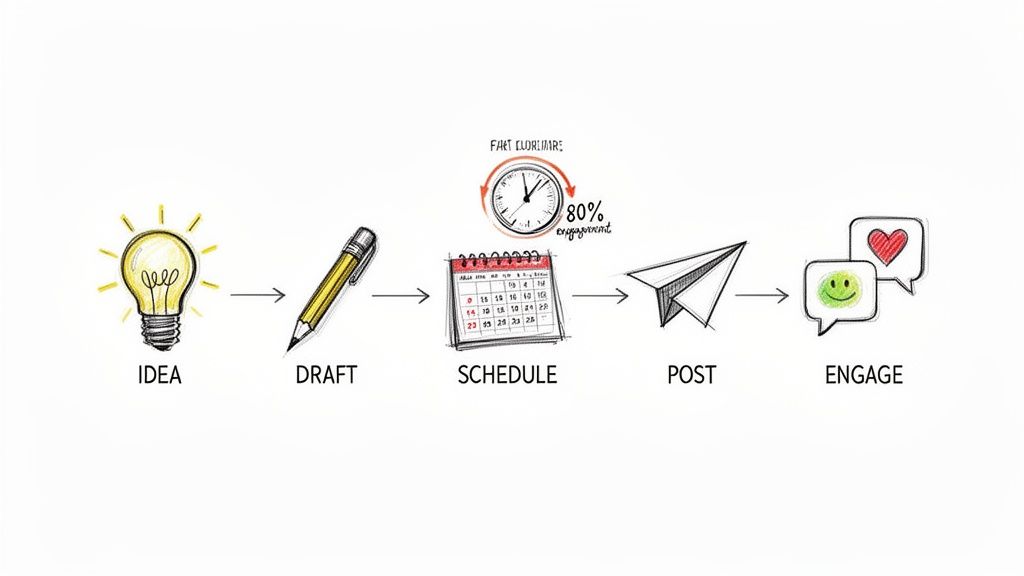
The most effective method is content batching: grouping similar tasks together. This focus improves both speed and quality.
Here is a step-by-step example of a content batching workflow:
- Ideation (Monday, 1 hour): Brainstorm ideas and fill your content calendar for the next two weeks.
- Drafting (Tuesday, 90 mins): Dedicate a "writing sprint" to draft all the posts you planned.
- Visuals & Formatting (Wednesday, 45 mins): Create or source any images, videos, or graphics needed for your posts.
- Scheduling (Wednesday, 30 mins): Use a scheduling tool to load all your completed posts for the coming weeks.
- Engagement (Daily, 15 mins): After a post goes live, spend time engaging with comments.
This assembly-line approach is far more efficient than constantly switching gears every day.
How to Automate Content Creation (Without Sounding Like a Robot)
Keeping up with a consistent posting schedule is tough. Smart automation can be your best friend, but not at the cost of your authentic voice. Generic AI posts are easy to spot and erode trust.
The trick is to use technology as a creative partner, not a ghostwriter. A specialized tool like Brewbrand is built for this. It studies your past LinkedIn content to learn your specific writing style—your go-to phrases, sentence rhythm, and even emoji use.
This creates a powerful system:
- Idea Capture: Drop raw ideas—notes, voice memos, links—directly into your content calendar.
- Intelligent Drafting: Feed those rough notes into an AI that understands how you talk, and it generates drafts that genuinely sound like you.
- Final Polish: Make a few final edits, add your human touch, and schedule them to go live.
This system makes a daily posting cadence possible, helping you build momentum without losing the authenticity that builds trust.
Master the First Hour After You Post
Your job isn't done when you hit "Post." The LinkedIn algorithm prioritizes posts that get immediate engagement, taking it as a signal of value.
The most critical window for engagement on LinkedIn is the first 24 hours. Research has found that 80% of all engagement happens in this initial timeframe, with a post's visibility peaking in the first 6 hours before dropping off. You can dive into the complete research on LinkedIn engagement benchmarks from ContentIn to see the data for yourself.
This means you must be ready to engage with every comment, especially within the first hour. Responding quickly encourages more conversation, signaling to the algorithm to push your post to a wider audience. Block out 15-30 minutes on your calendar right after your post goes live to write thoughtful replies and keep the conversation going. This final step can turn a good post into a great one.
Answering Your Top LinkedIn Content Calendar Questions
Even with the best template, questions will arise. Here are clear, practical answers to the most common queries about using a LinkedIn content calendar.
How far ahead should I plan my LinkedIn posts?
A two-tiered approach works best. First, plan big-picture themes on a quarterly basis. What major campaigns or product launches do you need to support? Map those out as your "North Star."
Then, for daily and weekly posts, the sweet spot is planning specifics two to four weeks in advance. This gives you enough runway to batch-create content without being rushed, while leaving room to jump on trending topics. The 30-day calendar we've shared is perfect for this rolling workflow.
What are the must-have fields for a content calendar?
A great content calendar is more than a list of dates. These fields turn a simple spreadsheet into a strategic asset:
- Content Pillar: A strategic gut-check to ensure you're covering all your key themes.
- Post Format: (Video, Poll, Text-only, etc.) Encourages you to mix up content types to keep your audience engaged.
- Hook/Headline: A separate field to force you to nail the opening line first—the make-or-break element of a post.
- Call-to-Action (CTA): Defines what you want people to do after reading, ensuring every post has a purpose.
- Status: A simple dropdown (Idea, Drafting, Scheduled, Published) is a lifesaver for organization, especially for teams.
Can my whole team or agency use this template?
Absolutely. The Google Sheets and Notion versions are built for collaboration. For agencies juggling multiple clients, duplicate the main template to create a separate calendar for each. You can then create a "master dashboard" that pulls key information (like post status) from each individual sheet, giving you a bird's-eye view of your entire pipeline.
How do I know if my content plan is working?
Track your performance directly within your content calendar. Add columns for key metrics to spot patterns faster.
A couple of key metrics I always tell people to watch are Engagement Rate ([Likes + Comments + Reposts] / Impressions) and overall Impressions and Profile Views. The first tells you what resonates, and the others tell you if you're actually growing your reach.
Ultimately, the metrics that really matter connect to business goals. Keep an eye on inbound connection requests and direct messages. These are tangible signs that your content is starting real conversations. After a month, look at which content pillars and formats are driving those results and do more of what's working.
Ready to stop guessing and start posting with a purpose? Brewbrand learns your unique writing style to help you generate authentic-sounding LinkedIn posts in minutes, not hours. Transform your ideas from your content calendar into polished drafts that sound just like you.
Start your free trial of Brewbrand today and build a consistent, high-impact presence on LinkedIn.
Generate LinkedIn content easier than ever before
Lorem ipsum dolor sit amet, consectetur adipiscing elit. Lorem ipsum dolor sit amet, consectetur.