How to Use an AI LinkedIn Post Generator for Authentic Content
Discover how ai linkedin post generator helps you craft authentic, high-impact posts 10x faster and grow your professional brand.

If you're wondering, "How can I create engaging content for LinkedIn consistently?", you're not alone. It's a huge challenge. You have the ideas, but finding time to write polished posts is tough. An AI LinkedIn post generator is the solution, acting as a personal content assistant to help you maintain consistency.
Think of it less as a robot writer and more as a tool designed to solve the content bottleneck for busy professionals on a platform where consistency is rare.
What is an AI LinkedIn Post Generator?
An AI LinkedIn post generator is a specialized tool that transforms your raw ideas into compelling posts in your unique voice. It's not about creating generic content; it's about amplifying your expertise and solving the struggle of consistent posting.
The need for consistency is significant, as is the opportunity. A staggering 3% of LinkedIn's 1.3 billion members post content more than once a week. This small group creates a huge opening for anyone who can maintain a steady rhythm of sharing valuable content. Consistent posting keeps you top-of-mind, builds authority, and attracts opportunities. For a deeper look, check out the 2026 statistics from ConnectSafely.ai.
How does an AI LinkedIn post generator turn my ideas into posts?
A good AI LinkedIn post generator works with you. It takes your unstructured, messy, brilliant ideas and gives them a solid structure.
The process is surprisingly simple:
- Capture Your Thoughts: You can feed it ideas in any format—a quick voice note, a few bullet points, or a link to a video.
- Let the AI Draft: The generator analyzes your input, identifies the core message, and drafts a post that sounds like you.
- Refine and Personalize: You review the draft, add a personal story or a specific example, and give it that final human touch before publishing.
This diagram shows how these tools process different inputs to start your content creation.
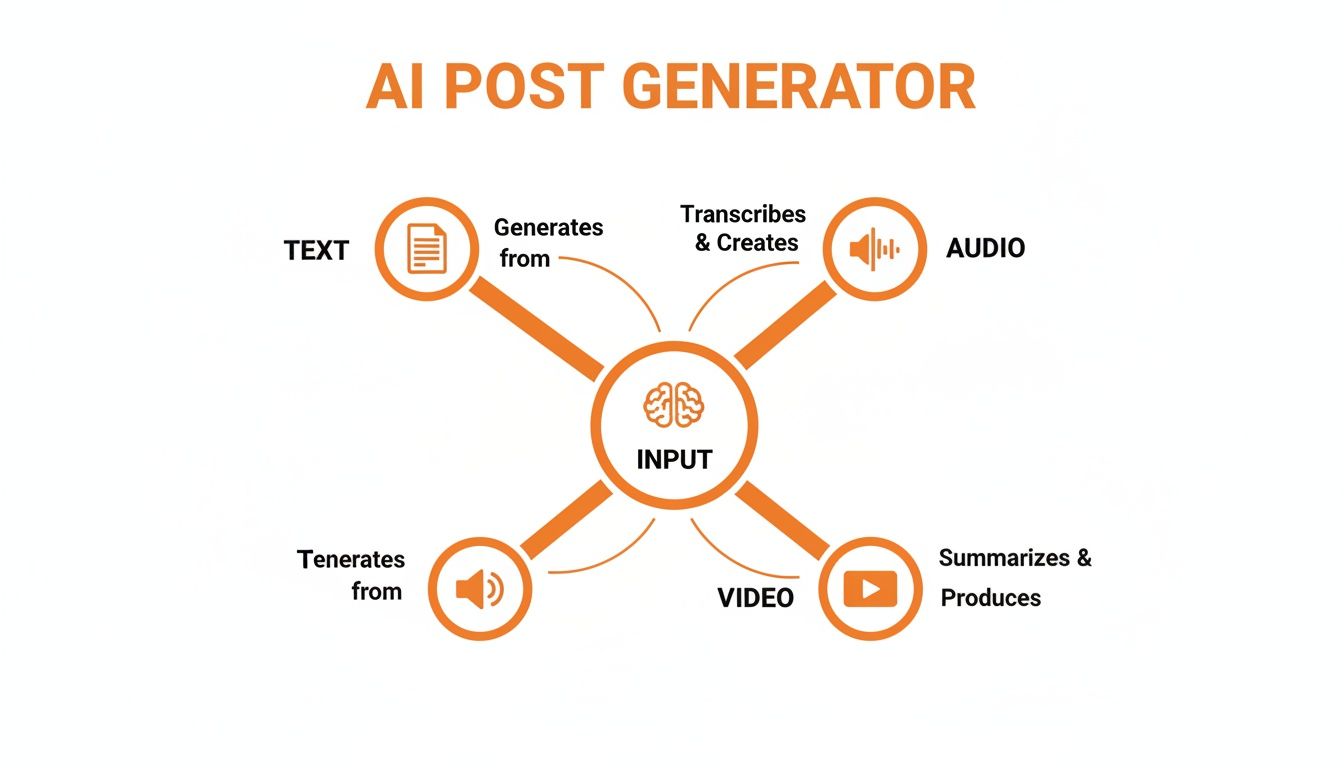
The system is flexible, using text, audio, and video as building blocks for your next great post.
Comparison: Generic AI vs. Specialized AI LinkedIn Post Generator
A common question is, "Can I just use ChatGPT for LinkedIn posts?" While general-purpose tools like ChatGPT are powerful, they lack the specific nuances of LinkedIn. A specialized tool is designed from the ground up to understand what works on the platform.
Here is a comparison of a generic AI writer versus a specialized AI LinkedIn post generator:
While a generic tool can help you brainstorm, a specialized generator is a core part of your personal branding workflow, saving you time and ensuring your content is on-point for LinkedIn.
What is the main benefit of a specialized AI generator?
Ultimately, a good AI LinkedIn post generator is a system for scaling your authenticity. It’s for professionals who have valuable insights but are trapped by a lack of time.
Think of it as a force multiplier for your expertise. It doesn’t replace your voice; it amplifies it, making it possible to build a strong personal brand far more efficiently.
It bridges the gap between having great ideas and consistently sharing them, which is the secret to building real influence on LinkedIn.
How to Choose the Right AI LinkedIn Tool
Not all AI generators are created equal. Many churn out robotic posts that can hurt your personal brand. You need to find a tool that helps you write like you, not just for you. Think of it as hiring a ghostwriter who understands your unique voice and perspective.
You should hold an AI tool to the same standard. The goal is a creative partner, not just a content machine.
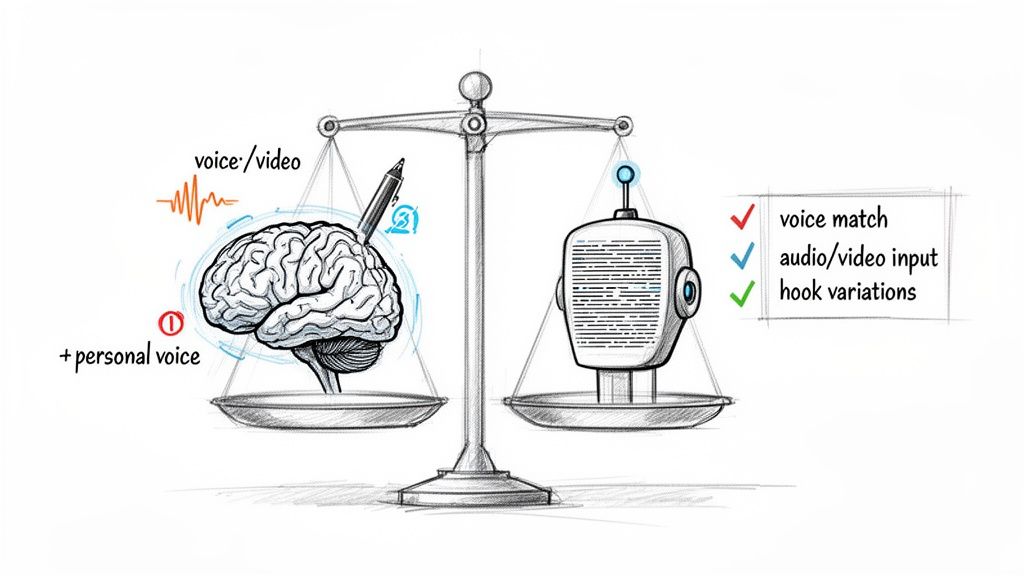
What features should I look for in an AI LinkedIn post generator?
When evaluating tools, look for features that help you create authentic content, not just "instant posts."
Here are the key features that matter:
- Personal Voice Analysis: The best tools should scan your past content to learn your vocabulary, sentence structure, and tone. This is crucial for making the output sound like it came from you.
- Flexible Input Options: A top-tier tool lets you capture ideas however they come—a quick voice note, a link to a video, or jumbled notes.
- Multiple Hook Variations: The first line of a LinkedIn post is critical. The right tool will suggest several opening hooks based on proven copywriting frameworks, giving you creative control.
These features distinguish a helpful assistant from a simple text spinner. For more ideas on post structure, check out these LinkedIn post templates.
How to tell the difference between authentic AI and robotic output?
You can feel the difference in the final product. Generic tools produce grammatically perfect but soulless posts.
An advanced AI LinkedIn post generator acts as a thinking partner. It structures your thoughts and refines your message, but the core ideas and unique perspective remain yours. Generic tools just fill in the blanks.
A key differentiator is the presence of a feedback loop. Does the AI learn from your edits? A smart tool will understand your preferences and adjust future suggestions. This learning ability turns an AI from a simple tool into an indispensable partner for anyone who cares about brand integrity.
A 5-Step Guide to Creating LinkedIn Posts with AI
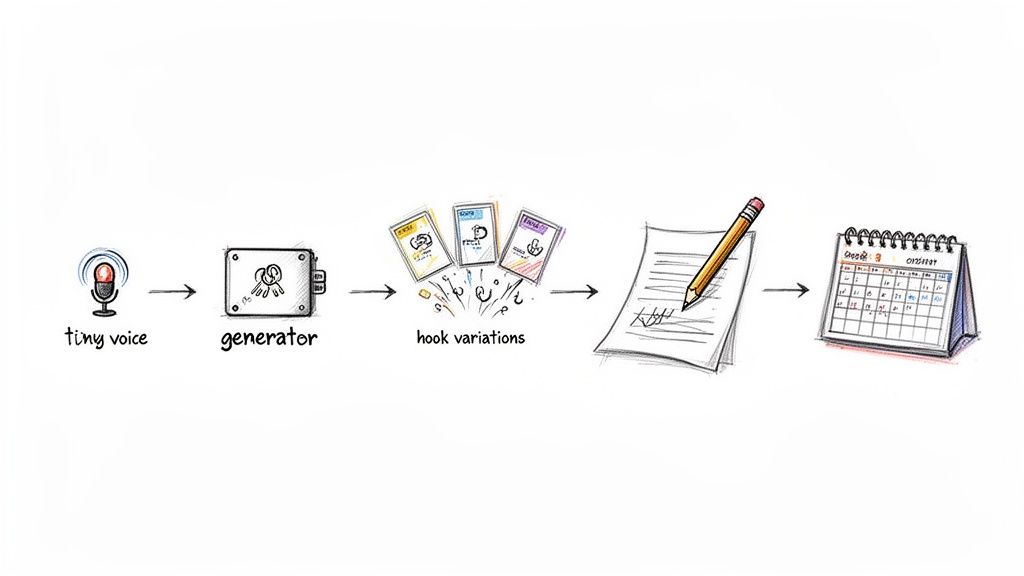
Creating a polished LinkedIn post from a fleeting thought doesn't have to be a chore. With a good AI LinkedIn post generator, you can build a simple, repeatable process that saves time without sacrificing your authentic voice. Think of it as a smart collaboration between your ideas and the AI's structural prowess.
Here are the exact steps to turn a raw idea into a ready-to-publish post.
Step 1: Capture Your Raw Idea
Great ideas often appear at inconvenient times. The first step is to capture them before they vanish. Don't worry about polishing; just get the thought down.
This raw material can be anything:
- A 60-second voice note recorded during a walk.
- A few bullet points typed into your phone.
- A link to an article with a one-sentence take.
The goal is to eliminate the friction of a blank page by providing the seed of an idea.
Step 2: Feed the Idea to the Generator
Next, drop your raw thought into the AI tool. A specialized post generator excels here. Unlike a generic chatbot needing detailed prompts, a tool built for LinkedIn content is designed for messy, real-world inputs. It finds the core message in your initial thought and builds a coherent story around it.
Step 3: Review Multiple Hook Variations
This is a critical step. A smart generator won't just give you one finished post. It will propose several different opening hooks for you to choose from.
The hook is the most important part of any LinkedIn post. A quality AI tool gives you creative control by suggesting multiple options based on proven copywriting frameworks, letting you pick the one that grabs attention best.
You might get a hook that poses a question, starts with a story, or leads with a stat. This is your first chance to steer the post's direction.
Step 4: Refine the Draft with Personal Stories
Once you choose a hook, the AI generates a full draft. Now, you step back in as the expert. The AI provides the structure; you provide the soul. This step is non-negotiable for authenticity.
Add things like:
- A personal anecdote that illustrates the point.
- Specific data from your own work.
- Your unique, even counterintuitive, opinion.
This transforms a generic AI post into your content. For more tips on making posts resonate, see our guide on how to write LinkedIn posts that connect with your audience.
Step 5: Finalize and Schedule
With your personal touches added, give the post a final read-through, add relevant hashtags, and schedule it. The entire process, from idea to scheduled post, can take less than five minutes. The result is a thoughtful post that sounds like you because it is you—just created much faster.
Who Should Use an AI LinkedIn Post Generator?
An AI LinkedIn post generator is a specialized tool that delivers a massive return for specific roles. It's not just about automating posts; it's about hitting strategic business goals, whether that's scaling content without hiring or building a personal brand without sacrificing hours.
Here’s who benefits most.
Marketing Agencies and Social Media Managers
For marketing agencies, scaling content while maintaining each client's unique voice is a major challenge. Juggling multiple LinkedIn accounts is a huge operational lift.
An AI generator designed for agencies shines here:
- Consistent Voice on Autopilot: Create distinct "voice profiles" for each client, ensuring posts for a tech CEO sound different from those for a creative director.
- Efficient Workflows: Turn one client voice note into a week's worth of on-brand content, dramatically cutting production time.
This allows agencies to serve more clients effectively, turning a time-consuming task into a scalable service.
Sales and Go-To-Market Teams
Modern buyers are tired of cold outreach. For sales and GTM teams, trust is built before the pitch. Sharing valuable content on LinkedIn is a great way to do this, but most reps are focused on quotas, not content creation.
An AI LinkedIn post generator empowers sales teams to become trusted advisors, not just sellers. It helps them share insights consistently, attracting inbound leads and warming up prospects without taking time away from core sales activities.
This strategy repositions your sales team. A rep who consistently shares helpful advice becomes a recognized authority, not just another name in an inbox.
Founders and Executives
Founders and executives are the face of their companies but are incredibly time-poor. Building a personal brand is critical for attracting talent, winning investors, and establishing credibility. The problem? Finding 30 minutes a day to write is often impossible.
An AI post generator bridges this gap. A founder can record a quick voice memo, and the AI handles the rest. This creates an authentic line from their expertise to their audience, allowing them to build a powerful brand without losing focus.
Use-Case Benefit Matrix
This table outlines the primary goals and key benefits for each user profile, showing how an AI generator addresses their specific needs.
The value isn't just "saving time." It's about enabling each professional to achieve high-impact outcomes that were previously out of reach.
Common Mistakes with AI Content (and How to Avoid Them)
An AI LinkedIn post generator is a powerful tool, but misuse can damage your reputation. The biggest mistake is treating the AI like an autopilot instead of a co-pilot. The "copy, paste, post" habit is a surefire way to sound generic and robotic. Your audience is smart; they can spot soulless content.
You're Still the Expert in the Room
Skipping the human review step is not an option. The AI doesn't know your war stories, client wins, or tough lessons learned. Those are the details that build trust. Without your unique point of view, the content feels hollow. An AI can write about leadership, but it can't tell the story of how you led your team through a tough quarter.
Think of the AI as a capable junior team member. It handles the initial draft, but you, the senior expert, must add the critical insights and personality.
How do I avoid common AI content mistakes?
Blindly trusting AI-generated facts is another major error. AI models can "hallucinate" or use outdated sources. Always protect your credibility.
Follow this simple pre-post checklist to avoid common pitfalls:
- Verify the Facts: Spend 30 seconds on Google to double-check any numbers, dates, or data points.
- Add a Real Story: Weave in a short, relevant anecdote that only you could share. Authenticity is key.
- Do a Tone Check: Read the post out loud. Does it sound like you? Tweak the words until it matches your natural voice.
This approach gives you the speed of AI without sacrificing the authenticity that builds a real following.
Why Brewbrand Is Built for Authenticity
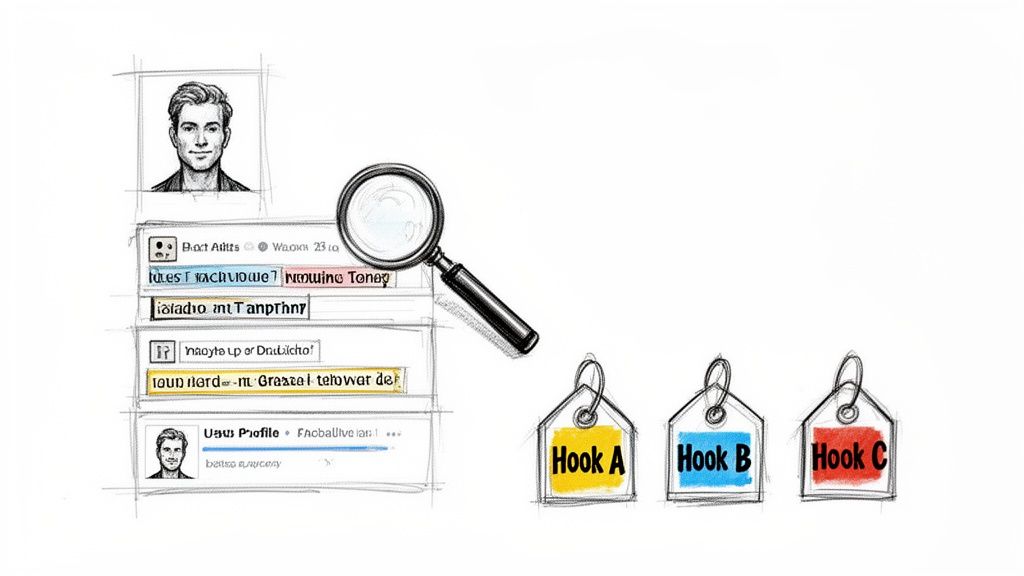
While many tools focus on speed, Brewbrand was created to solve the biggest problem with the average AI LinkedIn post generator: authenticity. We believe your AI-assisted content should sound like you.
Our process starts by analyzing your past content to build a voice model that truly mimics your style.
How does Brewbrand work?
Brewbrand fits into your creative process. You can start with a scattered voice memo or a few bullet points, and it will turn those raw ideas into a human-like draft in about 90 seconds.
The real magic happens at the start, giving you creative control where it matters most.
Brewbrand doesn't just write a post. For every idea you input, it generates four distinct hook variations based on proven copywriting frameworks. This lets you pick the most powerful opening before the AI writes the rest, ensuring the final piece grabs attention the way you want it to.
This workflow is ideal for professionals who refuse to sacrifice credibility for speed. It's about a partnership that helps you craft posts reflecting your genuine expertise. For more inspiration, check out our guide on content generation ideas. Brewbrand is for people who want to stand out with authentic insights, not add to the noise.
FAQs about AI LinkedIn Post Generators
Here are answers to some frequently asked questions about using an AI LinkedIn post generator.
Will using an AI LinkedIn post generator hurt my credibility?
No, if you use it correctly. Think of an AI generator as a creative partner, not a replacement. Its job is to handle the grunt work, like structuring a post. Your job is to add the soul by reviewing, editing, and weaving in your own stories and perspective.
The best way to use these tools is to enhance your own expertise, not fake it. A good generator learns from you, helping you produce content in your authentic voice, just faster. You’re still the author; you just have a very efficient assistant.
How long does it take to create a post with AI?
It varies. Generic tools are instant but often lack quality. A specialized tool like Brewbrand takes about 60-90 seconds to generate a first draft. This is because it analyzes your ideas against your voice profile to write something that sounds like you. Factoring in a few minutes for review, you can go from idea to publish-ready post in under five minutes.
Can I use an AI post generator for multiple clients or team members?
Yes. This is a game-changer for agencies and marketing leaders. Advanced generators let you create and manage separate "voice profiles" for each person. This means the content for a tech founder will have a different tone from a B2B marketing director. You can scale your content operation without sacrificing the unique personal brand of each individual.
Ready to create authentic LinkedIn content 10x faster? Brewbrand learns your unique voice to turn your messy ideas into polished posts that sound just like you. Start your free trial today.
Generate LinkedIn content easier than ever before
Lorem ipsum dolor sit amet, consectetur adipiscing elit. Lorem ipsum dolor sit amet, consectetur.