How to Ask for Recommendations on LinkedIn: A Step-by-Step Guide
Learn how to ask for recommendations on LinkedIn with expert advice and templates. Boost your profile and credibility with proven strategies that get results.

Asking for a LinkedIn recommendation is a strategic skill. The best method involves a personal approach: remind them of a specific shared success and make it easy for them by suggesting key points. This simple, strategic ask is what turns a generic endorsement into powerful social proof that works for you.
Step 1: Understand Why LinkedIn Recommendations Matter
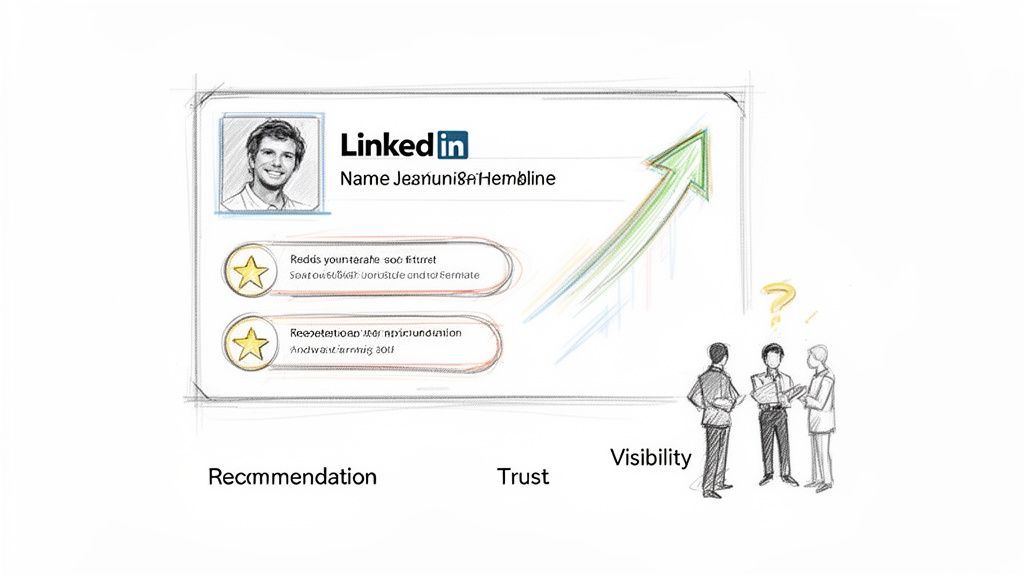
If you think LinkedIn recommendations are just a digital pat on the back, you are missing a powerful trust signal. These testimonials are your best form of social proof, acting as third-party validation that turns the skills you claim to have into strengths others have actually seen in action.
When a recruiter or potential client lands on your profile, they seek reasons to believe you are credible. Your resume lists what you did, but a great recommendation tells the story of how you did it and the impact you made. That distinction is what builds instant credibility.
Boost Your Visibility and Credibility
A profile with genuine, thoughtful recommendations doesn't just look impressive; it actually performs better. LinkedIn’s algorithm rewards profiles that show strong engagement and credibility, and receiving recommendations is a key signal.
The data supports this. Profiles with strong endorsements and multiple recommendations get 17 times more views from recruiters. This increased visibility leads directly to more inbound opportunities. Furthermore, 72% of recruiters agree that professionals hired through LinkedIn are of higher quality, which shows how much weight these digital validations carry in decisions.
A great recommendation does more than just list your skills; it tells a story about your character, work ethic, and ability to collaborate. It provides the human context that a resume or job description often misses.
Shape Your Professional Narrative
Asking for a recommendation isn't just about collecting praise; it’s a strategic move to shape your professional story. Every testimonial you receive adds a new chapter from a unique perspective. A manager might highlight your leadership, a colleague can speak to your teamwork, and a client could celebrate the results you delivered.
Together, these voices create a well-rounded and much more compelling narrative than you could ever write yourself.
By proactively seeking these endorsements, you take control of how others perceive your value. This is a core part of building an effective personal brand online, showcasing not just what you know but also the strength of your professional relationships. Our guide on how to build a personal brand can help you craft that unique story.
Step 2: Prepare Your Profile Before You Ask
Before sending a single recommendation request, you must update your own profile. Asking someone to write a recommendation when your LinkedIn is outdated is like asking for directions without telling them your destination.
Think of your profile as the ultimate cheat sheet for your recommender. A sharp, up-to-date profile gives them all the context they need to write something specific and powerful. It’s the single most important thing you can do to guide them toward the story you want to tell, saving them time and getting you a much better result.
Optimize Your Professional Story
The first place your recommender will look is your headline and About section. These need to instantly communicate who you are professionally and where you're headed.
Headline Comparison:
- Generic: "Marketing Manager"
- Optimized: "B2B SaaS Marketing Manager | Driving Demand Gen & Product-Led Growth"
Your About section is where you connect the dots. This is your space to weave your experiences into a compelling career narrative. This makes it easy for a recommender to align their testimonial with your ambitions. For help, see our guide on writing a powerful LinkedIn About section.
Spotlight Your Achievements and Skills
Vague job descriptions are the enemy of great recommendations. Go through each role in your Experience section and swap out passive responsibilities for hard-hitting, quantifiable achievements.
- Before: "Managed social media accounts."
- After: "Grew organic social media engagement by 45% in six months by implementing a new content strategy."
This gives your contact a concrete example of your success to work with. You're not just telling them you did a good job; you're showing them exactly what that looked like.
When someone agrees to write a recommendation, they are doing you a favor. The best way to show your appreciation is to respect their time by making the task as simple as possible. A complete and updated profile is the ultimate cheat sheet.
Finally, audit your Skills section. Ensure the top 5-10 skills listed are relevant to your career goals. This is a simple visual cue that reinforces what you want to be known for, subtly pointing your recommender toward the exact abilities you want them to highlight.
Step 3: Choose Who to Ask and When to Ask Them
Knowing how to ask for a recommendation is only half the equation. The other, more strategic half is knowing exactly who to ask and when to approach them. The goal isn’t to collect as many recommendations as you can; it’s to curate testimonials that tell a complete, compelling story about your professional value.
Most people immediately think of their current manager, which is a good start. But a powerful LinkedIn profile showcases praise from all corners of your professional life. This gives anyone viewing your profile a 360-degree view of what it’s like to work with you.
Who to Ask for a Recommendation and Why
Selecting the right mix of people to vouch for you adds layers of credibility. Each type of recommender brings a unique perspective, highlighting different strengths.
Here's a breakdown of who to consider asking and the value they add.
By gathering endorsements from these different relationships, you create a much more robust and believable professional narrative. It shows you're not just good at your job—you're a great colleague, a trusted partner, and an effective leader.
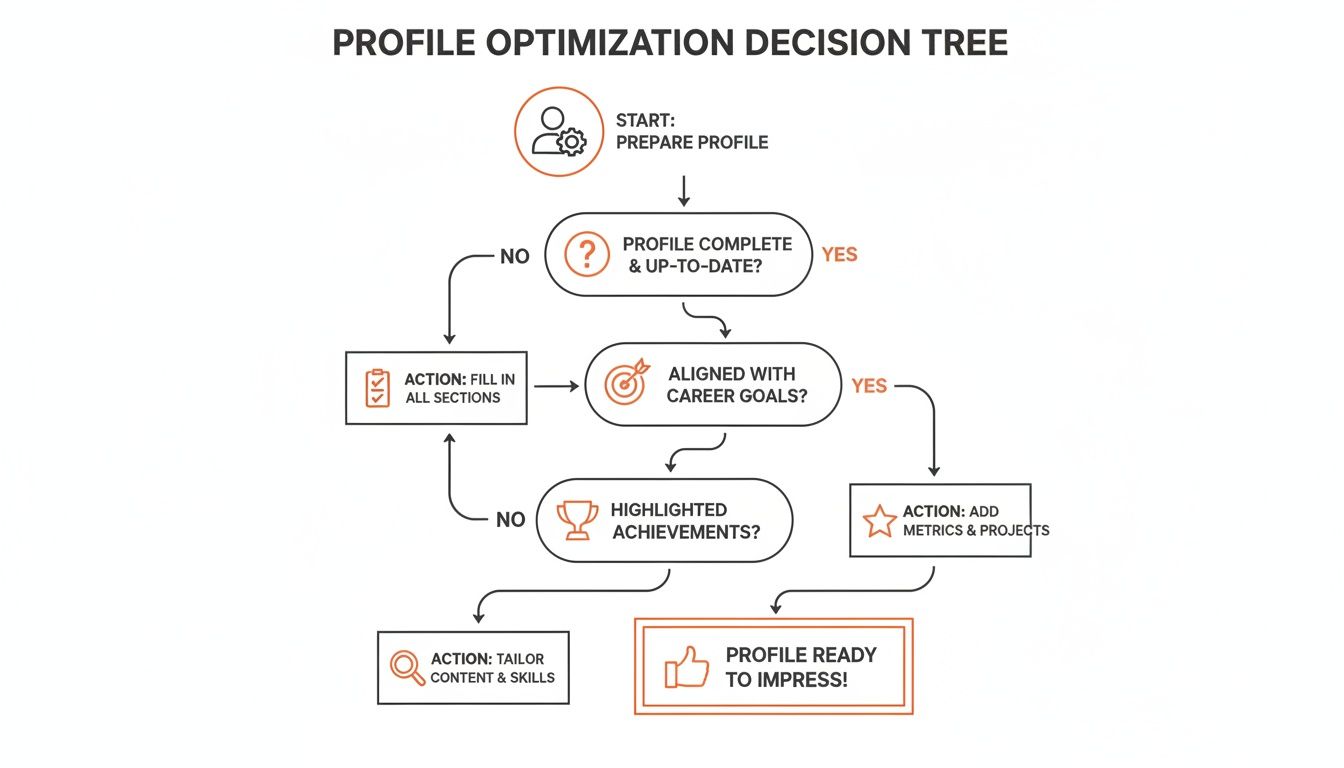
This process isn't just about asking. A successful request starts with a clear, achievement-focused profile that gives your recommender all the context they need.
Pinpoint the Perfect Moment to Ask
Timing can make or break your request. An ask that feels natural and timely is far more likely to get an enthusiastic "yes" and a detailed response. You want to ask when your value is fresh in their mind.
The best time to ask is right after your contribution has made a tangible, positive impact. The details are fresh, and the positive feelings are still present, making it easy for someone to translate that experience into a powerful testimonial.
Try to capitalize on these moments:
- Right after a big win. Did your team just launch a product or close a major deal? The energy is high, and your contributions are obvious.
- Following a glowing performance review. If your manager just told you what a great job you’re doing, it's the perfect opening.
- When a client is singing your praises. The moment a client sends an unsolicited email about how happy they are, that’s your cue.
- As you transition out of a role. Leaving a job is a natural time for reflection and a common time to ask managers and colleagues for a parting recommendation.
Step 4: Craft Your Request to Get an Enthusiastic "Yes"
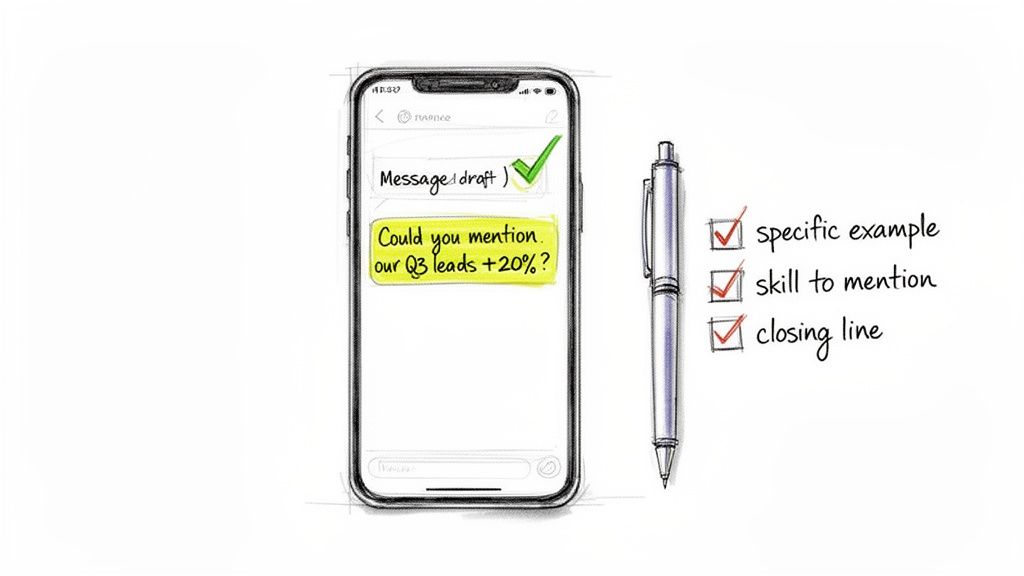
The difference between a generic, forgettable recommendation and one that helps you land your next role almost always comes down to how you ask. A vague message like, "Can you write me a recommendation?" is an invitation for a vague, uninspired response.
The key to getting an enthusiastic "yes" is making your request personal, specific, and incredibly easy for them to fulfill. Your job is to remove all the guesswork.
Personalize Your Request with Specific Examples
Do not send a generic, templated request. The most effective way to ask is by starting with a warm, genuine opening that reminds the person of your shared history.
Instead of a broad ask, reference a concrete project or achievement. This jogs their memory and gives them a clear, powerful starting point.
Request Comparison:
- Vague: "Could you write me a recommendation about my time at Acme Corp?"
- Specific: "I was just thinking about the Q3 product launch we worked on together. I was so proud of how we increased user sign-ups by 20%, and I'd be honored if you could write a recommendation that mentions my role in developing the go-to-market strategy for that campaign."
This approach transforms your request into a compliment about your shared work. You're not just asking for praise; you're celebrating a joint victory.
The most powerful recommendation requests are framed as a compliment to the recommender's mentorship or partnership. You're not just saying "praise me," you're saying "look at what we accomplished together, and thank you for your part in it."
Choose Your Communication Channel
While LinkedIn has a built-in "Request a recommendation" feature, using it directly isn't always the best move. The right channel depends on your relationship.
Making the initial personal appeal via DM or email before using the official feature is a pro move. It prevents your request from feeling like a cold, automated notification and dramatically increases the chances of getting a thoughtful response. For more tips, check our guide on writing a great LinkedIn message for connecting.
Message Examples for Different Scenarios
Here are a few templates you can adapt.
Example 1: Asking a Former Boss via Email
Subject: Catching up & a quick question
"Hi [Boss's Name],
I hope you're doing well. I was reflecting on my time at [Company] recently and feel so grateful for your mentorship, especially on the [Project Name] initiative. Your guidance on [Specific Skill] was invaluable.
I'm currently updating my LinkedIn profile and would be honored if you'd be willing to write a brief recommendation speaking to my contributions to that project. No pressure at all if you're too busy, but your perspective would mean a lot.
Thanks for everything,
[Your Name]"
Example 2: Asking a Peer via LinkedIn DM
"Hey [Peer's Name]! Hope you’re having a good week. I was just telling someone about that crazy deadline we hit on the [Client Project] last year—still so proud of that work.
I’m working on sprucing up my LinkedIn and was wondering if you’d be open to writing a quick recommendation about our collaboration on that project? Happy to return the favor, of course! Let me know."
Step 5: Follow Up and Finalize the Recommendation
You’ve sent your thoughtful, personalized request. Now what? Managing the post-request process is just as important as the initial ask.
Remember, the people you’re asking are busy. It's normal for a week or two to go by without a response. A gentle nudge is acceptable and often appreciated.
Try sending a quick, low-pressure follow-up message:
"Hey [Name], just wanted to circle back on my recommendation request from last week. No pressure at all if you're swamped, but just let me know if you need any more info from me to make it easier!"
Reviewing and Asking for Revisions
When the recommendation comes in, LinkedIn gives you a chance to review it before it’s published. This is a crucial checkpoint. Read it carefully. Does it hit the key points you were hoping for?
Sometimes, a recommendation is good but could be great with a minor tweak. It can feel awkward to ask for changes, but you can do it professionally.
Always lead with gratitude. Thank them sincerely for their time before gently suggesting a specific, small change. This shows you respect their effort while guiding them toward something even more powerful for your profile.
Here’s a template that works:
"Thank you so much for taking the time to write this, I really appreciate it! Would you be open to one tiny suggestion? If you could specifically mention my work on the 'Project Apollo' initiative, I think it would make it even stronger. But no worries at all if not!"
The Final Touch: Gratitude and Reciprocation
Once the recommendation is live on your profile, there's one last step: say thank you and offer to return the favor. A quick, personal thank-you note is non-negotiable.
But here’s the pro move: proactively offer to write a recommendation for them in return. This gesture turns a one-sided request into a meaningful exchange of professional goodwill.
- It builds real rapport. Offering to reciprocate isn't just polite; it deepens the professional relationship.
- You're more likely to get help next time. People remember those who give back.
- It feels good! This gesture removes any sense that it was just a transaction and makes it a two-way street.
A simple offer is all it takes. Something like, "I'd be more than happy to write a recommendation for you as well, if you’d like!" can transform this entire process into a powerful moment of connection.
Answering Your Lingering Questions About Recommendations
You have a solid game plan, but you might still have questions. Let's tackle some common "what if" scenarios.
How Many Recommendations Do I Actually Need?
Quality is more important than quantity. A couple of detailed, glowing recommendations from the right people are worth more than a dozen generic, one-line comments.
Aim for 3-5 genuinely high-quality recommendations for your most recent and critical roles.
For a well-rounded look, try to get a mix:
- 1-2 from former managers: Provides authoritative validation.
- 1-2 from peers: Shows you're a great team player.
- 1 from a client or external partner: Proves you can deliver results.
If you're a consultant, freelancer, or in sales, a larger collection can be a serious asset. Having 5-10 strong recommendations from happy clients acts as a powerful sales tool right on your profile. The goal is for each one to highlight a different facet of your value.
What if I Get a Lame Recommendation?
It happens. You ask someone, they agree, and what comes back is underwhelming.
First, you have 100% control. LinkedIn will not post a word to your profile until you approve it. If a recommendation isn't right, you can simply dismiss it, and the writer will not be notified.
But before you do that, you can gently ask for a revision.
You could send a quick message like this:
"Hey Sarah, thank you so much for taking the time to write this! I really appreciate it. I was wondering if you might be open to adding a quick sentence about our work on the 'Project Titan' launch? That was such a key success for our team, and your perspective on my role in it would be amazing to include."
This approach is respectful but direct. If it’s still not a good fit after that, just let it go and don't display it.
Can I Ask Someone I Haven't Talked to in Years?
Yes, but you have to play the long game. The worst thing you can do is pop up after five years of silence with a cold ask. It feels transactional and awkward.
The first step is to reconnect. Break the ice and re-establish genuine rapport.
Send a message that has nothing to do with your request.
"Hi Mark, I was just thinking about our time at [Company] the other day and remembered how much I enjoyed working on the [Project] team with you. Hope you've been well! I saw on your profile you're now at [New Company]—that looks like really interesting work."
Wait for a response. Once you’ve exchanged a message or two, then you can circle back with your request. This turns a cold outreach into a natural catch-up.
Should I Write a Recommendation First to Get One?
This is a fantastic strategy, as long as it comes from a genuine place. Giving a thoughtful, unsolicited recommendation is a powerful way to strengthen a professional relationship. It often inspires the other person to return the favor without you even having to ask.
The key here is authenticity. Don't write something with the sole expectation of getting one in return. Make your praise specific and heartfelt. If you give freely and they don't reciprocate, that's okay. You can always use the methods in this guide to ask them later.
Ready to stop sounding like a generic AI and start creating authentic LinkedIn content that builds your brand? Brewbrand learns your unique voice to generate posts that feel like you wrote them yourself, helping you post consistently and save hours every week. Start free and find your voice today at https://brewbrand.ai.
Generate LinkedIn content easier than ever before
Lorem ipsum dolor sit amet, consectetur adipiscing elit. Lorem ipsum dolor sit amet, consectetur.