How to Generate Leads from LinkedIn: A Step-by-Step Guide for 2026
Unlock how to generate leads from linkedin in 2026 with a proven profile, content, and outreach strategy to fuel your pipeline.


To generate leads from LinkedIn, you need a simple, proven playbook. This process involves two core steps: first, turn your profile into a client-focused landing page, and then, consistently publish content that solves your audience's biggest problems. This approach builds trust and brings leads to you, often before you even think about sending a cold message.
Step 1: Build Your Profile for Lead Generation
What is the first step to generate leads on LinkedIn? Before you write a single post or send a connection request, your LinkedIn profile must be optimized to work for you. Don't think of it as a digital resume—it's your 24/7 salesperson, attracting and educating prospects while you're offline. A solid profile establishes instant credibility and becomes the foundation for everything else you do.
And you'll need that strong foundation. A whopping 89% of B2B marketers are on LinkedIn trying to generate leads, and 62% say it’s working for them. With that much competition, a profile that's just "good enough" is a huge missed opportunity.
Craft a Headline That Attracts Clients
Your headline is the most important part of your profile. It shows up everywhere: in search results, on every comment you leave, and with every connection request you send. Most people just put their job title—"Founder," "Sales Manager"—and call it a day. That's a mistake. A great headline is never about you; it's about them. It should immediately tell your ideal client what you do for them and why they should care.
Compare these headline styles:
See the shift? One is a label. The other is a promise that immediately pulls in the right people and pushes away the wrong ones.
Write an About Section That Tells a Story
Okay, your headline hooked them. Now, your "About" section needs to reel them in. This is your chance to ditch the stuffy, third-person bio and tell a story that connects with your prospect’s real-world challenges. When you show you understand their problems, you build a connection that leads to a conversation.
My biggest piece of advice: Your "About" section isn't actually about you. It's about your ideal client. Read every sentence you write and ask, "Does this speak to a problem they have or a goal they want to achieve?"
Follow this step-by-step framework for your "About" section:
- The Hook: Open with a bold question or statement that hits on their biggest pain point.
- The Problem: Dig into the specific challenges they're facing to show you get it.
- The Solution: Gently pivot to explain how you guide people just like them through those exact problems.
- The Proof: Add a quick win—a key statistic, a short client quote, or a mini case study—to build credibility.
- The Call to Action (CTA): End by telling them precisely what to do next. Connect? Download a resource? Book a call? Don't leave them guessing.
If you want to go deeper, we've broken down more frameworks in our guide on how to write a LinkedIn About section that attracts clients.
Choose Visuals That Build Instant Trust
Your profile picture and banner are your first impression—your digital handshake. A professional, high-quality headshot where you look friendly and approachable is non-negotiable. It’s the fastest way to build a little bit of trust right out of the gate.
Your banner, though, is the most underused real estate on LinkedIn. People throw up a generic stock photo and move on. Instead, create a custom banner that reinforces your headline, shows off your brand, or even includes a clear call to action. It’s a simple tweak that makes your profile look less like a page and more like a strategic tool built for one thing: generating leads.
Step 2: Craft Content That Creates Conversations
A sharp, optimized profile gets people to your doorstep, but it's your content that truly invites them in. If you want to generate real leads on LinkedIn, you have to do more than just post. Your content needs to become a reliable resource for your ideal clients, consistently solving their problems and sparking the kinds of conversations that naturally lead to business.
This isn't about chasing viral hits or posting for the sake of it. It's about building a solid content engine that establishes you as a trusted authority in your space.
The best way to do this is to stop the daily scramble for ideas. Instead, build your strategy around three to five core content pillars. These are the big-picture themes you want to own. For instance, a sales leader might focus on "SaaS Prospecting Tactics," "Building High-Performing Teams," and "Closing Enterprise Deals." Every single piece of content you create should connect back to one of these pillars, reinforcing your expertise over and over again.
Find Your Content Rhythm
To keep your audience hooked, you need a balanced content mix. It's like having a good conversation—you wouldn't just talk about work statistics the entire time. You need to blend different styles to show people who you are and what you stand for.
A strong content mix should include these post types:
- Actionable Advice: Break down a complex process into simple steps or offer a quick tip your audience can use right away. This is how you build credibility and prove you know your stuff.
- Personal Stories: Talk about a lesson you learned from a mistake, a big win for a client, or even just a behind-the-scenes look at your process. Stories are what create a genuine human connection.
- Thought Leadership: Share a unique take on a common industry trend or challenge a popular belief. This positions you as a forward-thinker and makes people pay attention.
The goal is to shift from being just another voice in their feed to becoming their go-to resource. When a prospect runs into a problem you've been talking about, your name should be the first one that pops into their head.
Build an Inbound Post Funnel
What is an inbound post funnel? It is simply a strategic series of posts designed to guide a prospect from "just browsing" to sliding into your DMs. Instead of hitting them with a hard sell in a single post, you create a journey that builds trust.
Here's an example of how to create one:
- Awareness Post: Start with a post telling a story about a client's specific struggle.
- Education Post: A few days later, follow up with a carousel post that breaks down the exact solution you implemented.
- Action Post: Finally, share a simple text post inviting people who are facing a similar issue to send you a message.
This approach makes the final "ask" feel like a helpful, natural next step, not a pushy sales pitch. It’s a core strategy for generating leads organically on LinkedIn.
If you’re struggling to turn one idea into a multi-post funnel, tools like Brewbrand are built for exactly this. You can take a single concept and instantly spin up several authentic post variations—a personal story, an advice-driven post, and a thought leadership piece—all while keeping your unique voice. That consistency is what builds a real, engaged community.
Choose the Right Post Formats
Knowing which content formats work best on LinkedIn is a huge advantage. After all, engagement is what drives everything. Some formats just plain outperform others. This comparison table breaks down the average engagement rates and key benefits for different LinkedIn post formats, which should help you decide where to focus your creative energy.
Comparison of LinkedIn Content Formats for Engagement (2026)
This table compares the average engagement rates and specific benefits of different LinkedIn post formats to help you prioritize your content creation efforts.
As you can see, carousel posts are the current engagement champions, with a 6.60% engagement rate and a 37% year-over-year increase in comments. This visual format is perfect for telling a compelling story and guiding a prospect through a narrative.
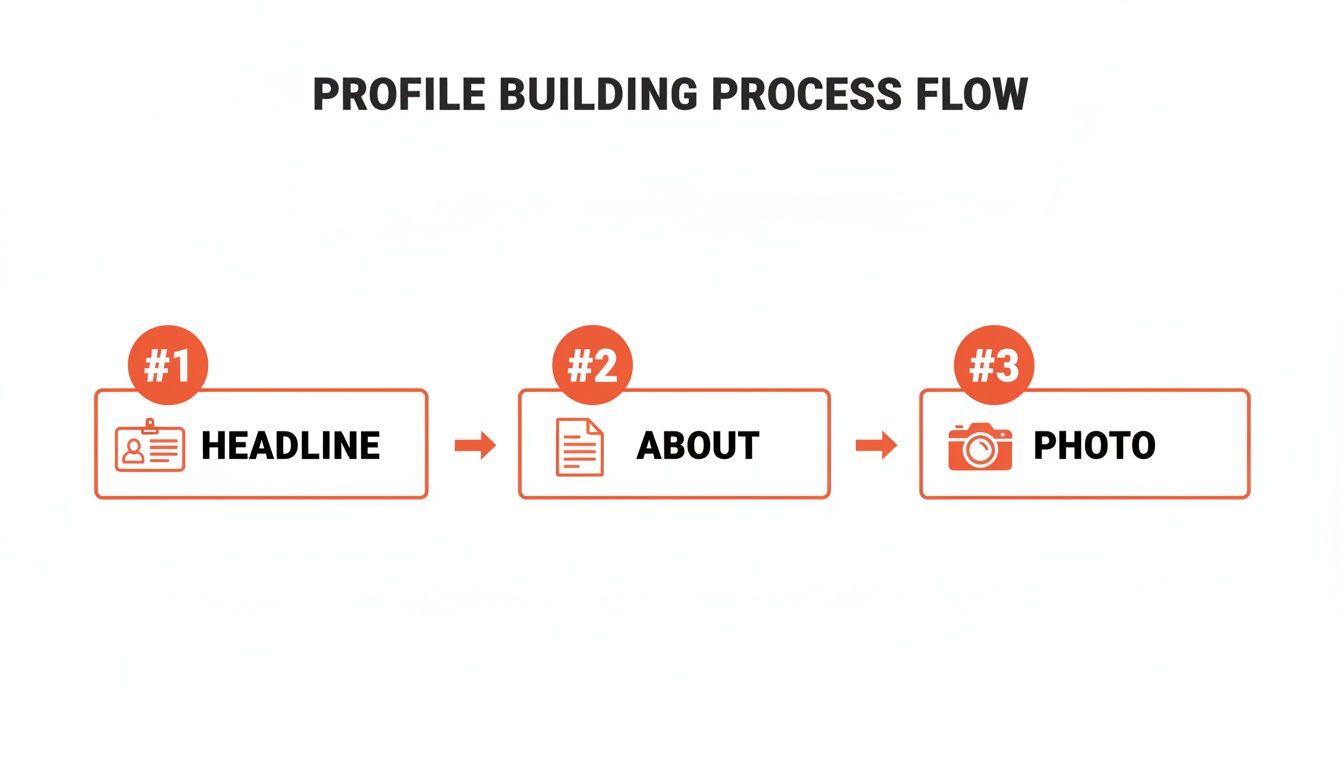
This infographic shows how these core elements—headline, "About" section, and photo—come together to create a profile that immediately builds trust and attracts leads.
Overall platform engagement is climbing, now at 3.85% (a 44% YoY jump). This shows people are more active and receptive than ever. For sales teams and agencies, the ability to turn raw ideas into perfectly structured posts in about 60 seconds is a game-changer, helping them tap into the 50% higher ad engagement rates LinkedIn provides.
If you want to go deeper on post creation, our guide on how to write LinkedIn posts is a great next step.
Step 3: Master Authentic Outbound Messaging
While a solid content strategy brings people to you, a smart outbound plan is how you go out and find your next best clients. The trick is to ditch the spammy, automated tactics everyone has come to loathe. We're talking about starting genuine conversations with the right people—the most direct path to generating real leads on LinkedIn.
Good outreach is a game of precision, not just volume. Who you talk to matters more than anything. It is better to send a thoughtful, personalized note to ten ideal prospects than a generic, copy-pasted message to a thousand random people.
Build Your High-Value Prospect List
Before you even think about writing a message, you need to know exactly who you're targeting. This is where a tool like LinkedIn Sales Navigator is worth its weight in gold. It lets you go way beyond basic filters like job titles and get incredibly specific.
The real magic, though, is using its "triggers" to find people who have a timely reason to hear from you. These signals turn a cold message into a relevant conversation starter.
Look for these high-intent triggers:
- Recent Job Changes: A new executive or manager is usually looking to make their mark and is way more open to new ideas or tools. Reaching out within their first 90 days is a golden opportunity.
- Company Funding News: If a company you're watching just landed a big funding round, it's a huge sign they have a budget and are gearing up for growth.
- Posted About a Relevant Topic: When a prospect shares content about a problem you can solve, they're essentially raising their hand for help.
When you build your outreach lists around these key moments, you stop being just another salesperson in their inbox. You become a relevant resource showing up at the perfect time.
Craft Connection Requests That Get Accepted
That little 300-character note in your connection request is your digital first impression. Sending an empty request is a massive missed opportunity. Your only goal is to give the other person a genuine reason to click "Accept."
The best requests are always short, personal, and never, ever try to sell. You're just looking for a small point of common ground to build on.
The cardinal sin of LinkedIn outreach is the "pitch-slap"—connecting and immediately hitting them with a sales pitch. It destroys trust on the spot and is a one-way ticket to being ignored. Your only job at this stage is to start a conversation.
Compare the wrong way versus the right way to send a connection request:
This simple shift from being "me-focused" to "you-focused" makes all the difference. Taking 30 seconds to find that personal hook can push your acceptance rates north of 45%. For an even deeper look, check out our tips for crafting a LinkedIn message for connecting that actually sounds human.
The Value-First Follow-Up Sequence
They accepted your request. Now what? The absolute worst thing you can do is jump straight into a pitch. Instead, play the long game with a multi-touch follow-up sequence designed to build rapport and give value before you ask for anything.
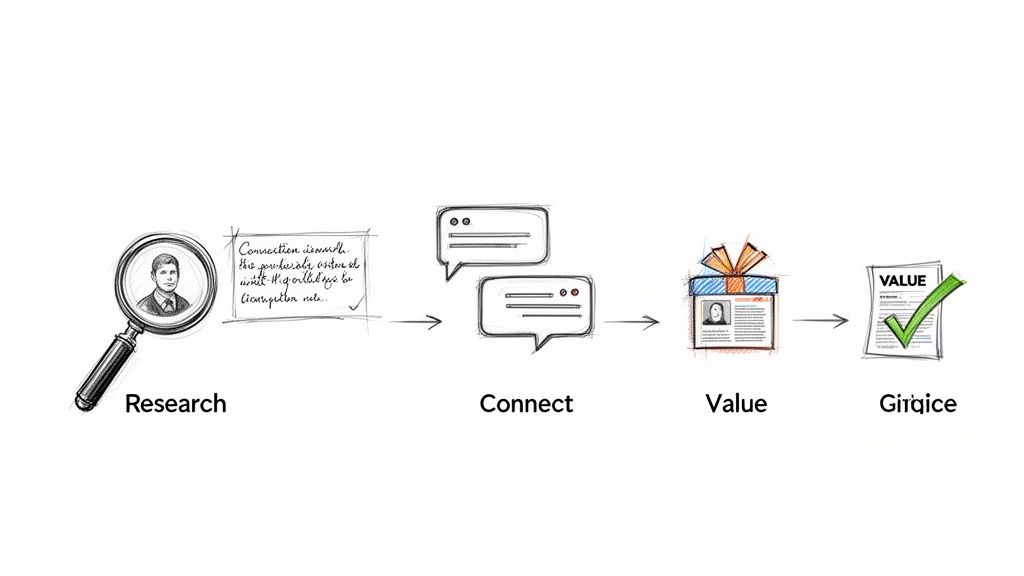
This patient, value-first approach is how you turn a new connection into a warm lead. Here are the steps:
- The Thank You & Value Add: A day or so after they connect, send a quick thank-you note. Reference something from their profile again and offer a genuinely helpful resource—no strings attached. Think of a great article, a free tool, or an industry report you found interesting.
- The Follow-Up Engagement: A few days later, find one of their posts and leave a thoughtful comment. Don't just say "great post!"—add to the conversation, ask a smart question, or share a related insight. This keeps you on their radar in a helpful, non-pushy way.
- The Gentle Pivot to Business: After a few more days of light engagement, you’ve earned the right to gently steer the conversation toward business. Frame it entirely around their world: "Seeing that you're a [Job Title] at [Company], I was curious how your team is handling [Common Problem]."
This methodical sequence transforms your outreach from a simple sales attempt into a genuine relationship-building exercise—the true foundation of generating quality leads from LinkedIn.
Step 4: Craft the Perfect LinkedIn Offer (Lead Magnet)
If you're only focused on posting great content and sending outreach messages, you're missing a key piece of the puzzle. To turn passive followers into active leads, you need a compelling offer—a lead magnet—that gives them a real reason to raise their hand and show interest.
This is what bridges the gap between someone casually liking your posts and actually starting a business conversation. But for a savvy LinkedIn audience, a generic PDF just won’t cut it. You need to offer something with immediate, tangible value that solves the exact problem you’ve been talking about.
Moving Beyond the Generic Ebook
Let's be honest: the days of getting thousands of sign-ups for a basic ebook are long gone. To actually get someone’s attention, your offer has to feel exclusive, personal, and genuinely valuable. Instead of tackling a broad topic, zero in on an asset that provides a specific, concrete outcome.
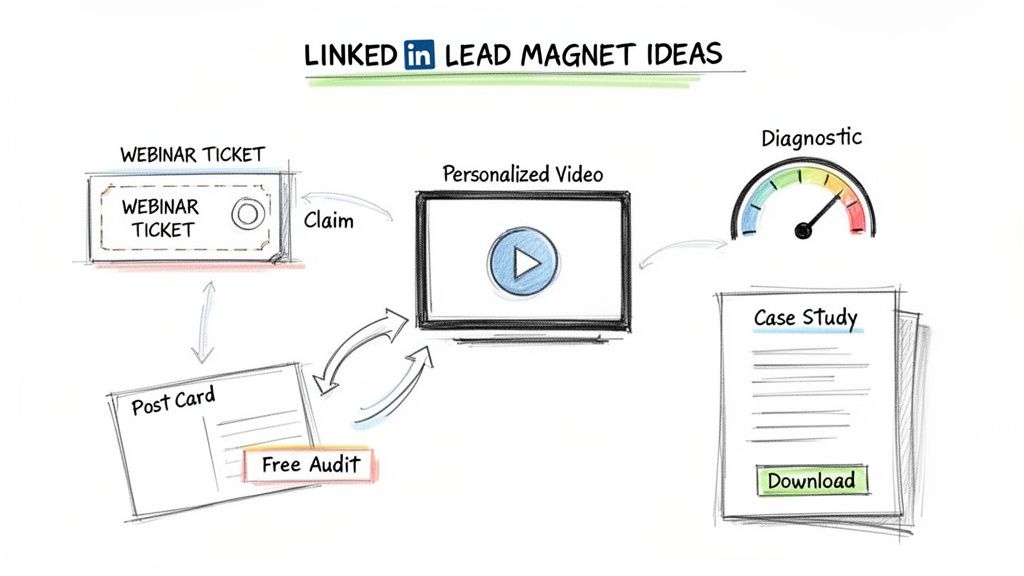
Here is a comparison of lead magnet ideas that work well for a professional audience:
- Exclusive Webinar Invites: Host a live training session on a very specific, niche topic. The value of a live event, complete with a Q&A, feels much higher than just another pre-recorded video.
- Free Diagnostic Tools: A simple checklist, scorecard, or calculator that helps someone self-assess a pain point is incredibly effective. It delivers instant value while also qualifying the lead for you.
- Personalized Video Audits: This one is a game-changer. Offer to record a quick, 5-minute Loom video analyzing a prospect’s website or LinkedIn profile. It’s a higher-effort play, but the trust it builds is immense.
- Deep-Dive Case Studies: Don't just share a simple success story. Build a detailed breakdown of a project—the initial problem, your solution, and the specific results. This shows prospects a clear blueprint for their own success.
Pro Tip: Your best lead magnets will feel like a natural extension of your content. If you've been posting about improving sales team efficiency, your offer should be a "Sales Team Efficiency Scorecard," not a generic guide to B2B marketing.
When your offer is directly aligned with your content, it feels timely and hyper-relevant, which can dramatically boost your conversion rates.
How to Promote Your Lead Magnet on LinkedIn
Once you've created your high-value offer, you need to get it in front of the right people. On LinkedIn, this boils down to two distinct approaches: a "soft" call-to-action in your posts and a "hard" call-to-action in your messages.
The Soft Call-to-Action in Your Posts
This is your public, organic promotion. The trick is to embed the offer inside a valuable piece of content, making it feel less like an ad and more like a helpful next step for your audience.
For example, you could write a post about the top three mistakes founders make when scaling their sales teams. At the end, you’d drop a soft CTA like:
"If you're curious where your team stands, I built a free diagnostic to help you spot your biggest gaps. Comment 'DIAGNOSTIC' below, and I'll send it over."
This works beautifully because it sparks public engagement, which signals to the algorithm that your post is valuable. As a bonus, your comments section instantly transforms into a list of warm leads.
The Hard Call-to-Action in Your Messages
The hard call-to-action is best saved for private conversations in your DMs. After you’ve warmed up a new connection with a few value-first messages, you can make a more direct offer without it feeling pushy.
This table breaks down the difference:
This two-pronged strategy lets you capture leads from both your wider audience and your one-on-one conversations. To make the delivery seamless, try using LinkedIn’s native document upload feature to share PDFs directly in your messages—it removes all friction for the prospect.
Optional Step: Use Paid Strategies to Amplify Your Reach
Organic reach is fantastic for building trust and authority. But if you're serious about getting a predictable stream of leads from LinkedIn, you can bring paid ads into the mix. Think of it as putting rocket fuel on what’s already working.
This isn't about setting money on fire. It's about making smart, targeted investments that pay for themselves. Paid ads let you skip the line, bypassing the algorithm to put your message directly in front of your Ideal Customer Profile (ICP) with incredible precision. You can start small, amplify your best-performing organic content, or retarget warm audiences to build a powerful lead gen engine without a massive budget.
Choosing the Right Ad Formats for Lead Generation
LinkedIn offers a handful of different ad types, but for B2B lead generation, a few are clear standouts. The trick is to match the ad format to your specific goal—whether that's capturing contact info on the spot, driving demo requests, or getting a high-value guide into the right hands.
For busy founders and sales leaders, it’s all about efficiency. Here’s a quick comparison of the ad formats that deliver the best results for B2B.
Comparison of LinkedIn Ad Formats for Lead Generation
The most effective campaigns almost always blend these formats. For example, you can run a Sponsored Content ad promoting a new case study and attach a Lead Gen Form to it. This creates a completely seamless experience, letting you capture qualified leads with minimal friction.
How to Create a High-Converting Campaign
A winning LinkedIn ad campaign really boils down to three things: laser-focused targeting, an irresistible offer, and smart budget management. The platform's Campaign Manager is where the magic happens, allowing you to build incredibly specific audiences.
You can get granular, targeting prospects based on things like:
- Job Title & Seniority: Focus on decision-makers like VPs or Directors while excluding interns and junior roles.
- Company Size & Industry: Zero in on B2B SaaS companies with 50-200 employees, for instance.
- Retargeting Audiences: Serve ads to people who have recently visited your website, engaged with your content, or even just viewed your profile.
My best advice: Start with a small, hyper-specific audience. It’s far better to get a high conversion rate from a niche group than a low one from a broad, untargeted one. Honestly, retargeting your website visitors is one of the highest-ROI strategies you can run, period.
The Power of LinkedIn for B2B Leads
The numbers don't lie. LinkedIn absolutely dominates when it comes to B2B lead generation. Projections show it will drive 75-85% of all B2B leads from social media in 2026, which is why it’s the default platform for agencies and founders looking to scale their pipeline.
It’s not just talk—89% of B2B marketers actively use LinkedIn for lead gen, and 62% confirm it’s what actually generates real, qualified leads for them. The data shows LinkedIn traffic has a 2.74% visitor-to-lead conversion rate, making it 277% more effective for B2B than other platforms.
For those using tools like Brewbrand, this is a game-changer. You can take the authentic posts you’re already creating and, with a small ad budget, turn them into serious lead-generating assets.
Turning Your Best Content into Targeted Ads
One of the smartest and most budget-friendly ways to get started with LinkedIn Ads is to simply boost your best organic content. Go through your feed, find a post that sparked a great conversation—one with lots of genuine comments and engagement—and put a small budget behind it.
This strategy works so well because the content is already proven. You know it resonates with your audience. By turning it into a Sponsored Content ad, you aren't reinventing the wheel; you're just showing your greatest hits to thousands of other ideal customers. It’s the perfect proof that you don’t need a massive ad budget to get results on LinkedIn. You just need a smart strategy.
Answering Common Questions on LinkedIn Lead Generation
Once you have a playbook in hand, a few practical questions always seem to pop up. It’s the little details that often make or break a strategy, so let’s clear up some of the most common hurdles I see people face.
Getting these things right is how you move from just being on LinkedIn to actually getting business from LinkedIn.
How Do I Know If This Is Actually Working (Besides Likes)?
It’s easy to get a dopamine hit from likes and views, but those are vanity metrics. They don't tell you if you're getting closer to a sale. You need to track the numbers that signal real business intent.
To get a clear picture of your return on investment, you have to look at your sales funnel. I recommend focusing on these four KPIs:
- Connection Acceptance Rate: Are people actually accepting your requests? This is your first real test. You should be aiming for a 30% or higher acceptance rate. If it's lower, you need to revisit either who you're targeting or what your connection message says.
- Content-Driven Inbound DMs: This is a huge one. How many direct messages are you getting each week from people who mention something you posted? It's a crystal-clear sign your content is hitting the mark and motivating people to reach out.
- Lead Magnet Downloads: If you're offering a guide, checklist, or webinar, how many people are actually taking you up on it? This is a direct measure of how compelling your offer is to your target audience.
- Qualified Conversations Started: This is the metric that matters most. How many real, back-and-forth conversations are you having with ideal prospects every week? This is the immediate step before booking a sales call.
A single inbound DM from your dream client is worth a thousand likes from random people. When you focus on these action-based metrics, you stop chasing visibility and start building a real pipeline.
Personal Profile vs. Company Page: Where Should I Spend My Time?
Which is better for lead generation, a Personal Profile or a Company Page? For organic lead generation, your personal profile is significantly more effective.
People trust, connect with, and buy from other people. They don't build relationships with a logo. Your personal profile is where you showcase your expertise, share your unique point of view, and have the person-to-person conversations that turn into clients. It's the engine.
So, is a Company Page useless? Not at all.
Think of your Company Page as your business’s digital headquarters. It serves a few key purposes:
- Credibility: It’s a stamp of legitimacy. When a prospect checks you out, having a professional Company Page backs you up.
- Company News: It’s the perfect spot for official announcements, press, or company-wide updates.
- Running Ads: You literally can’t run LinkedIn Ads without one. It’s a technical requirement.
The smart play is to use both. Your personal profile starts the conversations and builds the relationships. Your Company Page provides the professional foundation and the tools for paid advertising.
Seriously, How Much Time Does This Take Each Week?
You don't need to live on LinkedIn to see results. What you do need is a consistent, focused habit. For most professionals, a powerful and sustainable routine takes about 3-4 hours per week.
Here’s what that actually looks like in a weekly breakdown:
That’s it. A strategic 20 minutes a day is infinitely more valuable than spending hours scrolling without a plan. It's all about the quality of your activity, not the sheer amount of time you spend online. This is how you generate leads without letting LinkedIn swallow your entire schedule.
Ready to stop guessing and start creating LinkedIn content that builds authority and actually brings in leads? Brewbrand learns your voice and helps you turn your best ideas into authentic, high-performing posts in less than two minutes. It’s the way to scale your personal brand with content that genuinely sounds like you wrote it.
Start your free trial of Brewbrand today and see just how quickly you can build a content machine that generates leads.
Generate LinkedIn content easier than ever before
Lorem ipsum dolor sit amet, consectetur adipiscing elit. Lorem ipsum dolor sit amet, consectetur.