How to Put a Resume on LinkedIn for Maximum Impact
Discover how to put a resume on LinkedIn to catch recruiters' attention. We'll show you the best methods and why your profile matters more than the file.

You're asking how to put a resume on LinkedIn, and the direct answer is yes, you can. You can upload it to your profile's "Featured" section for public viewing or attach it privately to job applications using "Easy Apply." However, before you upload that file, it's crucial to understand a key detail: recruiters look at your LinkedIn profile first.
Compare a LinkedIn Profile vs. a Traditional Resume
Here's the truth from my experience in the field: your LinkedIn profile has become more important than any resume file you could attach to it. Thinking of your profile as just a social page is a major misstep. It’s the first—and often, the only—thing a recruiter will see.
A static resume is a snapshot in time. Your LinkedIn profile, on the other hand, is a living, evolving showcase of your professional story. Recruiters don't just search for names; they search for skills, keywords, and job titles. If your profile is sparse, you're basically invisible to them, no matter how great your resume is. We actually have a whole guide on how to tell that story effectively right in your bio, which you can check out here: writing a great LinkedIn summary.
The Power of an Optimized Profile
Think about the sheer scale of it all. LinkedIn is a massive professional network with over 900 million users worldwide. More importantly, 75% of recruiters are on there every single day, actively sourcing candidates. Your profile is your 24/7 representative in that massive talent pool.
The real magic happens through engagement and visibility. Around 60% of job seekers find their current jobs through networking on the platform, not by blindly submitting a file. This proves that an active, well-crafted profile is what opens doors. You can see more stats that back this up about LinkedIn's role in the job market on legiit.com.
Ultimately, a top-tier recruiter will always value a detailed, keyword-rich profile over a simple resume attachment. Getting your profile in great shape—from the headline down to your recommendations—is the most critical first step. Once that’s done, adding your resume file becomes a powerful supplement, not a desperate first impression.
3 Smart Ways to Put Your Resume on LinkedIn
One of the most frequent questions is, "Should I even put my resume on LinkedIn?" The answer isn't a simple yes or no. Your LinkedIn profile is your dynamic, digital handshake—it should always be your top priority. But a traditional resume still has its place, and how you share it says a lot about your job search strategy.
Think of it this way: your profile tells your career story, while a resume provides the specific, detailed evidence. Before you upload anything, make sure your profile is complete and compelling. This flowchart can help you figure out if you're ready.
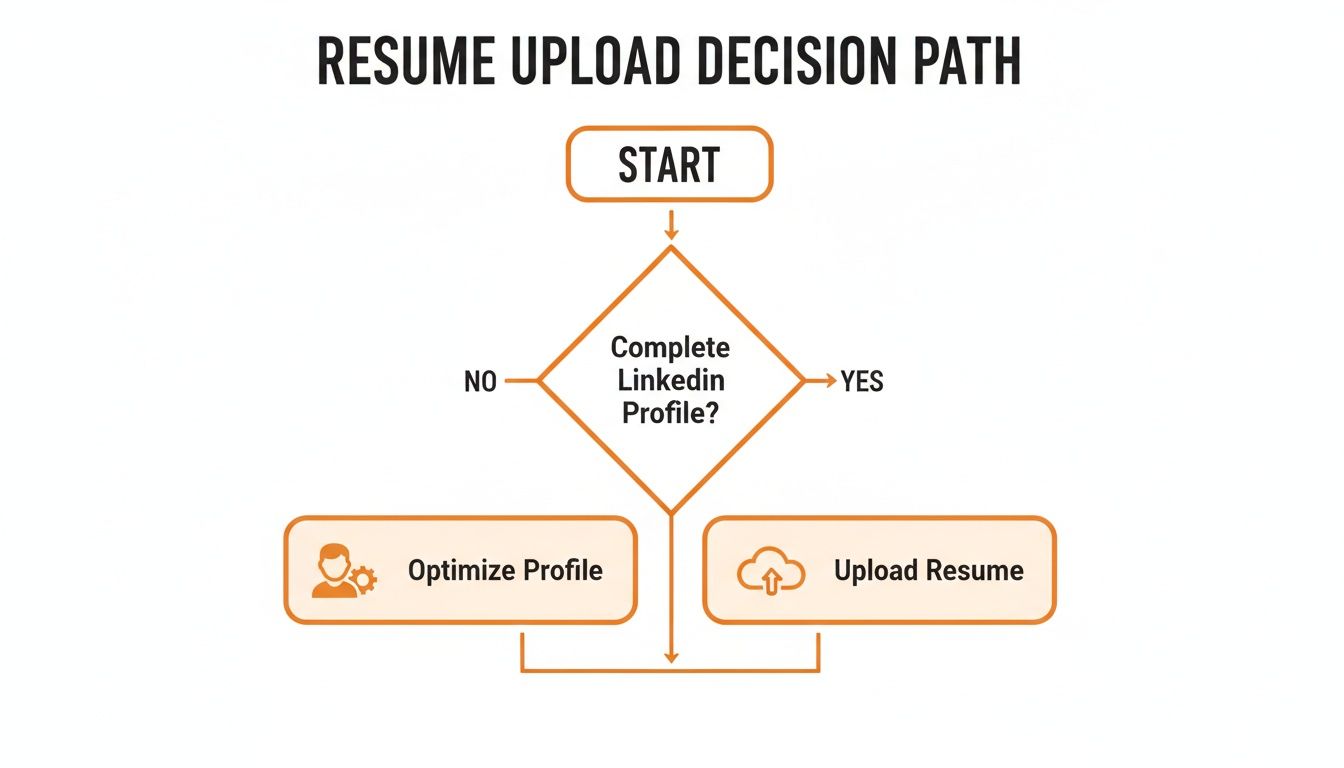
Once your profile is in top shape, you have three great options for adding your resume, each with its own purpose.
Public Showcase: Add It to Your Featured Section
If you are actively job hunting and want everyone to know, putting your resume in the Featured section is the most visible method. This prime real estate sits right at the top of your profile, acting as a personal portfolio.
Adding your resume here makes it publicly visible and downloadable to anyone who lands on your page. It’s a bold move that signals you’re open to new opportunities. For recruiters, this is ideal—they can grab your full history in a single click without having to ask.
Here are the steps to add your resume to the Featured section:
- Navigate to your LinkedIn profile.
- Click the "Add profile section" button (located below your name and headline).
- Select the "Recommended" dropdown, then choose "Add featured."
- Click the plus
+icon and select "Add media" from the dropdown. - Upload your resume file (preferably in PDF format).
Private Applications: Use the Easy Apply Feature
If you are browsing for jobs discreetly or don't want your current employer to know you're looking, the Easy Apply feature is your best option.
With this method, you can upload and save several versions of your resume directly to your LinkedIn account, but they remain completely private. These files are only shared when you actively choose to attach one to a specific job application. It's the perfect blend of convenience and confidentiality.
I always recommend this for people applying to different types of roles. You can have a "Project Manager Resume" and a "Product Marketing Resume" saved and ready to go, ensuring you always send the most relevant version for the job.
This gives you total control over who sees your resume and when.
Contextual Proof: Link to It in Your Profile Text
For a more subtle and integrated approach, you can link to your resume from your About summary or a specific role in your Experience section. This involves hosting your resume on a cloud service like Google Drive or a personal website and then adding the link.
This works brilliantly for showing your resume in context. For instance, after describing a major project, you could add, "A detailed project summary and my full resume are available [here]." This directs an interested recruiter to your polished document at the moment they are most engaged.
This method shows you're proactive and allows you to frame your resume with a compelling story, all while keeping your main profile looking clean.
Comparison: Which LinkedIn Resume Method Is Right for You?
Choosing the right approach comes down to your career goals and how public you want your job search to be. Each method offers unique benefits, so it's worth thinking about what you want to achieve.
This table breaks down the three strategies to help you decide.
| Method | Best For | Visibility | Key Benefit |
|---|---|---|---|
| Featured Section | Active job seekers, freelancers, and consultants. | Public. Anyone visiting your profile can view and download it. | Maximum visibility and effortless access for recruiters. |
| Easy Apply | Private job seekers or anyone applying for diverse roles. | Private. Only shared when you attach it to an application. | Total control, privacy, and the ability to tailor resumes. |
| Linked Media | Professionals who want to add context to their experience. | Semi-Private. Visitors must click a link you provide. | Builds credibility by connecting your resume to specific achievements. |
Ultimately, there's no single "best" way. The smartest strategy is the one that aligns with your professional brand and helps you reach your specific career goals.
How to Prepare Your Resume for LinkedIn
Before you upload your resume to LinkedIn, it requires preparation. Attaching a generic file and hoping for the best is a common mistake. You need to optimize your document to get past sophisticated software and grab the attention of a recruiter who spends mere seconds on each file.
A few small tweaks can be the difference between getting an interview and getting lost in the digital pile.
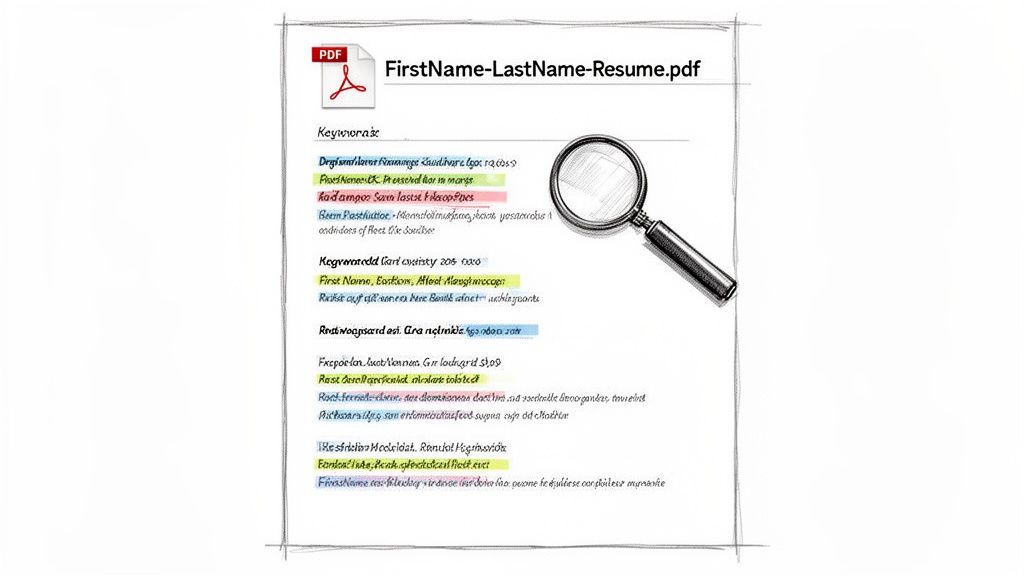
Let's start with the simple stuff that people get wrong all the time: the file itself.
First, always use a PDF. I can't stress this enough. A Word document (.docx) can have formatting issues when opened on different devices, making you look careless. A PDF locks everything in place, ensuring what you see is what they see.
Next, give your file a professional name. A recruiter's download folder is filled with files like Resume_Final_v3.pdf. Make their life easier and stand out with a clean, searchable format.
- FirstName-LastName-Resume.pdf
- FirstName-LastName-Marketing-Manager-Resume.pdf (perfect for tailoring to a specific role)
It's a tiny detail that signals you're organized and professional.
Tailor Your Resume with Keywords
Now, here’s where the real work comes in. Your resume needs to be optimized for both human recruiters and Applicant Tracking Systems (ATS). These automated systems are the first gatekeepers, and they scan for specific keywords. If your resume doesn't have them, it’s likely a human will never even see it.
Here is a step-by-step process to find and add keywords:
- Find 5-10 job descriptions on LinkedIn for the role you want.
- Copy and paste the text from these descriptions into a word cloud generator or a blank document.
- Identify recurring words and phrases. These are your target keywords (e.g., specific skills, technologies, qualifications).
- Weave these keywords naturally into your resume's professional summary, experience bullet points, and skills section.
Your goal is to mirror the language of the job description. If a posting asks for "experience with go-to-market strategy," your resume should use that exact phrase, not just "launching products." This direct alignment is what gets you past the initial automated filter.
This isn't just about "stuffing" your resume. It's about speaking the language of the role you want and ensuring the algorithms working for HR put you in the "yes" pile.
To Post or Not to Post: The Big Resume Privacy Question
One of the biggest questions is whether you should make your resume public on LinkedIn. It’s a classic tug-of-war between getting noticed and keeping your job search under wraps. Honestly, there's no single right answer—it all comes down to your career goals and how comfortable you are with being visible.
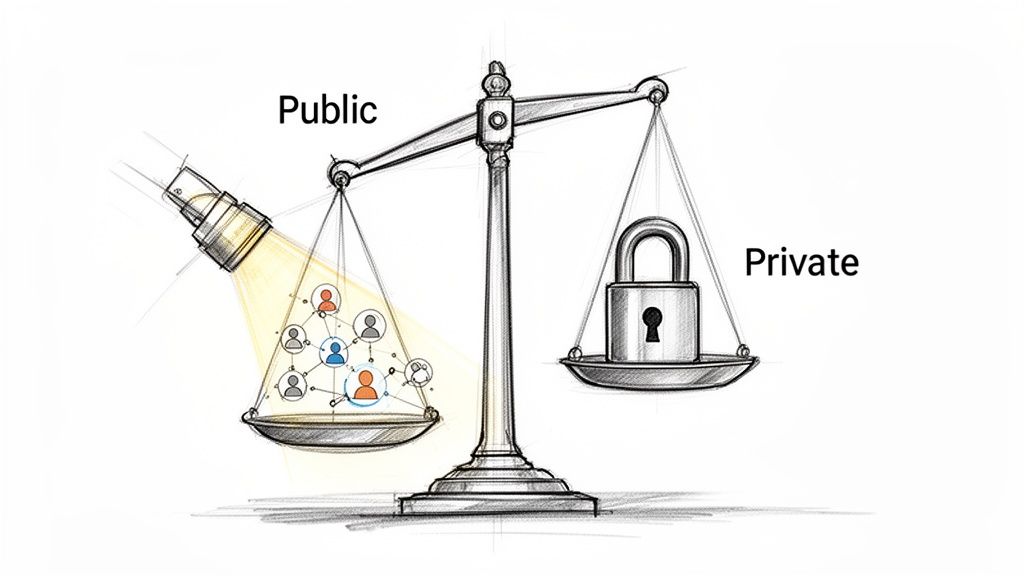
Think of a public resume in your Featured section as your own personal billboard. It tells every recruiter who lands on your profile that you’re open for business, making it incredibly easy for them to see if you’re a potential match. If you’re actively job hunting, that kind of visibility is gold.
But here’s the catch: that billboard is visible to everyone, including your boss and your coworkers. If you’re trying to keep your job search on the down-low, a public resume is a huge gamble. You can learn more about how to fly under the radar by checking out our guide on using LinkedIn's private mode.
Finding the Right Strategy for Your Career
So, what's the right move for you? Your situation and career stage really call the shots here. I’ve seen it play out in a few common ways:
- You're actively job hunting: Go public, no question. You want to cast the widest net possible to land those interviews, and a visible resume is your best tool for that.
- You're just "browsing": Keep it private. Stick to the Easy Apply option so you can send your resume directly to specific recruiters for roles that catch your eye. This lets you test the waters without alerting your entire network.
- You're a freelancer or consultant: Definitely go public. Your resume isn't just a list of jobs; it's a marketing tool. Think of it as part of your portfolio to attract new clients and projects.
Getting seen on a platform as massive as LinkedIn is no small feat. With over 65 million people looking for jobs, 7 people getting hired every minute, and 14.4 million applications sent daily, you need every advantage you can get. A public resume can be the very thing that helps you cut through the noise.
In the end, deciding whether to make your resume public or private is a strategic choice. Weigh the power of broad exposure against your need for privacy, and pick the path that truly serves your career goals right now.
Activate Your Profile After Adding Your Resume
So you've uploaded your resume. Great. But don't close that tab just yet—you’re not quite finished. Think of your resume as the hook; now you need to show recruiters and hiring managers that you're an active, engaged professional, not just a static PDF.
Your first move should be to create a quick, genuine post. Let your network know you're exploring new opportunities and are excited about the next chapter in your career. Avoid the generic "I'm looking for a job" and frame it with confidence.
When you post, make sure you link directly to your LinkedIn profile, not the resume file. You want to drive traffic to the full picture of you, where recruiters can see your activity, recommendations, and personality.
Align Your Entire Profile
Now for a critical step: a consistency check. The story your resume tells must be the exact same one your LinkedIn profile tells. I've seen countless candidates get passed over for simple, avoidable mistakes here.
Double-check these key areas to make sure everything lines up perfectly:
- Your Headline: Does it mirror the target role you’ve highlighted on your resume?
- Your About Section: Is your summary building on the accomplishments from your resume, adding more color and context?
- Your Experience: Are the job titles, employment dates, and core responsibilities identical? Even a small discrepancy can raise questions.
Recruiters and hiring managers notice inconsistencies almost instantly. A profile that doesn't match the resume can feel sloppy or, worse, dishonest. It’s a red flag that suggests a lack of attention to detail.
Finally, get active on the platform. Start following companies you'd love to work for and engage with posts from leaders in your field. This activity signals that you're truly invested in your industry. It transforms you from just another resume in the pile into a living, breathing candidate.
Your profile is also the perfect place to build up social proof. For some great pointers on this, check out our guide on how to ask for recommendations on LinkedIn to really make your profile stand out.
A Few Lingering Questions About Resumes on LinkedIn
Even with a clear plan, a few nagging questions often come up when professionals are about to add their resume to LinkedIn. I get asked these all the time, so let's tackle them head-on so you can move forward without any second-guessing.
Does Uploading a Resume Notify My Network?
Let's clear this one up right away: No. Simply uploading a resume file will not send a notification to your connections. Whether you add it to your Featured section or just keep it on hand for Easy Apply jobs, the action itself is completely private.
That said, be smart about other changes you make at the same time. While uploading the file is discreet, suddenly overhauling your entire profile—like rewriting your headline to say "Seeking New Opportunities"—is a dead giveaway to anyone watching, including your current boss.
How Often Should I Update My Resume on LinkedIn?
Treat the resume on your LinkedIn profile just like any other copy you'd send out. It has to be current to be useful. My advice is to upload a fresh version whenever you hit a new milestone, wrap up a major project, or gain a significant new skill.
If your role is pretty stable, at least make a point to review and refresh the file every 3-6 months. This keeps it aligned with your latest accomplishments and ensures you have the right keywords for the types of roles you’re interested in. An outdated resume is a huge missed opportunity.
The best practice is to always submit a tailored resume for each specific application. While your LinkedIn profile provides the broad overview, a customized resume demonstrates focused interest and provides a more polished, comprehensive look at your qualifications for that particular role. Most recruiters still expect this.
Ready to create engaging LinkedIn content that sounds just like you? Brewbrand uses AI to learn your unique voice from your past posts, helping you write authentic, high-quality content 10x faster. Skip the generic templates and build your personal brand effortlessly. Start for free on brewbrand.ai.
Generate LinkedIn content easier than ever before
Lorem ipsum dolor sit amet, consectetur adipiscing elit. Lorem ipsum dolor sit amet, consectetur.