How to Write a Summary in LinkedIn That Converts: A Step-by-Step Guide
Learn how to write a summary in LinkedIn that captures attention. Get expert strategies, real examples, and a framework to turn your profile into a lead magnet.

It’s time to completely rethink your LinkedIn summary. Most people treat their "About" section like a dusty, digital resume—a boring list of past roles and responsibilities. This is a huge missed opportunity.
Your summary is the most valuable real estate on your entire profile. It’s your chance to turn a casual visitor into a genuine lead, a new client, or your next big career move. This guide provides the steps and comparisons you need to craft a summary that answers the query: "how to write a summary in linkedin" for both human readers and search algorithms.
Step 1: Understand a LinkedIn Summary is a Lead Magnet, Not Just a Bio
The best LinkedIn summaries don't just state what you do; they tell a story that connects with your ideal audience. For founders, consultants, and sales leaders, this is your space to build a narrative that pre-qualifies prospects and draws in the right kind of attention. You want someone to read it and think, "This person gets it. They are the solution I've been looking for."
The Core of a High-Impact Summary
To make this happen, your summary needs to do some heavy lifting. The summaries that consistently generate results always nail these four elements:
- A Powerful Hook: The first two lines are everything. That's all anyone sees before they have to click "see more," so you must make them count.
- A Clear Value Proposition: Get straight to the point. What specific problem do you solve, and for whom?
- Undeniable Social Proof: This is where you back it up. Use concrete numbers, metrics, and specific examples to build instant credibility.
- A Specific Call-to-Action (CTA): Don't leave them guessing. Tell the reader exactly what you want them to do next.
A strategically written summary can make a world of difference. To illustrate, here’s a look at how to take a typical, passive summary and rework it into something that actively works for you.
Comparison: Transforming Your LinkedIn Summary From Passive to Powerful
This table shows the real difference between a typical, passive LinkedIn summary and a strategically rewritten, active version to highlight key improvements.
The "After" column isn't just better—it’s a magnet for the right opportunities, actively filtering and engaging the exact audience you want to attract.
The numbers don't lie. A strong LinkedIn presence is no longer a "nice to have," especially when you consider its power in lead generation.
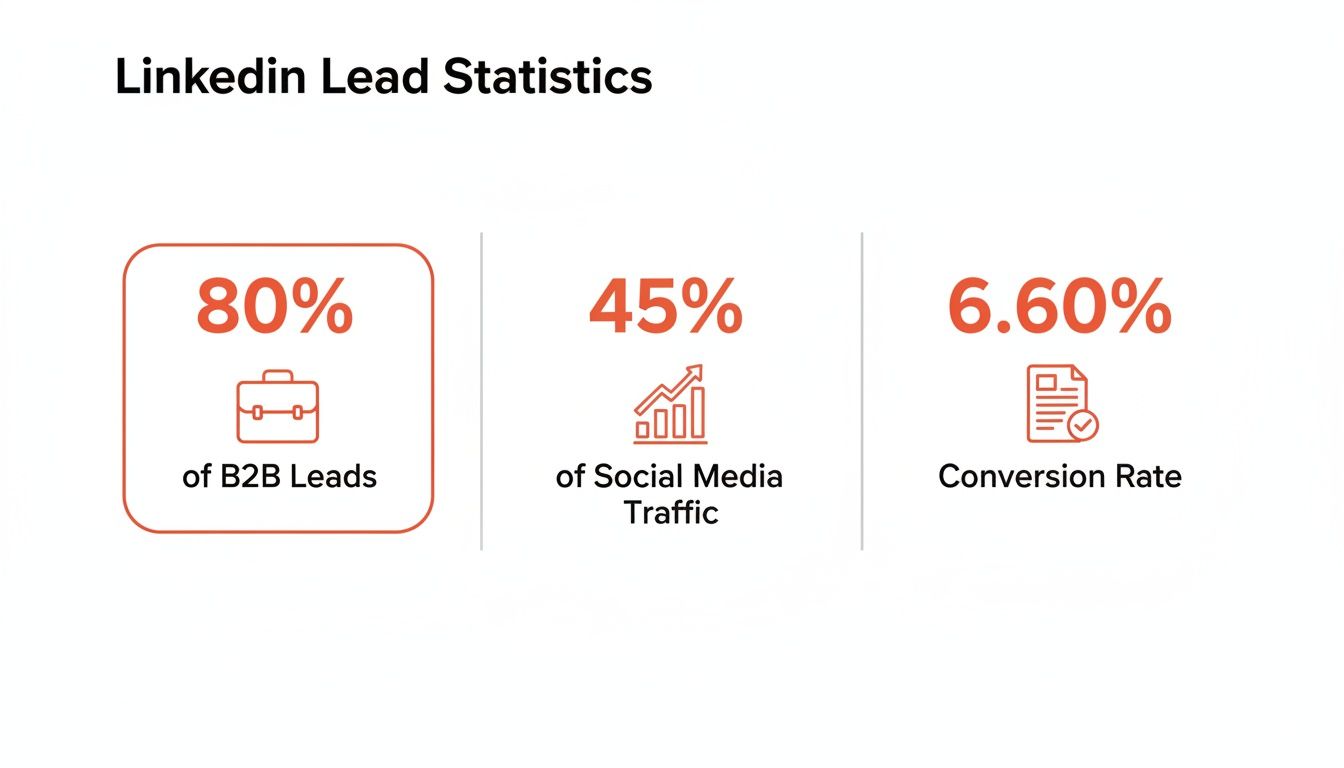
These statistics confirm what many of us have seen firsthand: a well-crafted profile directly fuels your ability to generate real business on the platform.
With over 2 million posts hitting the LinkedIn feed every day, an optimized summary is your first line of defense against being ignored. A powerful summary makes people want to read your content, and considering that certain post formats see an impressive 6.60% engagement rate, you can't afford to have a weak introduction stop readers in their tracks.
The most compelling summaries blend a personal story with hard data. Saying something like, "Last quarter, our go-to-market strategy boosted a client's inbound leads by 45%" is infinitely more powerful than offering vague advice. It repositions your profile from a static resume into a dynamic, opportunity-generating machine.
By mastering this one section, you set yourself up as an authority and put your profile to work for you 24/7. To get into the nitty-gritty of turning these visitors into customers, check out our full guide on how to generate leads on LinkedIn.
Step 2: Build Your Narrative with the Story-First Framework
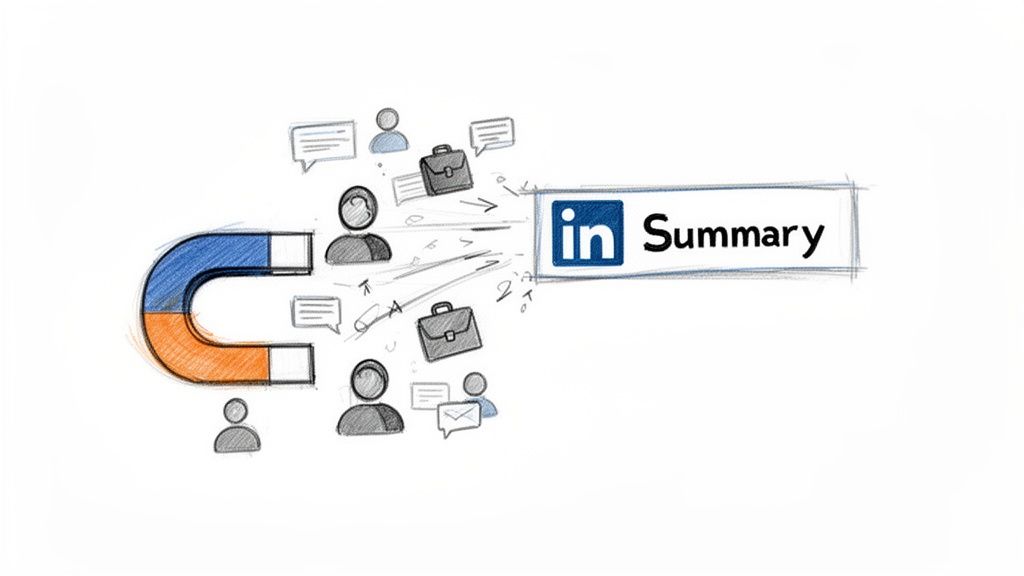
Let's get one thing straight: your LinkedIn summary is not a chronological list of your jobs. The most magnetic summaries don't read like a resume at all. They tell a story—one that hooks the reader and connects your past to the value you offer right now.
Forget the dry history lesson. A story-first approach is what will make people remember you. It’s how you build an authentic connection that gets them to scroll, click, and connect.
Frame the Problem, Become the Guide
Every great story starts with conflict. Your summary should do the same by zeroing in on a real-world problem your ideal reader is facing. Are they battling buggy software? Struggling to scale their team? Burning cash on marketing that doesn't deliver?
Once you’ve named the problem, you introduce your role in solving it. But here’s the key: you’re not the hero of the story. You are the guide. You’re the experienced expert who can lead them out of the woods. This simple shift makes your summary about them, not you.
A marketing consultant I know opens her summary like this: “Most founders are trapped on the content treadmill, creating endless posts but seeing zero growth.” It works because it immediately validates the reader’s frustration and positions her as someone who gets it.
This narrative approach isn't just theory; it gets results. In fact, an in-depth analysis of LinkedIn ghostwriting trends found that personal stories packed with specific numbers drive 3-4x more engagement than other content. A story that hooks a reader, shares a lesson with real data, and then asks a question is a proven formula for interaction.
Weave Your Wins into the Narrative
This is where you showcase your expertise without sounding like you’re bragging. Instead of just listing your achievements, weave them into the story you’re telling. Tie your wins directly to the problems you solve for people. This gives them context and makes them far more impressive.
Comparison: List vs. Story
The story-based example is instantly more engaging. It combines a relatable, human moment with a powerful professional win, making you seem both authentic and highly capable. This is the foundation of a strong professional identity, and you can dive deeper into this concept in our guide on how to build a personal brand.
Step 3: Show Your Value with Data Instead of Just Telling It
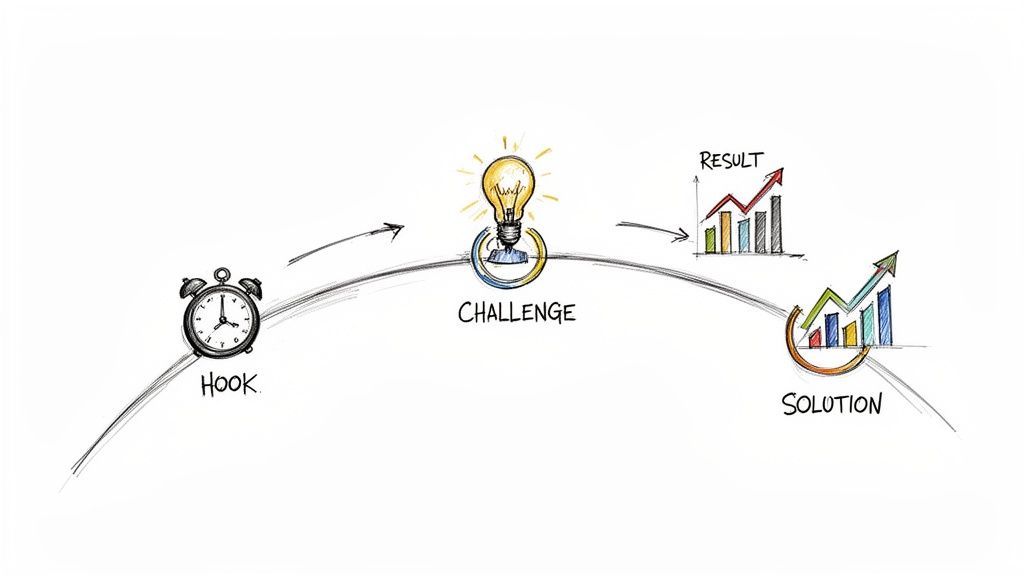
A good story hooks them, but hard proof is what builds trust. The best LinkedIn summaries all do one thing exceptionally well: they prove every claim they make. This is your chance to go beyond just talking about your skills and show undeniable evidence that you can deliver.
Phrases like “I’m a results-driven professional” are just noise. The immediate reaction is a skeptical, “Okay, prove it.” So, how do you provide that proof? You back up every statement with concrete, quantifiable achievements.
From Vague Claims to Concrete Proof
Your job is to swap the fluff for facts. Instead of just listing what you can do, you need to show the impact it had. This means getting comfortable with numbers, percentages, and specific outcomes.
Comparison: Telling vs. Showing
See how the second one hits differently? It doesn’t just list responsibilities; it paints a picture of the value created. It directly answers the reader’s biggest question: “What can this person do for me?”
The golden rule is to quantify everything you can. Don’t just say you managed a team; mention you led a team of 15 engineers. Don't just say you improved efficiency; state that you rolled out a new system that cut project delivery times by 25%.
These specifics give you instant credibility. They’re not just claims; they're facts.
Embed Mini Case Studies and Projects
Another fantastic way to show your value is to weave mini case studies into your summary. Think of them as quick, powerful success stories that reveal how you tackle problems.
This simple structure provides a snapshot of your thinking process and proves you know how to get results. It turns your summary from a resume into a portfolio of your best work.
Comparison: Vague Statement vs. Mini Case Study
When you frame your accomplishments this way, you're not just listing wins. You’re showing how you think and solve real-world business challenges.
Connect Your Summary to Your Featured Section
Don't forget about LinkedIn’s Featured section! Think of it as your visual portfolio—the perfect spot to showcase the articles, project links, videos, or slide decks that back up your claims. Actively point to it in your summary. Try adding a line like:
- "You can see a detailed breakdown of this campaign in the case study I pinned below."
- "Curious how we achieved this? I walk through the process in the 3-minute video in my Featured section."
This smoothly guides interested readers from your compelling story straight to the hard evidence, leaving no doubt about the value you bring to the table.
Step 4: Optimize for Both People and Search Algorithms
A brilliant story is useless if no one ever finds it. This is where we get into the art of writing for two very different audiences at once—the human you want to impress and the LinkedIn search algorithm you need to win over.
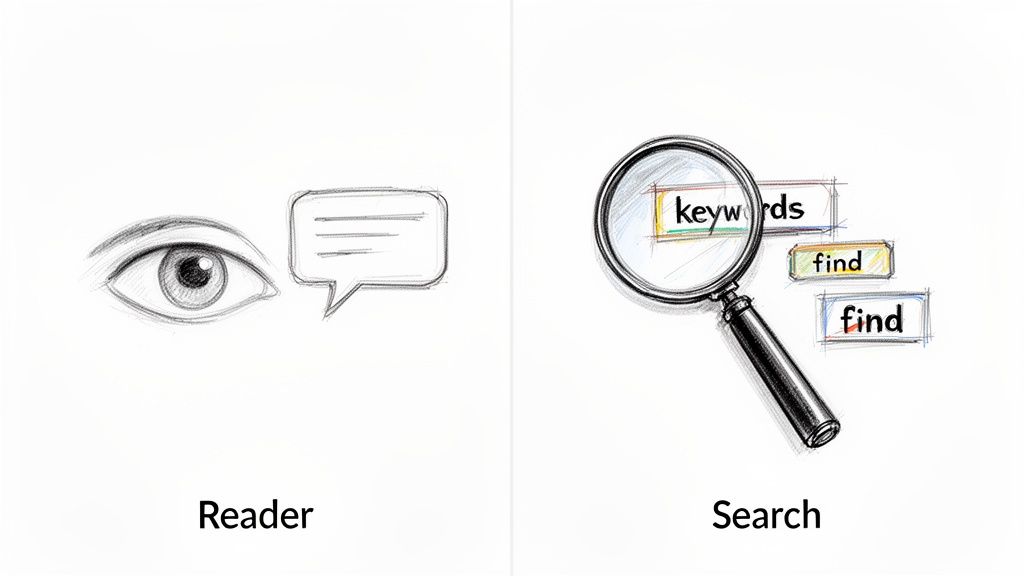
Getting the algorithm's attention all comes down to keywords. These are the exact words and phrases recruiters, potential clients, and future partners are typing into the search bar to find someone with your skills.
How to Find Your Target Keywords
- Identify Your Audience: Put yourself in the shoes of someone looking for you. If you were a founder hunting for a new marketing lead, what would you search for? Examples: "B2B marketing leader," "SaaS growth strategist," "Demand generation expert."
- Analyze Competitors: Check the profiles of people in roles you admire or industry leaders you follow. What language do they use in their headlines and summaries?
- Review Job Descriptions: Pull up a few job descriptions for your dream role. The language in those posts is a goldmine for the exact keywords you need.
Where to Place Keywords for Maximum Impact
Once you have your list, it's time to work those terms into your summary naturally. The goal is to avoid "keyword stuffing," which sounds robotic and is a major turn-off for any human reading your profile.
You need to be discoverable to the algorithm but compelling to the person on the other side of the screen.
Comparison: Robotic (Stuffed) vs. Natural (Integrated)
The difference is night and day. The natural approach sounds like a confident expert talking about their work. The stuffed version sounds like a machine reading from a script.
Designing for Skim-Readers and Human Connection
Keywords get you found, but readability gets you read. No one wants to confront a massive wall of text, especially on a phone.
You have to make your summary easy to scan. Use short paragraphs—just one or two sentences each—to create plenty of white space.
People will almost always see only the first two or three lines of your summary before having to click "see more." You absolutely have to hook them in those first few sentences with a bold claim or an impressive result.
Use formatting to guide their eyes down the page:
- Bullet Points: Use symbols like ►, ■, or – to make your key skills or wins pop off the page.
- Short Paragraphs: Never write a paragraph longer than three sentences. It keeps the text feeling light and approachable.
- Emojis: If it fits your industry, a few well-placed emojis (like 🚀, 📈, or ✅) can add character and visually break up the text.
By blending smart keyword use with a reader-friendly design, you build a LinkedIn summary that works on every level. If you're looking for more ways to expand your presence, you'll find great tips in our guide on how to grow on LinkedIn.
Step 5: Turn Your Summary into a Real Conversation
You’ve done the hard work. You’ve laid out your story, showcased your value, and provided the proof. But don't stop there. Your final paragraph has one job: to turn a passive reader into an active connection. This is where you master the call-to-action (CTA).
Go Beyond "Feel Free to Connect"
The phrase "Feel free to connect" is the most common and least effective CTA on LinkedIn. It sounds nice, but it’s passive and puts all the work on the other person. Your goal is to start meaningful conversations that lead somewhere—a new job, a client, or a partnership.
A great CTA doesn't feel like a demand. It feels like a helpful, low-effort invitation that points the reader toward an action that benefits you both.
Instead of a generic sign-off, ask yourself: what’s the one specific action I want my ideal reader to take right now?
Match Your CTA to Your Goal
Your call-to-action should be a direct extension of your professional goals. A founder hunting for beta testers has a completely different "ask" than a consultant trying to book discovery calls. The trick is to be specific, relevant, and genuinely inviting.
Let’s compare a generic CTA to targeted ones that actually work.
Comparison: Generic vs. Specific CTAs
The specific CTAs are confident and clear. They remove all the guesswork. This is how you write a LinkedIn summary that turns interest into action.
Here are a few more examples for different roles:
- For a Consultant: "Curious if your marketing is leaking money? Send me a DM with your website URL for a free 5-minute audit video."
- For a Founder: "We're looking for 10 more beta testers for our new project management tool. If you're a team lead tired of clunky software, let's talk."
- For a Content Creator: "I post daily about B2B sales tactics. Follow me for tips, or drop a comment with your biggest sales challenge right now."
When you end with a strong, clear CTA, you complete your summary’s mission.
LinkedIn Summary Examples for Different Roles
Alright, we've covered the steps. Now, let's see how these ideas look in the wild. A great summary is not one-size-fits-all; it must be tailored to who you are and who you want to attract.
Think of these less as templates and more as proven frameworks you can adapt to tell your own story.
For the Founder Attracting Investors
When you're a founder, your summary is part of your pitch. Investors skim hundreds of profiles, looking for a clear vision, a deep understanding of a problem, and evidence that you're the one to solve it.
I’m obsessed with solving one problem: B2B companies spend millions on tech stacks but still lose 30% of their sales pipeline to messy data. After leading product at two successful startups, I saw firsthand how disconnected tools kill growth.
That’s why I’m building [Your Company Name], an AI-powered platform that unifies customer data in real time. We help sales teams cut their data-entry time by 80% and boost forecast accuracy by 45%.
We recently closed a $2M seed round and are launching our beta with five major enterprise clients.
What makes this work?
- Powerful Hook: It kicks off with a massive, quantifiable industry problem.
- Clear Value: It plainly states what the company does and the metric-driven results it delivers.
- Built-in Credibility: It showcases relevant experience and current momentum (seed round, beta clients).
- Smart CTA: There's no direct "call me," but the message is clear. Investors who are interested know what to do next.
For the Sales Leader Targeting Enterprise Clients
Enterprise buyers are cautious. Your summary needs to project authority and empathy, showing you understand their world and have a track record of delivering real business outcomes.
Example Summary:
For 15+ years, I've seen Fortune 500 leaders grapple with the exact same challenge: trying to scale a global supply chain without it falling apart. Your teams are stuck fighting legacy systems, creating bottlenecks that bleed millions from the bottom line.
My role is to help logistics executives fix that. This isn't about just plugging in new software; it's about building operational excellence that drives measurable results. For one of my recent clients in the automotive space, my team helped them:
- Cut shipping delays by 22% in the first year.
- Find $4.5M in operational savings by streamlining their processes.
- Push their on-time delivery rate to a near-perfect 98.7%.
Specialties: Global Logistics Strategy | Supply Chain Transformation | Cost Reduction | Risk Management
Curious how we delivered results like these for a business just like yours? Send me a DM with the word "CASE STUDY," and I'll share the private brief.
For the Marketing Agency Manager Signing New Retainers
Potential clients don't want to hear about your agency's awards; they want to know if you can solve their growth headaches. A strong summary acts like a mini-consultation.
Example Summary:
Every DTC brand I meet is fantastic at making an incredible product. Where they get stuck is acquiring customers profitably. They're burning cash on social ads that don't convert and are trapped in a frustrating cycle of hit-or-miss campaigns.
My agency, [Your Agency Name], is built to be a dedicated growth partner for ambitious DTC brands. We create and manage multi-channel marketing engines that produce sustainable revenue, not just vanity metrics.
Case in point: we recently helped a fashion brand scale from $50k to $300k in monthly revenue in just 6 months—all while decreasing their overall ad spend.
If you're tired of the agency rollercoaster, let's find 15 minutes to map out your own growth potential. Book a no-strings-attached strategy call on my calendar: [Your Calendly Link]
Common Questions About LinkedIn Summaries
Even with the best game plan, a few questions always pop up. Let's tackle the most common ones so you can hit 'save' with total confidence.
Question: How long should a LinkedIn summary be?
Answer: LinkedIn gives you 2,600 characters, but the sweet spot is usually between three and five short paragraphs. Most importantly, remember that only the first couple of sentences are visible before someone has to click "see more." Your opening hook has to do all the heavy lifting right there. Keep it concise, use formatting like bullet points, and make every word count.
Question: Should I write in the first or third person?
Answer: Always write in the first person ("I," "my," "we"). LinkedIn is a professional social network where the goal is connection. Writing in the third person ("Jane is a marketing professional...") creates an awkward distance and can feel stuffy or like you hired a publicist. Using "I" feels authentic, is more approachable, and is the fastest way to start building a genuine connection.
Question: How often should I update my summary?
Answer: Treat your LinkedIn summary like a living document. A good rule of thumb is to review it every 3 to 6 months to ensure it still reflects your current goals and accomplishments. You should update it immediately after any big career move, such as starting a new role, pivoting industries, or completing a major project with standout results. Even a small tweak keeps your profile fresh and shows you're engaged in your professional growth.
Crafting the perfect LinkedIn summary takes practice, but with the right tools, it becomes effortless. Brewbrand learns your unique voice to generate authentic, high-impact posts and summaries that sound like you, not a generic template. Stop staring at a blank page and start building your brand 10x faster.
Generate LinkedIn content easier than ever before
Lorem ipsum dolor sit amet, consectetur adipiscing elit. Lorem ipsum dolor sit amet, consectetur.