How to Use LinkedIn Private Mode for Anonymous Prospecting and Research
Unlock linkedin private mode: learn how it works, when to use it, and its pros and cons for discreet outreach.

Curious about how to use LinkedIn Private Mode? You might want to check out a competitor’s new hires, research a potential sales lead, or simply browse LinkedIn without leaving a digital footprint. This is precisely what LinkedIn Private Mode is designed for. It allows you to view other people's profiles without them knowing you were there.
What Is LinkedIn Private Mode?
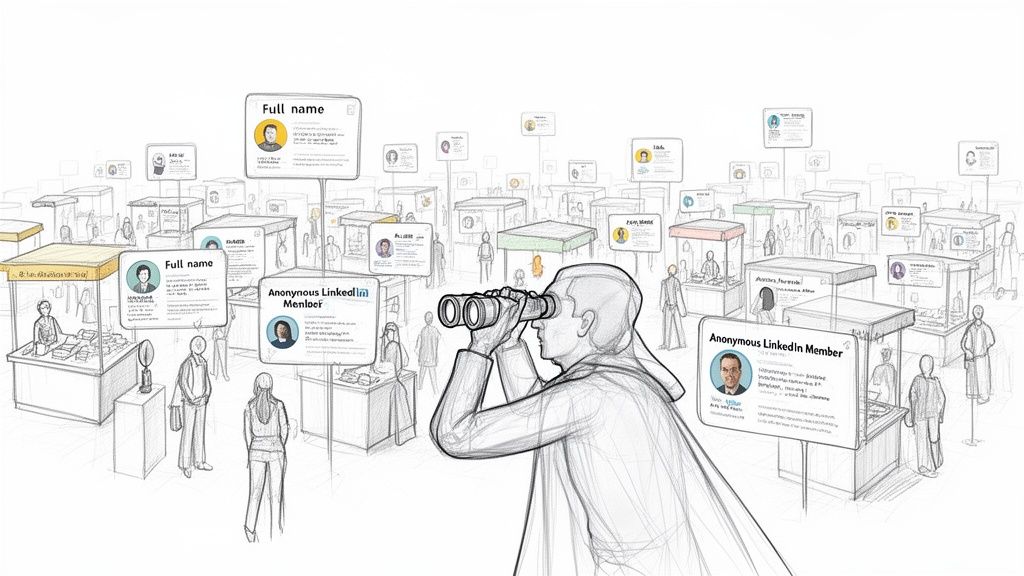
Think of LinkedIn Private Mode as your professional invisibility cloak. When you activate it, you can gather valuable intelligence—like how a rival company structures its sales team or what skills a top-tier candidate is showcasing—without appearing in their "Who's viewed your profile" list.
Instead of your name and headline, the person you viewed sees a generic "Anonymous LinkedIn Member" notification. This feature is more than just a privacy setting; it's a strategic tool for anyone who needs to conduct research discreetly.
What are the differences between LinkedIn's profile visibility modes?
LinkedIn provides more than a simple on-or-off switch for privacy. You can choose from three distinct visibility options, each suited for different professional goals. Understanding the comparison between these modes is key to using LinkedIn effectively.
Here is a comparison of each mode:
- Public Mode: This is the default setting. When you view a profile, the user sees your full name, headline, location, and a direct link to your profile. This mode is ideal for networking and when you want to be seen.
- Semi-Private Mode: This is the middle-ground option. The person you view will see general characteristics, such as "Sales Director in the Software Industry," but not your name or company. It's useful for light research where you want to maintain some anonymity.
- Private Mode: This mode offers complete anonymity. The other person only sees that an "Anonymous LinkedIn Member" viewed their profile. Your identity is completely hidden, making it the best choice for sensitive competitor analysis or confidential recruiting.
The key is to select your visibility setting based on your objective. Public mode is for making connections, while Private Mode is for gathering information without revealing your identity.
Comparison of LinkedIn Profile Viewing Modes
This table breaks down what information others see when you view their profile in each of the three available visibility settings, helping you compare them at a glance.
By consciously choosing the right mode for the task, you turn a simple setting into a strategic part of your professional toolkit, giving you full control over how you appear on the platform.
How to Activate LinkedIn Private Mode on Any Device
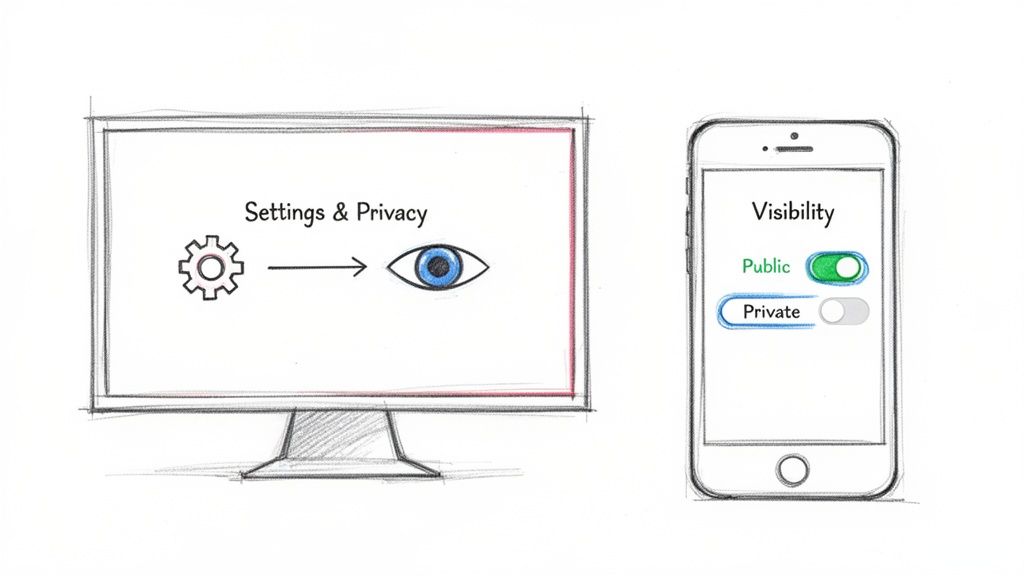
Activating LinkedIn Private Mode is a quick process you can complete in under two minutes on any device. This is an essential skill for professionals who need to switch between public networking and discreet research.
For example, a sales executive can use it to check a competitor's top talent, or a marketer can analyze a potential client's activity without triggering a notification. Instead of your name, people will only see "Anonymous LinkedIn Member" in their "Who's viewed your profile" section.
Ready to go incognito? Here are the step-by-step instructions for both desktop and mobile. For a deeper dive, our guide on how to use LinkedIn Private Mode on Omnicreator.club offers more strategic insights.
How do I turn on LinkedIn Private Mode on a computer?
Here are the steps to activate LinkedIn Private Mode on your desktop:
- Log in to your LinkedIn account.
- Click the Me icon (with your profile picture) at the top of your LinkedIn homepage.
- Select Settings & Privacy from the dropdown menu.
- In the left-hand menu, click on the Visibility tab.
- Click Profile viewing options.
- Choose Private mode to appear as an "Anonymous LinkedIn Member." The change is saved automatically.
Key Takeaway: The moment you select private mode, you are browsing anonymously. Every profile you view from that point on will not be notified of your visit, which is ideal for sensitive research.
How do I activate LinkedIn Private Mode on the mobile app?
Here are the steps to enable Private Mode on the LinkedIn mobile app:
- Open the LinkedIn app and tap your profile picture in the top-left corner.
- Tap the Settings option.
- Choose the Visibility tab.
- Tap on Profile viewing options.
- Select Private mode from the list.
That's all it takes. With these simple steps, you have complete control over your visibility, allowing you to switch between building your public brand and conducting strategic reconnaissance whenever you need to.
Understanding the Strategic Trade-Off of Anonymity
Using private mode on LinkedIn comes with a significant trade-off based on a principle of reciprocal privacy: to see who has viewed your profile, you must allow them to see that you have viewed theirs.
When you enable LinkedIn Private Mode, you immediately lose access to your "Who's Viewed Your Profile" data. Your viewer history is cleared, and you will no longer receive notifications when someone new visits your profile. This forces you to choose between the value of anonymous browsing and the insights gained from inbound profile views.
Is it better to be anonymous or see who viewed my profile?
For many professionals, losing viewer data is a major drawback. If you are a founder or executive building a personal brand, the "Who's Viewed Your Profile" page is a valuable source of warm leads, potential investors, and interested recruiters. In this case, public visibility is crucial for growth.
However, for others, the trade-off is worthwhile. A sales executive can discreetly map out an entire team at a target company without alerting competitors or tipping off a prospect prematurely. The intelligence gathered in private mode often outweighs the loss of a few inbound profile views. The decision depends on choosing the right tool for your immediate goal.
The core decision is: Is my primary goal right now to attract attention (Public Mode) or to gather intelligence (Private Mode)? Answering this question will determine whether the trade-off is a cost or a smart investment.
When should I use private mode?
The decision to give up your viewer analytics depends entirely on your immediate objectives. Since this feature is not permanent, you can easily switch back and forth as your priorities change.
Here is a comparison of how this plays out for different roles:
- Founder Building a Brand: For a founder, losing viewer data means missing out on organic interest and networking opportunities. The trade-off is rarely worth it, except for highly sensitive competitor research.
- Sales Executive Prospecting: For a sales professional, the ability to map an organization and qualify leads anonymously provides a significant competitive advantage. During active research, the trade-off is a clear benefit.
- Marketer Analyzing Competitors: For a marketer, anonymity is essential for deep-diving into a rival’s content strategy or team structure. The trade-off is a necessary part of intelligence gathering.
Ultimately, understanding this give-and-take is the secret to using LinkedIn Private Mode effectively. It is not just a privacy setting but a strategic lever you can pull to optimize for either attracting inbound opportunities or conducting outbound reconnaissance.
How Sales and Marketing Teams Can Use Private Mode Strategically
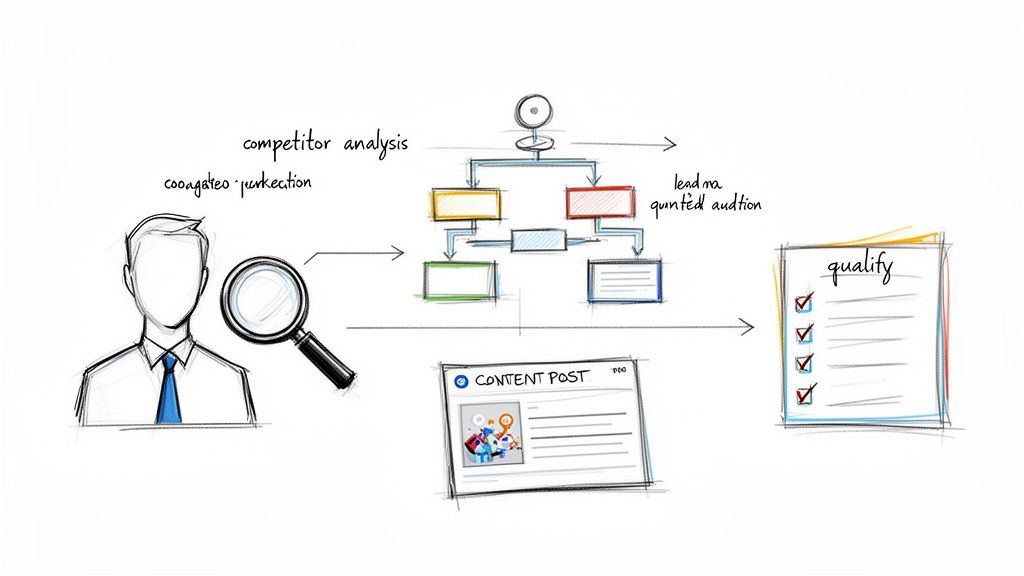
While many view privacy settings as defensive, for skilled sales and marketing professionals, LinkedIn Private Mode is an offensive tool. It enables you to gather crucial business intelligence without broadcasting your actions to competitors and prospects.
Think of it as being a scout. Instead of revealing your position, you can quietly survey the landscape, identify key players, and plan your strategy. This simple toggle becomes an integral part of your go-to-market approach.
How can marketers use private mode for competitor analysis?
Marketers can operate under the radar to monitor competitors. By browsing privately, you can analyze their content strategy, identify their key employees, and track their company page activity without appearing in their "Who's Viewed Your Profile" list.
This allows you to answer important questions without alerting them:
- Who are their key people? You can discreetly examine their team structure to spot top talent or understand who holds influence.
- What is their brand voice? Reading their posts and articles gives you insight into their messaging and audience engagement.
- How are they positioned in the market? Reviewing their company page and employee headlines reveals their market positioning.
This research method keeps your strategy confidential, giving you the space to develop a smart counter-strategy without your rivals knowing you were watching.
How can sales teams use private mode for lead generation?
For sales professionals, LinkedIn Private Mode is highly valuable for qualifying leads and mapping accounts. Before sending an InMail or connection request, you can discreetly learn about a prospect’s career path, recent activity, and professional interests.
Real-World Scenario: A sales leader aiming to secure a major enterprise account can use private mode to anonymously map the entire decision-making committee—from the VP of Sales to the CTO—understanding each stakeholder's role and recent activity before initiating outreach.
This tactic helps you avoid alerting a prospect too early. They won’t receive a notification that "a salesperson from Company X viewed your profile," giving you time to craft a tailored approach. Knowing how to generate leads on LinkedIn often relies on these subtle strategies. In fact, 50.3% of US marketers use this method and report a 20% higher lead conversion rate by avoiding premature signals.
This workflow transforms the dynamic from a cold outreach to a warm, informed conversation, dramatically increasing your chances of making a meaningful connection and closing the deal.
How Private Mode Interacts with Analytics and Recruiters
Activating LinkedIn Private Mode does not make you completely invisible on the platform. While it conceals your identity from the person whose profile you are viewing, your visit still registers in LinkedIn's analytics.
Your view is still counted, and the person's "Who's Viewed Your Profile" count will increase by one. The key difference is that instead of seeing your name and headline, they will see an entry for an "Anonymous LinkedIn Member." They know someone visited, but they cannot identify you.
This is the key tradeoff: you contribute to a user's view count but do not provide any personal information. Their analytics become less specific, and they cannot identify you as the source of interest.
For anyone job hunting or conducting sensitive research, this anonymous attribution is a significant advantage.
Can recruiters see if I view their profile in private mode?
This is where private mode gives job seekers a distinct edge. When you browse in private mode, recruiters using the LinkedIn Recruiter platform cannot see that you viewed their profile or a job they posted. You can research companies, hiring managers, and open roles without raising any alarms or revealing your intentions prematurely.
The only way a recruiter will find you is through traditional keyword searches. If your profile matches the skills and experience they are looking for, you will still appear in their search results. You are hidden, not undiscoverable.
Here is a simple comparison of what a recruiter sees:
This dynamic allows you to gather all the necessary intelligence while maintaining full control over when and how you make your move. While your own profile analytics will not show direct views from recruiters you have researched, understanding how impressions on LinkedIn are measured can provide a clearer picture of your overall visibility.
It is a subtle but powerful way to manage your professional presence, whether you are actively job searching or just keeping your options open.
Choosing Your Level of Anonymity
Complete invisibility isn't always the best strategy. Not every situation requires the full "Anonymous LinkedIn Member" approach. Sometimes, a middle ground is more effective—offering privacy while still providing a hint of your identity.
This is where you can become more strategic, moving beyond a simple on/off switch for LinkedIn Private Mode and selecting the right level of visibility for your specific task.
What is the benefit of semi-private mode?
Think of 'Semi-Private' mode as the perfect compromise. Instead of being completely anonymous, you appear with just enough information to be intriguing, such as "Someone in the Marketing and Advertising industry" or "Founder from the San Francisco Bay Area." This is an excellent way to signal your professional context without revealing your name and face.
Imagine a recruiter seeing a profile view in semi-private mode. It sparks more curiosity than a completely anonymous view because it suggests a relevant professional is taking an interest—a powerful yet subtle signal.
The Best Practice: The Mode-Switching Workflow
The most effective LinkedIn users do not stick to a single mode. They use a "mode-switching" workflow, dynamically changing their settings based on their objectives for each session. This allows you to get the best of both worlds: visibility when you want it and discretion when you need it.
- Public Mode for Growth: Use the default settings for daily networking, posting, and engaging with content. This is how you build your public presence. If this is your focus, our guide on how to build a personal brand is a great starting point.
- Private Mode for Research: When you need to gather intelligence—such as checking competitors or discreetly vetting potential hires—switch to full private mode.
This decision tree provides a simple visual for choosing the right mode for common professional tasks.
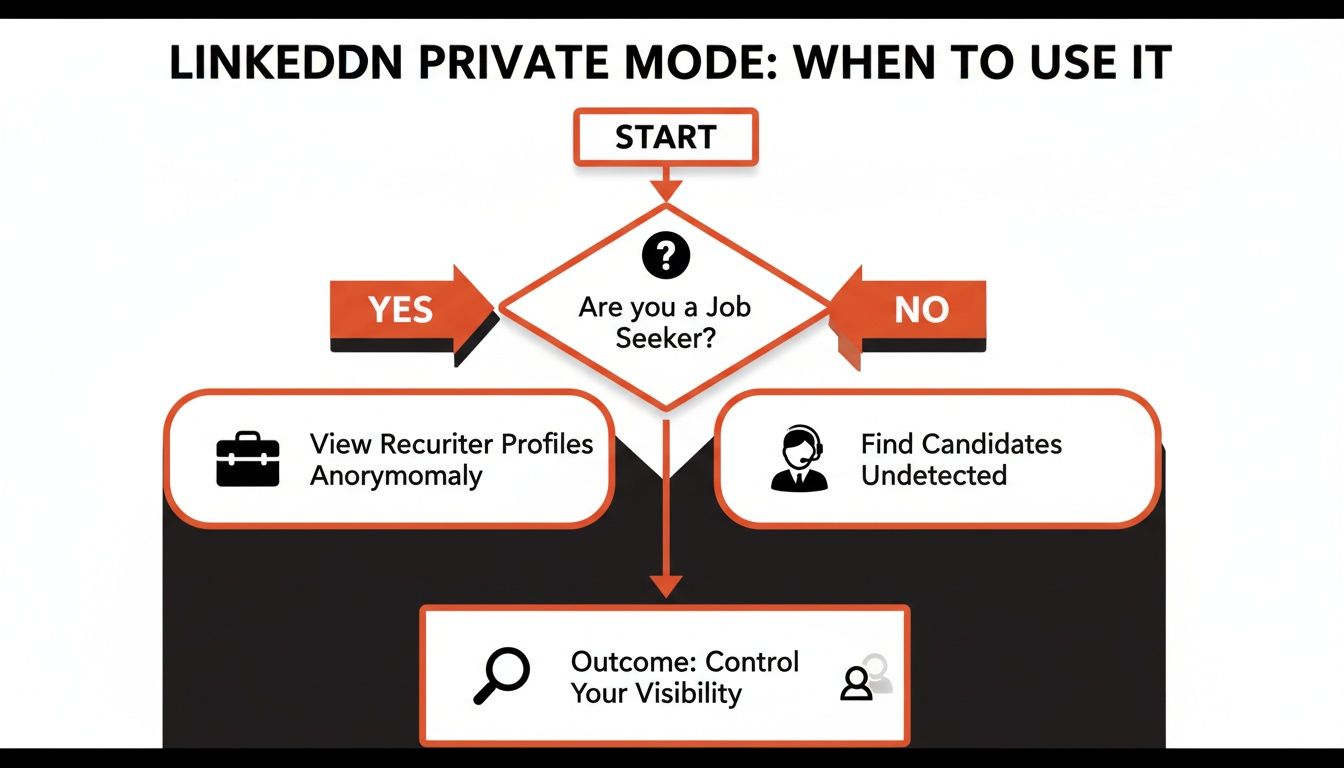
As the flowchart illustrates, different roles have different needs. A job seeker might use private mode to research hiring managers without appearing desperate, while a recruiter can use it to scout talent without alerting competitors. Blending these modes is no longer just a clever trick; it is standard practice for high-performers.
Looking ahead, savvy executives will likely combine public visibility for brand-building with private mode for intelligence gathering, a strategy some experts predict could boost lead generation by 20-30% without leaving a digital footprint. Interestingly, a survey found that 70% of users feel this responsible use of privacy tools enhances long-term trust. You can discover more about these strategic insights on Omnicreator.club.
One final tactic to consider is creating a separate, anonymous account for research. However, this is a risky approach. Maintaining multiple personal accounts is a direct violation of LinkedIn's Terms of Service and could lead to account suspension.
Common Questions About LinkedIn Private Mode, Answered
Once you begin using private mode, several practical questions often arise. Here are answers to the most common ones to ensure you know exactly what to expect.
Can someone see I viewed their profile in private mode?
No. When you switch to full private mode, LinkedIn completely conceals your identity. The person will receive a notification that someone viewed their profile, but it will only appear as an "Anonymous LinkedIn Member" in their "Who's Viewed Your Profile" list. There is no way for them to trace that anonymous view back to your account. You are effectively invisible.
Does going private hide my posts or comments?
No, this is a common misunderstanding. Activating LinkedIn Private Mode does not affect the visibility of your own content. Your posts, articles, and comments will continue to appear in the feed as they normally would, based on your standard privacy settings. Private mode only changes how you appear when you are viewing other people's profiles.
Think of it like a one-way mirror: It hides you while you’re looking at other profiles, but it doesn’t hide your own profile or content from people looking at you.
Is there a difference for free vs. premium users?
Yes, and it is a significant one. If you are on a free LinkedIn plan and activate private mode, you lose access to your own "Who's Viewed Your Profile" list. You cannot see who has viewed your profile if you are not willing to be seen yourself.
However, users with a LinkedIn Premium subscription (such as Premium Career, Business, Sales Navigator, or Recruiter Lite) get the best of both worlds. You can browse privately and still see the full list of people who have viewed your profile over the last 90 days. This is a major advantage, allowing you to conduct discreet research without sacrificing valuable insights about who is interested in your profile.
Ready to create LinkedIn content that sounds authentically like you, without spending hours writing? Brewbrand learns your unique voice and generates ready-to-go posts in under two minutes, turning your raw ideas into high-traction content. Start your free trial at Brewbrand today.
Generate LinkedIn content easier than ever before
Lorem ipsum dolor sit amet, consectetur adipiscing elit. Lorem ipsum dolor sit amet, consectetur.