What are impressions on linkedin? A Guide to Skyrocketing Your Reach
Discover impressions on linkedin and unlock proven strategies to boost visibility, engagement, and reach with practical, plug-and-play tactics.

Impressions on LinkedIn are a measure of how many times your post is displayed on someone's screen. Think of it as the total number of views your content gets.
If you post something and it appears on 500 different feeds, that’s 500 impressions. If one of those people scrolls past it again later, that’s another impression. It’s the first, most basic measure of visibility.
What is the meaning of LinkedIn Impressions for a brand?
So, what does that number really tell you? At its core, an impression is an opportunity. It's the moment your content flashes on screen, giving you a chance to grab someone's attention as they scroll.
Picture yourself at a busy conference. Every time someone glances at your company's booth, that's an impression. They might not stop, they might not talk to you, but they saw you. Without that initial glance, there's zero chance they'll ever become a customer. On LinkedIn, impressions work the exact same way—they're the first step in the journey from awareness to action.
This is the very top of your content funnel. High impressions mean the LinkedIn algorithm is showing your post to a lot of people, creating the potential for everything else to happen.
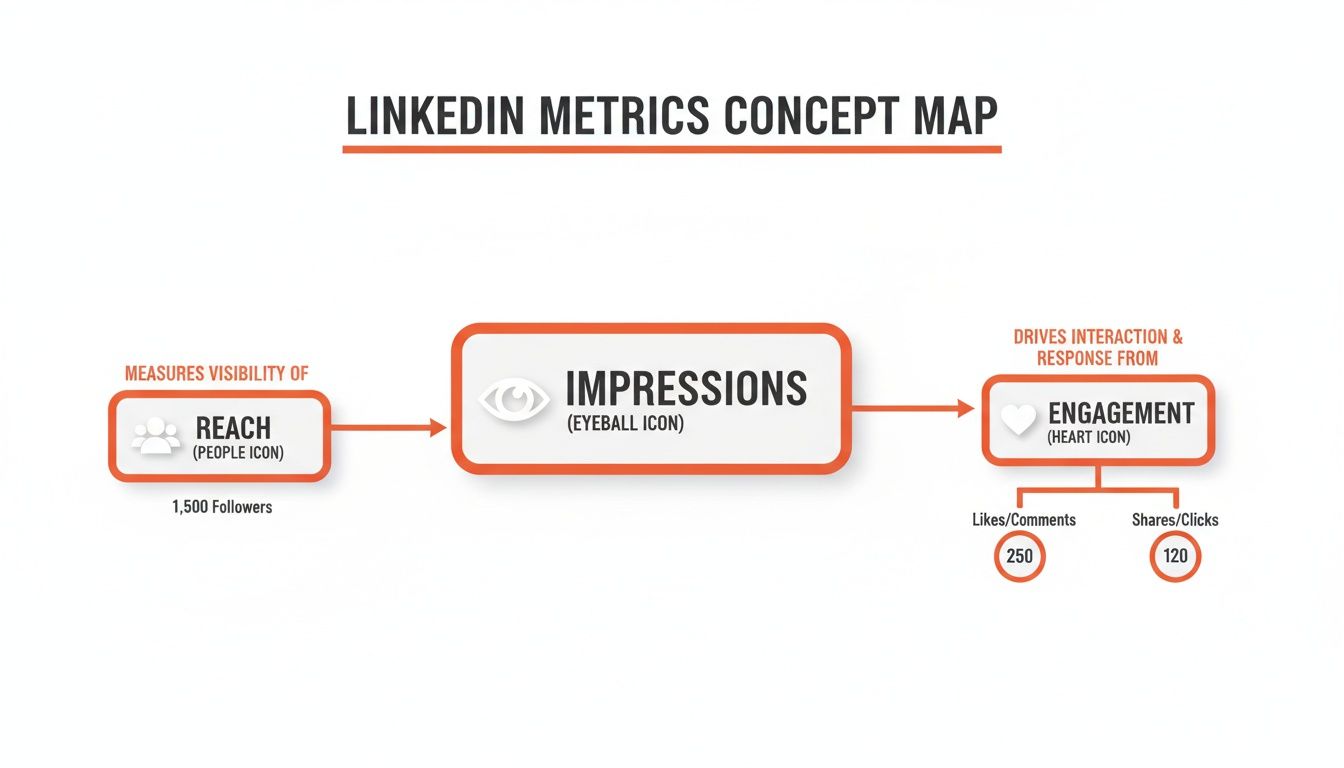
As you can see, impressions are the bridge between your potential audience (reach) and the actions they take (engagement).
Compare Impressions vs. Other Key Metrics
To really use impressions to your advantage, you need to understand how they differ from other metrics like reach and engagement. Each one tells a different part of your content's story. Getting a handle on these distinctions is crucial if you want to learn how to build a personal brand that genuinely connects with people.
Impressions are the top of your content funnel. They measure opportunity—the number of chances your content had to make an impact. High impressions create the potential for everything else to happen.
To make this crystal clear, let's break down the three core metrics side-by-side. Understanding this table is fundamental to interpreting your LinkedIn analytics correctly.
LinkedIn Metrics at a Glance: Impressions vs. Reach vs. Engagement
Here's a clear comparison of core LinkedIn metrics to help you understand what each one measures and why it matters for your content strategy.
In short, impressions measure views, reach measures viewers, and engagement measures actions. All three work together to give you a complete picture of your content's performance.
How does the LinkedIn algorithm count impressions?
Ever glanced at your LinkedIn analytics and done a double-take? You see a post with impressions that dwarf your total follower count and wonder, "How is that even possible?" It all comes down to what LinkedIn actually considers an "impression," and the threshold is surprisingly low.
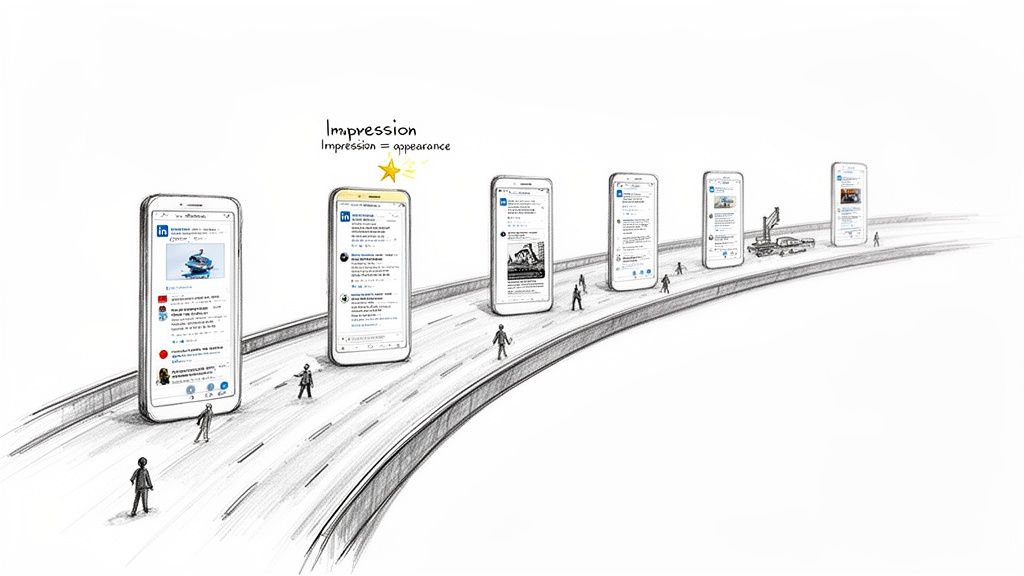
An impression is counted the second your post becomes just 50% visible on someone’s screen for a mere 300 milliseconds. That’s it. They don’t have to pause their scroll, click the “...see more” link, or engage with it at all.
Think of it as a "drive-by" view on a digital highway. Every single person who scrolls past your content, even for a fraction of a second, adds to your impression count. This low barrier is exactly why a single piece of content can easily rack up thousands of impressions as it flashes across countless feeds.
Compare Impressions vs. Reach: A Critical Distinction
To really get a handle on your content's performance, you have to know the difference between impressions and reach. They sound similar, but they tell two very different stories about your content—a distinction that’s crucial when you’re reporting back to your team or clients.
Here's the simple breakdown:
- Impressions: The total number of times your post was shown to users.
- Reach: The number of unique people who saw your post.
So, if one person sees your post on their feed in the morning and then sees it again in the afternoon because a colleague shared it, that’s 2 impressions but only 1 person reached. Your impression count will almost always be higher than your reach, and that's completely normal.
Your impression count shows the algorithmic firepower behind your post—how many times LinkedIn put it in front of eyeballs. Your reach shows how many of those eyeballs belonged to unique individuals.
How does content spread beyond your network?
So, where do all those extra impressions come from? The magic is in the algorithm's amplification effect. When someone in your network—a follower or a connection—engages with your post, LinkedIn doesn't just stop there. It then shares your post with a segment of their network.
This is what creates that powerful ripple effect. A single like or comment can expose your content to hundreds or even thousands of new people, kicking off a fresh wave of impressions from an audience you couldn't access on your own. This algorithmic boost is how posts "go viral" and rack up views far outside your immediate circle.
Which content formats get the most impressions?
Ever wonder why some LinkedIn posts get a trickle of views while others seem to explode overnight? It’s not just luck. The LinkedIn algorithm definitely plays favorites, and understanding which content formats it prefers can make all the difference.
Think of it less as a creative guessing game and more as a strategic choice. Certain formats are just wired for higher visibility. When you see a post with a wild number of views, chances are the creator didn't just get lucky—they picked a format designed to spread.
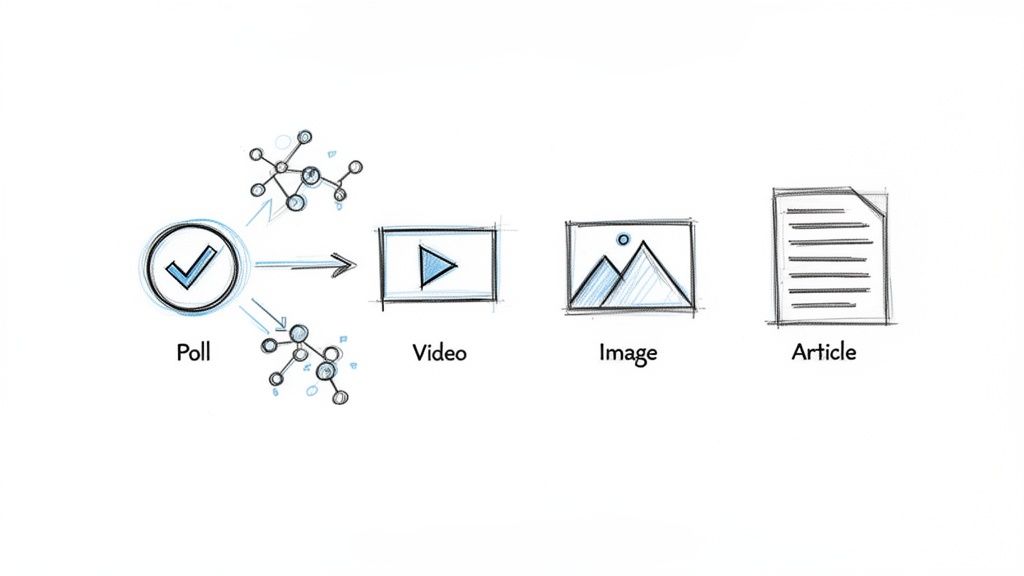
The Reigning Champion of Impressions: Polls
If you’re looking for the single best way to rack up impressions with the least amount of friction, one format stands head and shoulders above the rest: polls. It’s not even a close race. A massive benchmark study by Socialinsider looked at over 1 million posts and confirmed what many of us have seen firsthand—polls are absolute engagement magnets.
So, what's the secret sauce? It all comes down to a simple but powerful viral loop. When someone votes in your poll, LinkedIn often shows that activity (and your poll) to a good chunk of their network. One click from one person can set off a chain reaction, pushing your content into feed after feed with almost no extra effort on your part.
The real power of a poll is its low-barrier to entry. A user doesn't have to craft a thoughtful comment or even stop to think too hard. A single click is all it takes to participate and, in doing so, share your post with their network. That’s the engine behind their incredible reach.
Why Native Video Stops the Scroll and Racks Up Views
Coming in at a strong second place for impressions is native video. And "native" is the key word here. Posting a link to a YouTube video just doesn't have the same effect as uploading your video file directly to LinkedIn. The reason is one simple, powerful feature: auto-play.
Think about your own scrolling habits. As you thumb through your feed, native videos start playing silently on their own. That flash of movement is a classic pattern-interrupt—it grabs your eye far more effectively than a static image or a wall of text.
Even a few seconds of passive viewing sends a positive signal to the algorithm. LinkedIn sees that people are pausing on your content and takes it as a sign of value. In turn, it shows your video to more people, boosting your impressions. The best-performing videos usually share a few common traits:
- Short and Sweet: Keep it under 90 seconds. Get to the point quickly before you lose their attention.
- Captioned for Silence: Most people watch with the sound off, especially if they're at work or on the go. On-screen text is non-negotiable.
- A Killer Hook: The first 3-5 seconds are everything. You have to give them a reason to stop scrolling immediately.
By leaning into polls for that easy viral spread and native video for grabbing attention, you're playing the game the way LinkedIn wants it to be played. You’re not just posting content; you’re giving it the best possible launchpad to reach a massive audience.
How can I increase my LinkedIn impressions?
Alright, enough with the theory. Let's get our hands dirty with step-by-step actions to get more eyeballs on your content. Knowing what impressions on LinkedIn are is one thing, but making that number climb requires a real strategy.
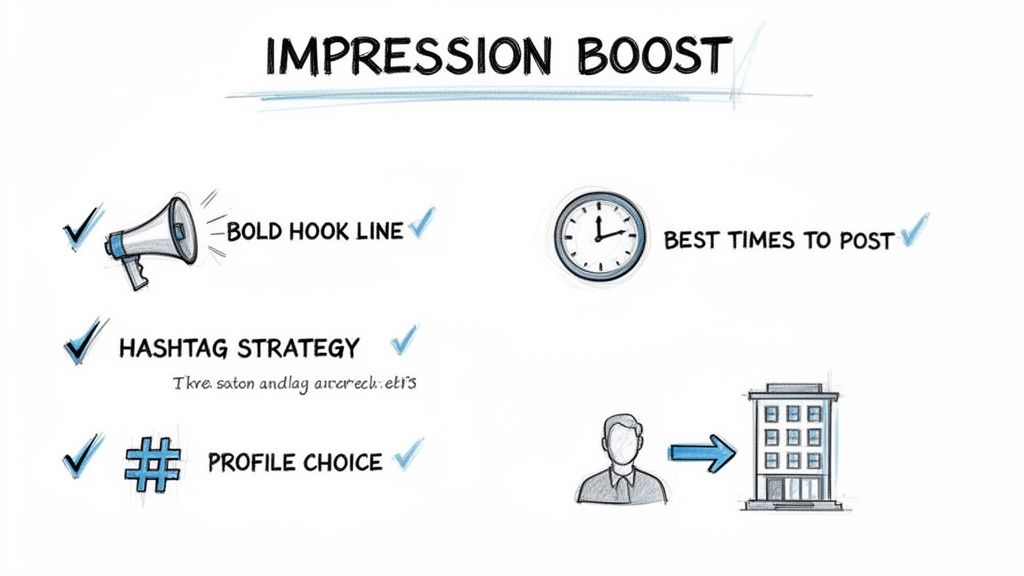
Step 1: Craft a Scroll-Stopping Hook
You only get one or two lines before a user has to click "...see more." If those first few words don't immediately grab their attention, you've lost them. Your opening needs to stop the scroll by posing a question, challenging a common assumption, or promising a solution.
We break down how to perfect this opening in our guide on how to write LinkedIn posts that capture attention.
Step 2: Post from a Personal Profile, Not a Company Page
Should you post from a personal profile or a company page? When it comes to getting impressions, the answer is clear: personal profiles almost always win. The entire LinkedIn algorithm is designed to foster connections between people, not between people and logos.
Posts from individual employee or founder accounts consistently receive far greater organic reach than posts from a corporate page. LinkedIn prioritizes authentic, human-to-human interaction, making personal accounts the primary engine for driving impressions.
This doesn't mean you should abandon your company page. It’s still vital for your brand's official presence and for running paid ads. But for organic growth, getting your team to actively post and share content is a far more powerful and effective approach.
Step 3: Implement Strategic Tactics for Maximum Visibility
Beyond choosing the right profile, a few other key elements can make or break your post's visibility. Consistently applying these tactics will give your content the best possible chance to take off.
1. Nail Your Posting Time
You’ll see plenty of general advice suggesting mid-week mornings (think Tuesday-Thursday, 9-11 am). While that’s a decent starting point, the real best time to post is when your audience is online. Dive into your analytics, find out when your posts get the most engagement, and post just before that peak. This gives your content a running start.
2. Use Hashtags Wisely
Think of hashtags as signposts that guide people to your content. A smart hashtag strategy is essential for discovery.
- Mix it up: Combine 1-2 broad, popular tags (like
#marketing) with 2-3 specific, niche tags (like#b2bcontentstrategy). This gives you a shot at massive reach while also attracting a super-relevant audience. - Don't overdo it: Stick to 3-5 relevant hashtags. Using too many looks spammy and tells the algorithm you're not sure who you're trying to reach.
- Create your own: A unique, branded hashtag can build a community and make it easy to track conversations around your brand or a specific campaign.
3. Embrace Video Content
The data doesn't lie: LinkedIn is all-in on video. The platform's algorithm is practically handing out free impressions to video creators right now. A massive study from Metricool found that video impressions jumped by a staggering 73% year-over-year, and video views were up 52%.
This is a clear signal that LinkedIn is actively pushing more video content into user feeds. If you're not creating videos, you're leaving a ton of reach on the table. You can explore more findings like this in the recent LinkedIn performance benchmarks report.
How do I check my LinkedIn impressions?
It’s always a rush to see your impression count climb, but that number on its own doesn't tell the whole story. Chasing impressions without understanding the why behind them is a classic vanity metric trap. The real skill is learning to read the data and use it to build a smarter, more effective content strategy.
Luckily, LinkedIn gives you all the tools you need to see what's working and what isn't. By getting comfortable with your post analytics, you can move beyond just counting views and start spotting the trends that truly matter.
Step-by-Step: Finding Your Post Analytics
Where do you find all this valuable information? LinkedIn bakes it right into every post on your personal profile, making it easy to check performance on the fly. Here's a quick step-by-step guide:
- Navigate to any post you've shared on your profile.
- Look right below your content for a small analytics bar showing the total impressions.
- Click on that number. This will open up a detailed dashboard for that specific post.
This is where you get the good stuff. It’s a breakdown of not just your total impressions on LinkedIn but also who, exactly, is seeing your content.
Don't just celebrate the big impression number and move on. The real gold is in the demographics—the companies, job titles, and locations your post reached. That’s how you know if you're hitting your target audience or just making noise.
What to Look for in Your Data
Once you're looking at the dashboard, you can start playing detective. Why did one post take off while another one barely moved? The clues are all there in the analytics.
Here are the key things I always look for:
- Find Your Breakout Hits: Sort your posts by impressions to see your top performers at a glance. Ask yourself what they have in common. Was it the topic? A certain video format or a poll? Maybe it was just a killer opening line.
- Analyze the Duds: Now do the opposite. Look at the posts that fell flat. Did you post at a weird time? Was the hook weak or the topic too niche? Comparing your best and worst content is one of the fastest ways to learn.
- Connect Impressions to Results: For anyone in sales, marketing, or agency life, this is the most important part. You can see button clicks in your analytics. This tells you how many people took action by clicking a link in your post, directly tying your content’s visibility to actual website traffic or leads.
Making a habit of reviewing these data points is what separates the pros from the amateurs. You stop guessing what your audience wants and start knowing. You learn what works, so you can do more of it.
How to Scale Your Impressions with AI
All the strategies we've just covered are proven ways to get more impressions on LinkedIn. But they all have one big catch: they demand consistent effort and time.
If you’re a founder, a busy sales professional, or managing multiple clients at an agency, those are two resources you just don't have. Executing a top-tier content strategy often gets sidelined by writer's block, a packed calendar, and the relentless pressure to post something valuable every single day.
This is where technology can step in, not just to automate, but to augment what you’re already doing. The problem is, most generic AI tools spit out robotic, soulless content that can hurt your personal brand more than help it. The real secret is scaling your output without losing the unique voice your audience follows you for.
Overcome Writer's Block with AI That Sounds Like You
We built Brewbrand to solve this exact dilemma. Instead of generating bland, one-size-fits-all posts, our platform actually learns from you. It analyzes your past LinkedIn content to get a feel for your personal style—your go-to phrases, your tone, and even your sense of humor.
The result is AI-generated content that sounds genuinely like you, just produced in a fraction of the time.
Think of it as a creative partner. You can feed it a rough idea—a thought from a meeting, a quick customer story, or even a voice note—and it will hand you back a polished, on-brand post ready to go.
A powerful feature is the AI-powered hook variation. Brewbrand suggests multiple opening lines based on proven copywriting frameworks, ensuring your posts grab attention right from the start and stop the scroll.
This completely changes the game for busy professionals. Agencies can deliver consistent, high-quality content for more clients. Sales teams can finally build the personal brands that open doors and generate leads. Founders can maintain a strong thought leadership presence without sacrificing hours of their week.
You can keep your feed from going stale by exploring different content generation ideas with AI. By turning your raw thoughts into finished content, you can finally put all these impression-boosting best practices into daily action—without losing the personal touch that makes you, you.
Answering Your Top Questions About LinkedIn Impressions
Even after you get the hang of things, a few common questions about LinkedIn impressions always seem to pop up. Let's clear up some of the confusion I see most often so you can read your analytics with a bit more confidence.
What is the difference between impressions and views on a LinkedIn video?
This is a key comparison. The easiest way to think about it is a drive-by versus a real visit. An impression is just a drive-by—it gets counted the moment your video post appears on someone's screen, even if they scroll past it in a flash. It’s a simple measure of potential exposure.
A view, on the other hand, is a much higher bar. LinkedIn only tallies a view once someone has watched for at least three seconds with the video at least 50% visible on their screen. This is exactly why your impression count will always dwarf your view count for video content.
What is a good number of impressions on LinkedIn?
This is the million-dollar question, isn't it? But "good" really depends on your audience size, your industry, and how compelling your content is. Instead of chasing a specific number, it’s better to think in terms of a benchmark.
A great starting goal is to aim for a total impression count that's 2 to 4 times your number of connections or followers.
That said, a post that truly hits the mark can easily soar to 10x that number or even higher. The best measure of success isn't one static number, but seeing consistent growth month after month. That's how you know your strategy is truly clicking.
Why did my LinkedIn impressions suddenly drop?
When I see a sudden nosedive in impressions, my mind immediately jumps to a few usual suspects. More often than not, it's one of these things:
- The algorithm changed: LinkedIn is always tweaking what it shows people. What worked last month might not be what it's prioritizing today.
- Content format fatigue: Maybe you've been leaning too heavily on one format, like text-only posts, and the algorithm is currently favoring carousels or videos.
- You broke your rhythm: If you've been posting less often, the algorithm tends to give you less visibility. Consistency is key.
- Your last few posts didn't land: A string of low-engagement posts can signal to the algorithm that it shouldn't show your new content to as many people.
Go back and look at what was working before. Comparing your recent posts to your past winners is usually the fastest way to figure out what went wrong.
Ready to stop worrying about what to post and start building real momentum? Brewbrand learns your unique style to help you generate on-brand, authentic posts in minutes. It's the perfect way to scale your presence and boost those impressions without losing your voice. Start writing 10x faster for free.
Generate LinkedIn content easier than ever before
Lorem ipsum dolor sit amet, consectetur adipiscing elit. Lorem ipsum dolor sit amet, consectetur.