How do I use a LinkedIn AI post generator? A Step-by-Step Guide
Discover how a LinkedIn AI post generator can save you hours and amplify your voice. This guide covers how to create authentic content that drives engagement.

A LinkedIn AI post generator is a tool that helps you create professional, engaging content for your profile by turning simple ideas into fully drafted posts. Instead of struggling with a blank page, you can provide it a prompt—like a text note, link, or voice memo—and it will generate content, saving you significant time and helping you post consistently.
What is a LinkedIn AI Post Generator?
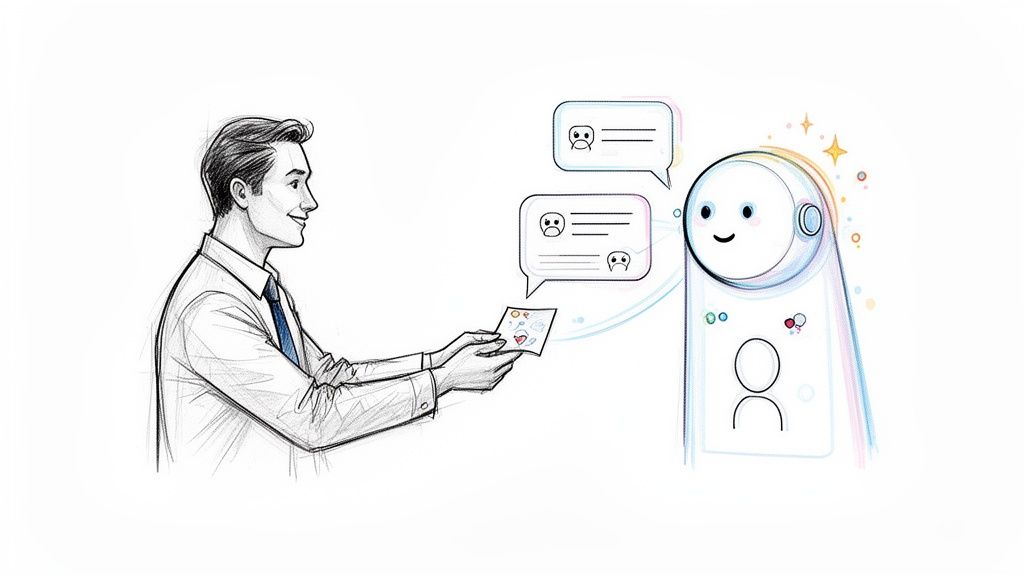
Unlike outdated text spinners, a modern LinkedIn AI post generator functions as a personal content strategist. It acts like a ghostwriter that has studied your unique professional voice and style.
To use it, you provide a raw idea, such as:
- A quick text note.
- A link to an interesting article.
- A voice memo describing a recent client win.
The AI then generates multiple post variations that reflect your vocabulary and tone, turning scattered thoughts into polished, ready-to-publish content.
How is this different from basic AI automation?
The key advantage of a specialized LinkedIn AI generator is its ability to maintain your authenticity. Early AI tools often produced generic, robotic text that failed to connect with a real audience. Today’s advanced generators solve this by learning from your past content.
This is a game-changer because it ensures the output genuinely sounds like you, which is crucial for building trust with your network. The goal isn't just to automate posting; it's to scale your authentic voice. If you want to dig deeper into what makes a post resonate, our guide on how to write effective LinkedIn posts is a great place to start.
This approach delivers real results. For example, recent data showed that by Q1 2026, over 20,000 creators confirmed that AI tools with tone-matching features drove 30% more inbound leads. Authenticity sells. An AI that nails your voice helps you maintain a consistent posting schedule of 3-5 times a week, which LinkedIn's algorithm can reward with up to a 40% increase in profile views.
The best AI post generators don't replace your thinking; they amplify it. They take your core ideas and structure them in a way that captures attention and starts conversations, freeing you to focus on strategy instead of sentence construction.
To help you see how these tools fit into a workflow, here's a quick summary of what a good AI generator does for you.
What are the main functions of a LinkedIn AI Post Generator?
This table breaks down the core functions and benefits of using a modern AI tool for your LinkedIn content.
| Feature | What It Means for You | Ideal For |
|---|---|---|
| Tone Matching | The AI learns your unique voice, ensuring posts sound authentic and not robotic. | Founders, ghostwriters, and anyone building a strong personal brand. |
| Multi-Format Input | You can provide ideas as text, links, or even voice notes, making content creation flexible. | Busy professionals, GTM teams, and agencies managing multiple clients. |
| Post Variations | It generates multiple drafts from a single idea, giving you options to choose from or combine. | Anyone looking to test different angles or overcome writer's block. |
| Content Structuring | It automatically applies formatting like hooks, lists, and CTAs for better readability. | All users who want to create posts that are engaging and easy to read. |
Ultimately, a good AI generator helps you hit two critical goals at once:
- Saving valuable time by shrinking your content creation process from hours down to minutes.
- Amplifying your professional impact by helping you maintain a consistent, high-quality, and authentic presence on the platform.
How does an AI generator move from robotic text to my authentic voice?
We've all seen them. Those early AI-written posts that just felt… off. They were robotic, stuffed with generic phrases, and needed a ton of editing to sound even remotely human. On a platform like LinkedIn, where authenticity and credibility are paramount, a one-size-fits-all approach can damage your personal brand and reduce engagement.
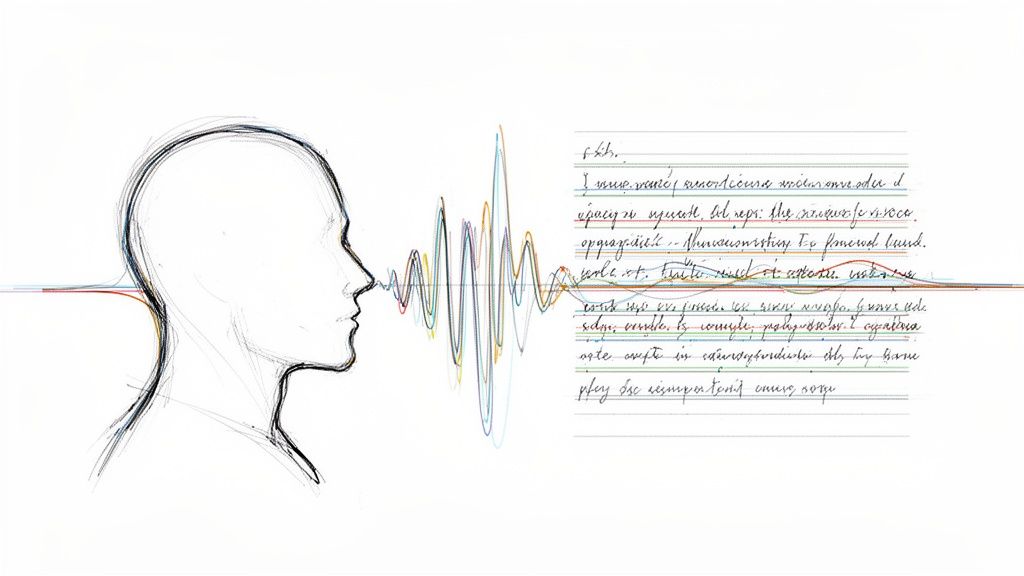
That’s where the evolution toward AI voice cloning completely changes the game for professionals. It's an advanced process where a specialized LinkedIn AI post generator doesn't just write for you—it actually learns to write like you.
What is AI voice cloning?
AI voice cloning is a process where the AI analyzes your entire content history to decode your unique communication style. Instead of relying on generic templates, it learns your specific nuances.
The AI learns:
- Your specific vocabulary, including the industry slang and phrases you naturally use.
- The rhythm and flow of your sentences, whether you prefer short, direct statements or longer, more thoughtful explanations.
- Your go-to formatting habits, like how you structure bullet points or use line breaks for emphasis.
- The exact tone you take, from witty and casual to deeply analytical and authoritative.
This custom-built model is a world away from the generic output of older AI tools. The difference is something your audience can feel immediately. Instead of a post that could have been written by absolutely anyone, you get content that feels like it genuinely came from you.
A 2026 LeadScribe comparison found that voice-customized tools like Brewbrand produce human-sounding content 85% of the time. That’s a huge leap from the 40% managed by generic AI. This is critical when you consider that LinkedIn drives 80% of B2B leads for many businesses, making it essential to stand out. You can read more about these findings in this breakdown of the top-performing AI tools for LinkedIn.
By mirroring your unique voice, a sophisticated generator helps your posts truly connect. They feel authentic because, in a sense, they are—they’re built from the DNA of your own words. This is how you build real trust and drive engagement at scale. For more inspiration, check out our guide on fresh content generation ideas that a smart AI can help bring to life.
Who can use a LinkedIn AI post generator?
An advanced LinkedIn AI post generator isn't just a cool piece of tech; it’s a tool that solves very real, often costly, problems that professionals face every day. This isn't about finding a one-size-fits-all button for content. It's about tackling specific bottlenecks in content creation, time management, and client scaling for various roles.
Marketing Agencies
For agencies managing 15+ client accounts, each with its own voice, a smart AI post generator is a lifesaver. It allows you to create and manage a distinct voice model for each client from one central place. You can generate a week's worth of authentic, on-brand content in minutes, not days. This helps you scale your client roster without scaling your headcount at the same rate.
Sales and GTM Teams
Sales teams often have valuable insights but lack the time or writing skills to turn them into content. With an AI post generator, a salesperson can record a quick 30-second voice note after a call, and the AI can instantly transform it into four distinct post variations. This turns fleeting moments into powerful, lead-generating content and empowers reps to build their personal brands with minimal effort.
The goal is to make content creation an effortless extension of the sales process. Turning a quick voice memo into multiple post drafts removes the friction that stops most sales reps from posting on LinkedIn consistently.
Busy Founders
Founders are the soul of their company’s story but are extremely time-strapped. An AI post generator helps founders write 10x faster. A task that used to take an hour can now be done in under five minutes, reclaiming critical hours that can be reinvested into growing the business.
Professional Ghostwriters
For ghostwriters, the most time-consuming part of the job is nailing a client's voice. By using a tool that clones a client's voice from the start, a ghostwriter can cut editing time by up to 70%. The AI produces a first draft that's already 85% of the way there, allowing the writer to focus on high-level strategy instead of minor tonal tweaks.
How to Choose the Right LinkedIn AI Post Generator
Not all AI tools are created equal. The market is flooded with options, but they generally fall into two categories: basic, often free tools, and advanced, specialized platforms. Knowing the difference is key to choosing a true content partner.
What are the most important features to look for?
To find a tool that’s a true asset, you have to look past simple text generation. The best platforms are built with the unique ecosystem of LinkedIn in mind.
Here’s what really matters:
- Voice Analysis and Mirroring: Can the tool actually learn from your past content to sound like you? This is, without a doubt, the most important feature for coming across as authentic.
- Multi-Format Inputs: A great generator is flexible. It should let you create posts from scattered text notes, quick audio recordings, or even links to videos and articles you find interesting. This is how you make content creation feel natural and fast.
- Hook and Content Variations: Does the AI give you options? It should suggest several different hooks and post structures for a single idea, letting you test what your audience responds to.
- Integrated Analytics: Connecting your content creation to its performance is non-negotiable. Look for tools that show you engagement data right where you write, so you can stop guessing and start refining your strategy.
This decision tree gives you a good visual for how different business goals connect to a content strategy—one that a good AI tool can help you execute.
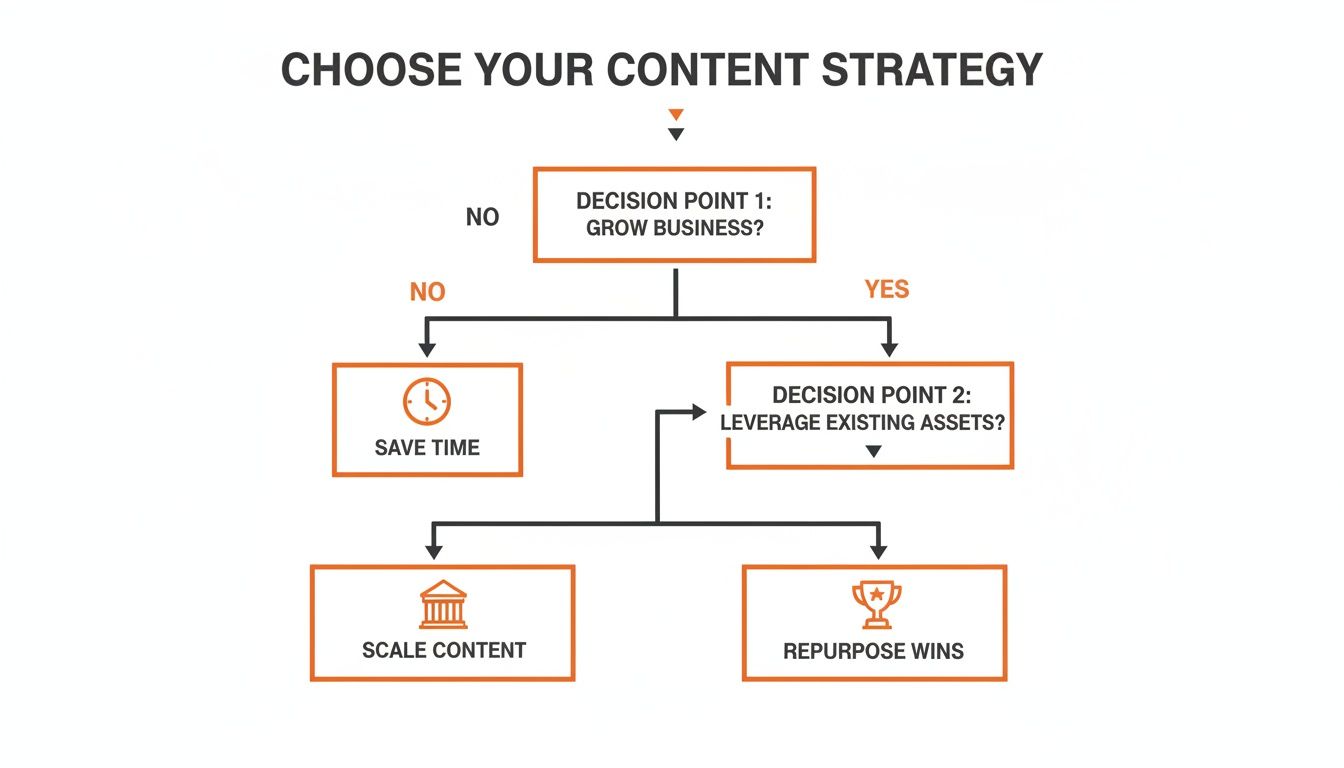
As you can see, whether you're trying to scale content for clients, repurpose company wins, or just get some time back in your day, there's a clear path an AI generator can help streamline.
What is the difference between generic and specialized generators?
The appeal of "free" is strong, but it often comes with a hidden cost. Some freemium AI post generators have pulled in over 20,000 users with promises of unlimited posts, but user reviews frequently cite "garbage output."
On the other hand, specialized tools that focus on authentic voice generation see daily posting habits stick for 82% of their users. This consistency pays off, leading to a 35% increase in inbound messages because the posts are backed by data and use proven hooks. You can see a full breakdown in this analysis of the best LinkedIn post generators.
Think of it like hiring someone to help with your content. A free, generic tool is like a temporary intern—they can handle simple, repetitive tasks. A specialized platform is like an experienced strategist who already understands your voice and actively helps you grow.
To make this even clearer, let's put them side-by-side. Here’s a direct comparison of what you can expect from a basic, free AI writer versus an advanced, specialized tool.
Comparison: Generic vs. Specialized LinkedIn AI Generators
| Feature | Generic AI Generator | Specialized Voice Generator |
|---|---|---|
| Voice Authenticity | Produces generic, often robotic-sounding text. | Learns and mirrors your unique voice for authentic posts. |
| Input Flexibility | Limited to simple text prompts. | Accepts text, audio, video links, and more. |
| Output Quality | Often requires heavy editing to be usable. | Generates high-quality drafts that need minimal refinement. |
| Strategic Features | Lacks advanced features like hook variations or analytics. | Includes tools for testing hooks and tracking post performance. |
| Primary Goal | Speed and quantity over everything else. | Quality and authenticity to drive real engagement. |
Ultimately, the choice comes down to your goals. If you just need to fill a content calendar, a generic tool might be enough. But if you want to build a genuine connection with your audience and see a real return on your efforts, a specialized tool is the only way to go.
What is the step-by-step process to create a post with AI?
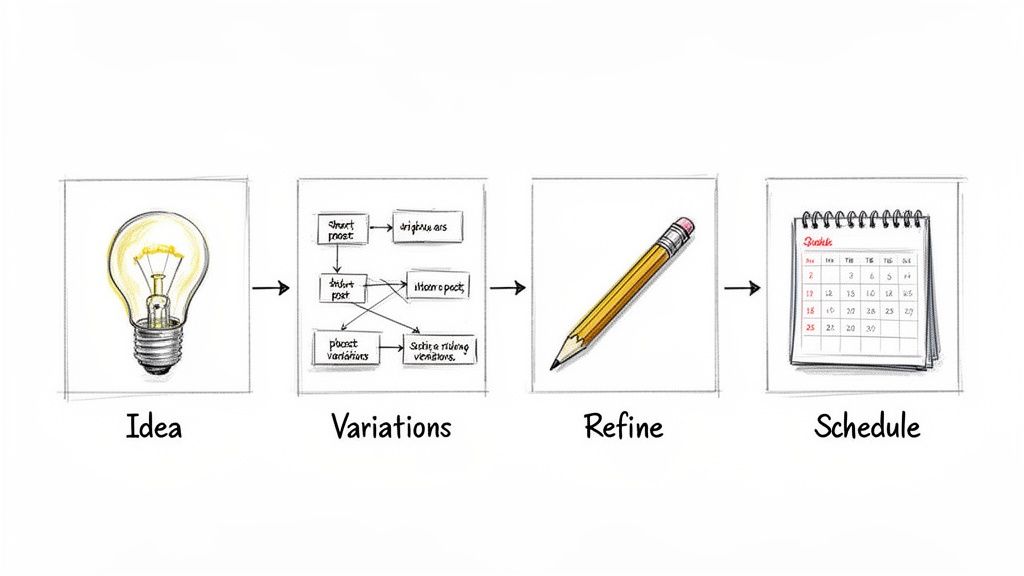
How does this work in a real-world scenario? This simple, four-step workflow transforms a rough idea into a polished LinkedIn post in minutes, fitting easily into a busy schedule.
Step 1: Provide a Raw Idea
Start with an insight, not a perfect draft. A smart AI post generator works with raw material—the kinds of thoughts you have all day.
You can input your idea in various formats:
- Voice Note: Record a quick summary of a client call or a new idea.
- Link: Paste a URL to a relevant article or video.
- Text: Jot down a few bullet points about a win, a lesson learned, or an observation.
The goal is to capture your idea effortlessly, without the pressure of a blank page.
Step 2: Generate Post Variations
Once you provide the idea, the AI generates several distinct versions of your post. Each option uses proven copywriting frameworks to frame your idea with different hooks, angles, and narrative structures. This allows you to see your concept from multiple perspectives and choose the one that resonates most with you.
Think of it as having an expert copywriter on your team who instantly drafts three or four different ways to tell your story. You get all the creative firepower without any of the waiting.
Step 3: Refine and Add Your Final Touch
After selecting the strongest variation, add your final human touch. The AI has done the heavy lifting of structuring the post, matching your tone, and ensuring it flows. Now, you can step in to:
- Tweak a phrase to sound more like you.
- Add a personal anecdote.
- Tag a relevant colleague or company.
This last 5% of refinement, which only takes a moment, turns a great draft into a perfect post.
Step 4: Schedule and Analyze Performance
The final step is to schedule the post directly to your content calendar. If you need a system for planning, our guide on building a LinkedIn content calendar template can help you stay organized.
Once your post is live, use built-in analytics to track engagement, see which hooks are performing best, and use that data to make your next posts even more effective.
Frequently Asked Questions
Here are answers to some of the most common questions and concerns about using AI to generate LinkedIn posts.
Will an AI generator make my posts sound robotic?
The answer depends entirely on the tool you use. Basic AI writers can produce generic, lifeless content. However, the best tools now use voice cloning. They analyze your past content to learn your specific vocabulary, rhythm, and sentence structure. The goal isn't just to write about your topics, but to write like you, ensuring an authentic voice.
How much time can I realistically save?
The process of writing a great LinkedIn post from scratch can easily take 45 minutes or more. With a specialized LinkedIn AI generator, you can reduce this entire workflow to under two minutes.
We're seeing users write 10x faster, consistently saving between 5 and 10 hours every single week. That's time you can pour back into other high-value work, all while keeping up the posting consistency that the LinkedIn algorithm favors.
Is it safe to connect an AI to my LinkedIn account?
Yes, with a reputable platform. Legitimate AI post generators are built with security and privacy as a top priority. When you allow a tool to analyze your past content, it’s only to build your personal voice model. These platforms will not post for you without your direct approval. You always review, edit, and schedule the content yourself, maintaining full control over your account.
Ready to stop staring at a blank page and start publishing high-impact content in minutes? Brewbrand learns your unique voice to generate posts that sound authentically like you. Transform your raw ideas into polished drafts and save hours every week. Start your free trial at Brewbrand.ai and experience the difference.
Generate LinkedIn content easier than ever before
Lorem ipsum dolor sit amet, consectetur adipiscing elit. Lorem ipsum dolor sit amet, consectetur.