What is the LinkedIn Post Character Limit in 2026?
Master the LinkedIn post character limit for all content. Our 2026 guide covers optimal lengths for posts, articles, and profiles with expert, actionable tips.

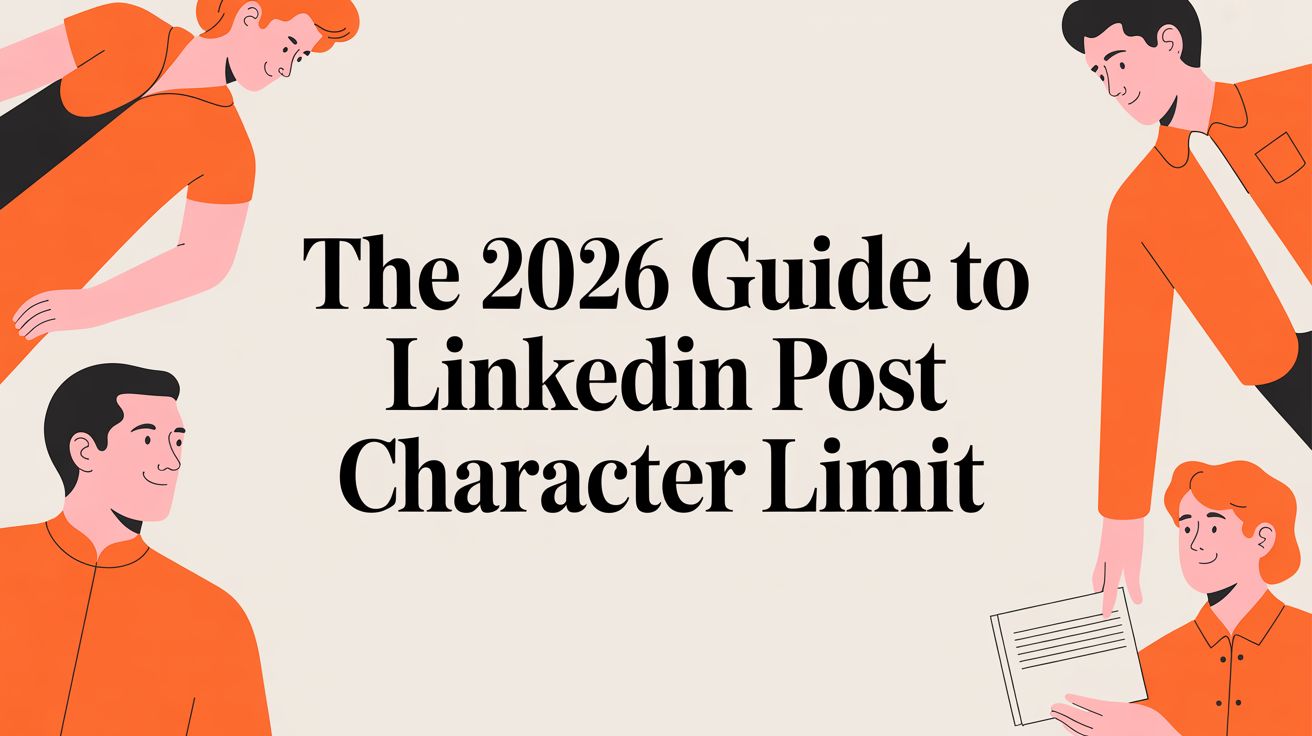
The character limit for a standard LinkedIn post is 3,000 characters. This includes all letters, spaces, punctuation, emojis, and hashtags. This provides ample space to share detailed stories, offer in-depth insights, and deliver significant value to your professional network.
A Guide to All LinkedIn Character Limits
To create effective content on LinkedIn, you first need to understand the character limits for various features. While the 3,000-character limit for posts is widely known, other fields like your headline and comments have their own specific constraints. Not adhering to these limits can result in your message being cut off or appearing unprofessional.
This visual guide compares the character limits for the most common content types on LinkedIn.
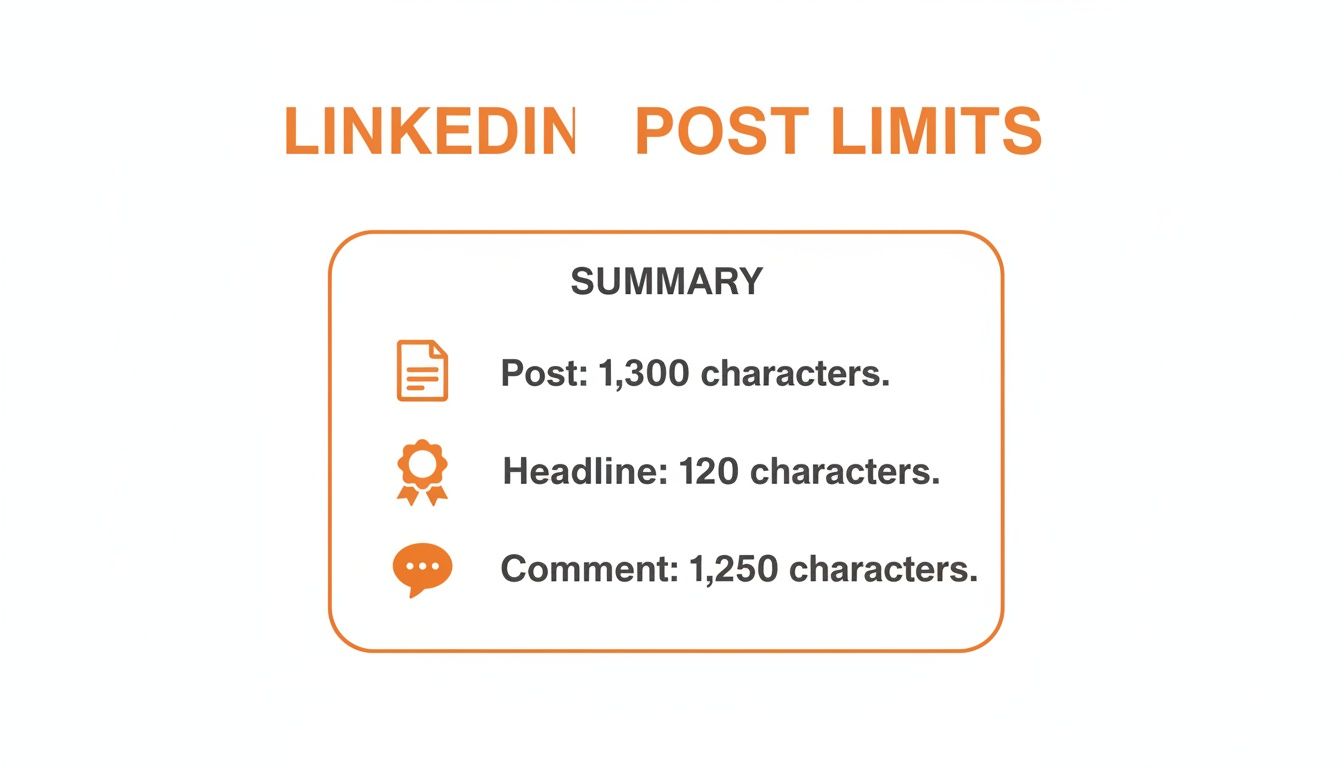
The difference in limits highlights the strategic purpose of each content type: a comprehensive post, a concise comment, or a powerful headline. Each format is designed for a different kind of interaction.
How has the LinkedIn Post Limit Evolved?
The current 3,000-character limit is a significant increase from previous years, reflecting LinkedIn's evolution towards a platform for meaningful professional storytelling.
Here is a comparison of the character limit changes over time:
- Original Limit: Initially, posts were restricted to a brief 130 characters.
- 2016 Increase: The limit was expanded to 1,300 characters, allowing for more detailed content.
- 2021-2023 Expansion: The limit was more than doubled to the current 3,000 characters, which is approximately 400-500 words.
This expansion provides a larger canvas for founders and leaders to build authority. To understand how creators have leveraged this change, you can read more on how this change has impacted thought leadership on AndreaT.com.
To simplify these rules, the following table provides a comprehensive overview of key character limits across LinkedIn.
What are the character limits for each LinkedIn feature?
This table serves as a quick reference for all major content areas on LinkedIn, from personal profiles to company pages and ads.
Knowing the official limits is one part of the equation. The "Best Practice" column offers the strategic insight needed to make every character count.
How can I maximize engagement within the post character limit?
While LinkedIn offers a generous 3,000-character limit for posts, using the entire space is often not the most effective strategy. The key to high engagement is to strike a balance between providing meaningful content and ensuring readability. Treat the LinkedIn post character limit as a maximum ceiling, not a target to be met.
Top creators understand that the primary objective is to capture attention and deliver value quickly. A post that appears as a dense wall of text will likely be ignored, regardless of its quality. Therefore, your post's length is a crucial strategic decision.
What is the ideal length for a LinkedIn post?
Data suggests an optimal length for maximizing engagement. A study analyzing 621,833 posts identified a clear "sweet spot": posts between 800 and 1,000 characters consistently receive 30-50% more views, likes, comments, and shares compared to both very short and very long posts. You can find the complete research on how post length impacts engagement at ContentIde.com.
This character range allows you to tell a complete story with a strong opening, substantial content, and a clear call-to-action without overwhelming the reader. It encourages conciseness, making every sentence purposeful.
The goal is to turn the LinkedIn post character limit from a constraint into a strategic advantage. It’s not about how much you can write, but how effectively you can communicate your message within the optimal length.
How to structure a high-impact post
To consistently achieve high engagement, you can follow a structured approach for your posts. This framework acts as a mini-story, guiding your reader from initial curiosity to a desired action.
Here are the steps to create a high-impact post:
- Step 1: The Hook (First 210 Characters): Begin with a bold statement, a relatable question, or a surprising fact. This is your critical opportunity to stop the scroll and earn the "see more" click.
- Step 2: The Value-Driven Body (600-800 Characters): Fulfill the promise of your hook. Share insights, provide evidence, or explain a solution. Use short paragraphs and bullet points for scannability.
- Step 3: The Call-to-Action (Final 100 Characters): Conclude with a clear and simple question or directive. Encourage conversation with prompts like, "What's your take on this?" or "Have you experienced something similar?"
Following this structure will help you create focused and powerful content consistently. For more detailed guidance, see our guide on how to write LinkedIn posts.
Your Hook: How to win attention in the first 210 characters
Although you have 3,000 characters for a LinkedIn post, the most critical part is the first few lines. This is the preview text users see before the "...see more" link. If these opening words fail to capture attention, the rest of your post will go unread. This preview is effectively your post's headline.
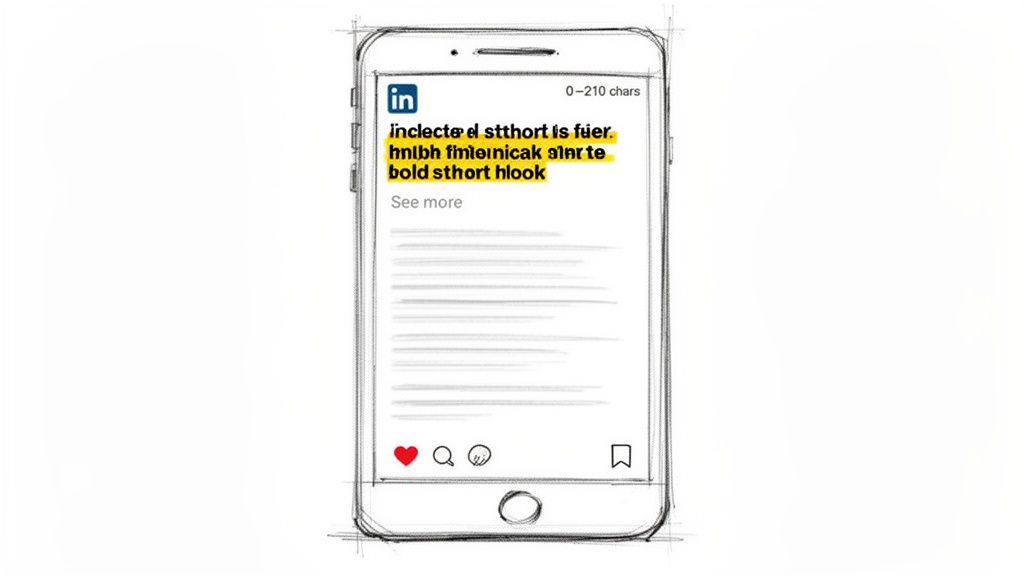
On most desktop feeds, LinkedIn truncates posts at approximately the 210-character mark. Failing to provide a compelling reason to click by this point can result in losing 80-90% of your potential audience. The hook is paramount. You can learn more about how a strong opening impacts visibility on RedactAI.io.
Which frameworks can I use to write a good hook?
You don't need to invent a perfect opening from scratch. Proven copywriting formulas are highly effective for LinkedIn hooks. Here are two reliable frameworks:
- PAS (Problem, Agitate, Solution): Start by identifying a specific pain point your audience experiences. Agitate the problem by describing the frustration it causes. Then, tease the solution that the rest of your post will reveal.
- AIDA (Attention, Interest, Desire, Action): Grab attention with a surprising statistic or a bold statement. Build interest by adding context. Create desire by showing what is possible. The full post then delivers the promised action or information.
Your goal is to make clicking "...see more" feel like a no-brainer. A great hook promises value and creates a sense of FOMO (fear of missing out) if they just keep scrolling.
What are some examples of effective hooks?
Here is how these frameworks look in practice:
Goal: Spark Curiosity
- Hook: I tested five cold outreach templates last month. One of them booked a meeting 78% of the time. Here's the word-for-word script...
Goal: Make a Bold Claim
- Hook: Most sales teams are chasing vanity metrics. After auditing 100+ B2B companies, we found only three KPIs that actually predict revenue growth...
Goal: Share a Relatable Struggle
- Hook: "We just don't have the budget for a full-time content person." I hear this constantly from founders. But what if you could plan and write a month's worth of posts in under two hours?
A strong opening sets your post up for success from the start. For more ideas, explore our LinkedIn post template guide.
How to Optimize Your Profile Within Character Constraints
While the 3,000-character limit for posts receives much of the attention, your personal profile is where that attention converts into tangible opportunities. Your profile should function as a personal sales page. Each field, with its unique character limit, is an opportunity to strengthen your brand and improve your visibility for lead generation.
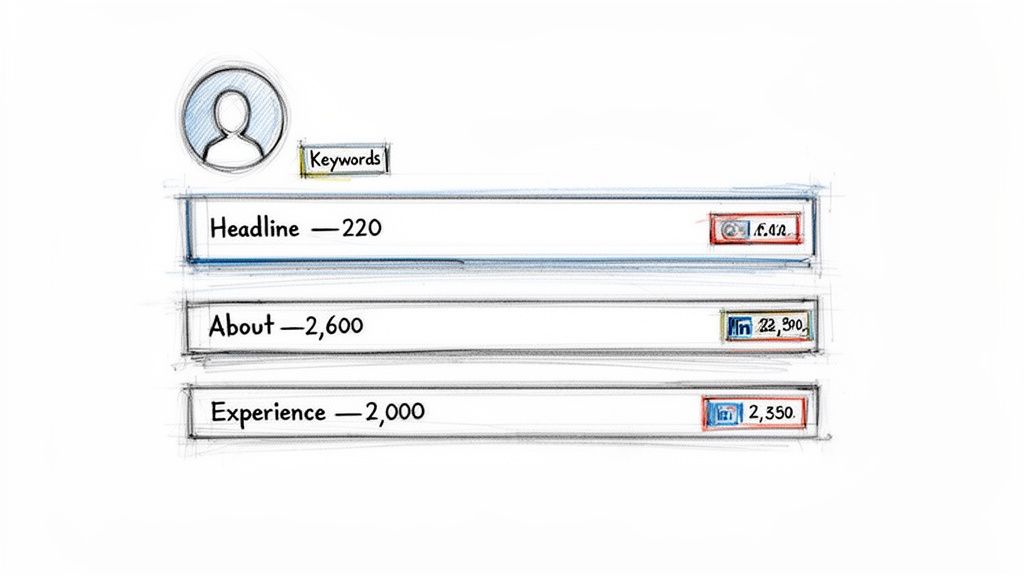
Here is a step-by-step guide to optimizing the three most important sections of your profile.
Step 1: Optimize Your Professional Headline (220 Characters)
Your Professional Headline is the most valuable part of your profile, with a strict 220-character limit on desktop. It appears in search results, next to your comments, and in connection requests. Avoid using just a job title. Instead, craft a value proposition that clearly states who you help and how, while including relevant keywords. A powerful formula is: Role + Value Proposition + Key Skill.
- Example: "Marketing Director at Brewbrand | Helping B2B Tech Startups Generate Qualified Leads | LinkedIn Content Strategy"
Step 2: Optimize Your About Section (2,600 Characters)
The 'About' summary gives you 2,600 characters to tell your professional story. However, only the first ~200 characters are visible before a visitor must click "see more." Your opening line must hook them with your core mission or a significant achievement.
Structure the rest of the section for scannability. Use short paragraphs and bullet points to detail your expertise, accomplishments, and unique value. For further reading, see our guide on how to generate leads on LinkedIn.
Think of your 'About' section as a mini-landing page. The goal is to state your value so clearly that the right person feels they have to reach out.
Step 3: Optimize Your Experience Descriptions (2,000 Characters)
Each role in your 'Experience' section provides 2,000 characters. Do not simply list job responsibilities. Instead, use this space to narrate a mini-story for each position, focusing on achievements and quantifiable results. Frame your accomplishments with context to demonstrate the impact of your work, transforming a simple work history into compelling proof of your capabilities.
How can I write powerful content within LinkedIn limits using Brewbrand?
Knowing the character limits is one part of the challenge; consistently creating great content that meets these constraints is another. Using the right tools can streamline this process, helping you convert ideas into polished, high-performing posts efficiently.
This is the problem Brewbrand was designed to solve. Instead of struggling with character counts or crafting the perfect opening, you can transform your ideas into well-structured posts that are ready for publication. The goal is to create authentic, impactful content consistently without spending hours on writing.
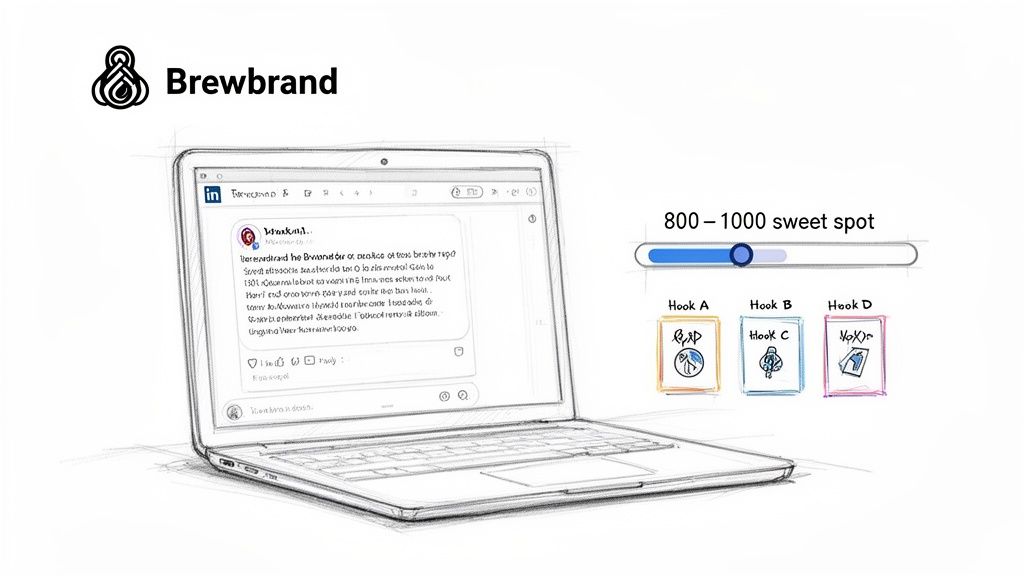
How to turn a raw idea into a polished post
Your creative process might begin with a quick thought, a screenshot, or a voice note. Manually shaping this raw material into a post that fits the 800-1,000 character sweet spot can be time-consuming.
Brewbrand's AI simplifies this workflow. By providing a simple prompt, it generates a structured draft that adheres to the LinkedIn post character limit and incorporates key engagement strategies. The AI learns from your past content, ensuring the output matches your unique voice and tone.
How to master the first 210 characters with multiple hooks
The first 210 characters are critical for capturing attention. Instead of manually writing multiple opening lines, Brewbrand provides four distinct hook variations for each post idea. This method offers a selection of options based on proven copywriting frameworks, allowing you to choose the best hook for your message—whether it's a bold claim, a relatable question, or a surprising statistic.
How does Brewbrand's workflow compare to manual posting?
A side-by-side comparison of a manual process versus a guided workflow highlights significant savings in time and creative energy. It's about producing better, more consistent content faster.
By automating the repetitive aspects of content creation, you can focus on higher-level strategy, audience engagement, and relationship building. This approach allows you to scale your content efforts without compromising quality or authenticity.
Common Questions on LinkedIn Limits
Navigating LinkedIn's character limits can be confusing. Here are answers to some of the most frequently asked questions.
Do links and hashtags count toward the character limit?
Yes, every character typed into a post, comment, or profile field counts towards the total limit. This includes:
- Letters, numbers, and punctuation.
- Spaces between words.
- Emojis (which often count as 2 characters each).
- The hashtag symbol and every character in your tag (e.g., #LinkedInStrategy is 16 characters).
- URLs. Although LinkedIn uses its
lnkd.inshortener, the shortened link still occupies a fixed number of characters in your post.
Therefore, strategic use of links and hashtags is essential. A post with a long URL and numerous hashtags uses a significant portion of your character allowance before you even begin your main message.
What is the best length for a LinkedIn post to get more views?
While the maximum length is 3,000 characters, data indicates that the optimal length for maximum views and engagement is between 800 and 1,000 characters.
This range is effective because it is long enough to tell a compelling story or share a valuable insight without appearing as an intimidating block of text. It respects the reader's time while providing sufficient space for a narrative and a clear call-to-action. Posts that are significantly shorter may seem superficial, while longer posts risk being scrolled past.
How should I handle an idea that is longer than 3,000 characters?
If your idea exceeds the 3,000-character limit, do not try to force it into a single post by sacrificing its value. Instead, use a format better suited for long-form content.
Here are the best steps to take:
- Publish a LinkedIn Article: This is the ideal format for in-depth content, with a 110,000-character limit. Write a concise teaser post on your feed that links to the full article.
- Create a Document Post (Carousel): Break down your idea into a series of visual slides and upload them as a PDF. This format is excellent for making dense information scannable and engaging.
- Write a Thread: Post the first part of your content, then add subsequent parts as comments on your own post. Numbering them (e.g., "1/3," "2/3") helps readers follow along and encourages them to read the entire piece.
To further clarify, here is a table of other common questions about LinkedIn limits.
Common Questions on LinkedIn Limits
This information should help you navigate the platform's content constraints effectively.
Ready to stop worrying about character counts and start creating high-impact content in minutes? Brewbrand learns your unique voice to generate authentic, ready-to-publish posts that hit the engagement sweet spot every time. Start your free trial at Brewbrand.ai.
Generate LinkedIn content easier than ever before
Lorem ipsum dolor sit amet, consectetur adipiscing elit. Lorem ipsum dolor sit amet, consectetur.